Search engine optimization (SEO) is the work of making your website easy for Google to understand and genuinely useful for the people searching. Done well, it brings in visitors who are already looking for what you sell, without paying for every click. This guide brings together everything we used to spread across four separate articles, updated for how search works in 2026.
- Start with Google Search Console. It shows which searches already find you and what is broken, for free.
- Pick one main search phrase per page and write the page for the person typing it, not for a word count.
- Fix the basics first: titles, descriptions, headings, image alt text, page speed and mobile layout.
- For local businesses, your Google Business Profile and reviews matter as much as your website.
- AI search does not need special tricks. Google says the same SEO fundamentals apply to AI Overviews and AI Mode.
What is SEO, and why does it still matter?
SEO is everything you do so that search engines can find, understand and recommend your pages. It covers three areas: the content on your pages, the technical health of your site, and the signals from the rest of the web, such as links and reviews, that show your business is real and trusted.
It matters because search is usually where buying decisions start. When someone in Edmonton types “IT support near me” or “website redesign cost”, the businesses that appear have a head start before anyone picks up the phone. Unlike ads, those visits keep coming without a cost per click once the work is done.
Be realistic about timing. Google’s own SEO Starter Guide says some changes take effect in a few hours and others can take several months. SEO is a steady habit, not a one-time project.
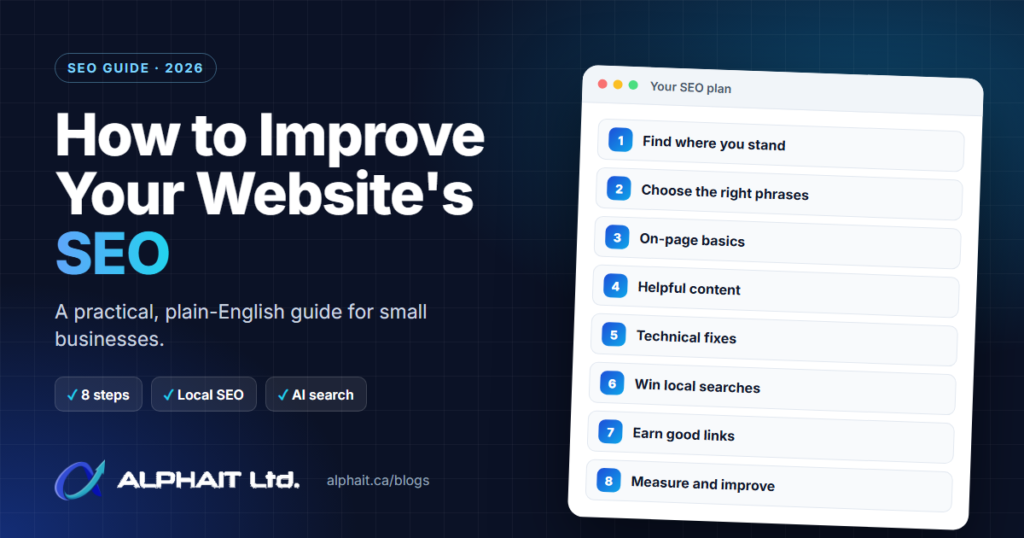
Step 1: Find out where you stand
Before changing anything, measure. Two free tools from Google cover most of what a small business needs:
- Google Search Console shows the searches your pages appear for, how often people click, which pages are indexed, and errors Google found on your site.
- Google Analytics shows where visitors come from, which pages they read and whether they contact you.
Make a short list: the pages that already get search traffic, the pages that should but don’t, and any errors Search Console reports. Your first improvements should go where they will make the biggest difference. Our free SEO analyzer and SEO audit checklist can help you spot the obvious issues on a single page.
Step 2: Choose the right search phrases
Keyword research means finding the words your customers actually type. The goal is not the biggest number; it is the phrase that matches what your page offers.
- Start with your customers’ language. Write down how clients describe their problem on the phone. “My Wi-Fi keeps dropping” is a search phrase; “wireless infrastructure optimization” usually is not.
- Check search intent. Look at what Google already shows for the phrase. If the results are guides, a sales page will struggle. If they are service pages from local companies, a blog post will struggle.
- Use a keyword tool to compare options. Google Keyword Planner is free with a Google Ads account. Paid tools add competitor data; we compare them in Free vs Paid SEO Tools.
- Give each page one main phrase. If two of your pages chase the same phrase, they compete with each other and both usually lose. That is exactly why we merged four older articles into this one.
Step 3: Get the on-page basics right
On-page SEO is everything you control on the page itself. These are the checks we run first on almost every site:
| Element | What good looks like |
|---|---|
| Title | Unique to the page, clear and specific, with the main phrase near the start. This becomes the headline in search results. |
| Meta description | A short, unique summary of the page’s most useful points. Google may rewrite it, but a good one helps people choose your result. |
| Headings | One H1 that says what the page is about, then H2 and H3 headings that break the content into clear sections. |
| URL | Readable words, not random IDs: /services/managed-it-support-edmonton/ rather than /?p=1234. |
| Images | Descriptive alt text that explains what the image shows, and files compressed so they load quickly. |
| Internal links | Links to your related pages with descriptive anchor text, such as “our backup service” rather than “click here”. |
Two things not to bother with: Google says it does not use the meta keywords tag, and there is no ideal word count. Keyword stuffing, repeating the same phrase over and over, works against you.
Step 4: Write content that actually helps
Google’s guidance on creating helpful, reliable, people-first content comes down to one question: would someone who found this page feel they learned enough to achieve their goal?
- Answer the question early. Put the direct answer in the first lines of each section, then explain.
- Show real experience. Explain how you do the work, what you check and what you have learned. That is something competitors cannot copy.
- Keep it current. Update prices, dates and screenshots, and fix anything that has changed. An article that says “upgrade before the deadline” after the deadline has passed loses trust.
- Write for people, not robots. Short paragraphs, plain words, lists and tables where they help.
Step 5: Fix technical problems that hold you back
Technical SEO makes sure Google can crawl your site and visitors have a good experience on any device. A simple checklist:
- Mobile first. Most local searches happen on phones, so check every page on a phone, not just a desktop.
- Speed and stability. Google’s Core Web Vitals set clear targets: the main content should load within 2.5 seconds, the page should respond to taps within 200 milliseconds, and the layout shift score should stay at 0.1 or less.
- HTTPS everywhere. Every page should load securely with no “not secure” warnings.
- No broken pages. Fix or redirect links that lead to errors. Our 5-minute 404 fix guide shows how.
- An XML sitemap submitted in Search Console, and a robots.txt file that does not accidentally block important pages.
- A clear structure. Important pages should be reachable within a few clicks from your homepage menu.
Step 6: Win local searches
If you serve customers in a specific area, local SEO often brings faster results than anything else. Google says local results are based on relevance, distance and prominence, that complete and accurate information makes you more likely to show up, and that more reviews and positive ratings can help. It also says there is no way to pay for a better local ranking.
- Claim and complete your Google Business Profile: categories, services, hours, service area and photos. Our free Google Business Profile checklist walks through every field.
- Ask happy customers for reviews as part of finishing every job, and reply to every review.
- Keep your business name, phone number and area consistent on your website, your profile and directories.
- Create pages for the services and areas you actually serve, with real detail, not copies with the city name swapped.
Healthcare businesses have extra rules to follow; see our guides on Google Business Profile for dental clinics and SEO for dentists.
Step 7: Earn links the right way
Links are still one of the main ways Google discovers pages and judges which ones are worth showing. The SEO Starter Guide notes that the vast majority of new pages Google finds every day are found through links.
- Good links: local business associations, suppliers and partners, industry directories, local news, and other sites that cite a genuinely useful guide or tool you published.
- Links to avoid: bought links, link swaps at scale and low-quality directories. Google’s spam policies treat these as link spam, and they can hurt more than help.
Worried someone is pointing spammy links at your site? Read how negative SEO works and how to protect your site.
SEO or Google Ads: which should you use?
Paid search puts your ad above the organic results, marked “Sponsored”, as soon as your campaign is live. SEO takes longer but keeps working without a cost per click. Most businesses do best with a mix.
| SEO (organic) | Google Ads (paid) | |
|---|---|---|
| Speed | Weeks to months | As soon as ads are approved |
| Cost model | Your time or an SEO partner; no cost per click | You pay for each click, set by your budget and bids |
| When it stops | Rankings fade slowly if you stop maintaining them | Traffic stops when the budget stops |
| Best for | Long-term visibility and trust | New offers, seasonal demand and testing keywords |
A practical approach: use ads to find which search phrases turn into enquiries, then invest in SEO for those phrases. If you are deciding between Google and social ads, see Google Ads vs Meta Ads, or talk to us about Google and Meta ads management.
What about AI search like Google’s AI Overviews?
Google is clear that you do not need special files or markup to appear in AI features. Its documentation on AI features and your website says there are no additional requirements to appear in AI Overviews or AI Mode, and no special optimizations are necessary. The same fundamentals in this guide apply: pages Google can index, clear answers, real expertise and a site people trust.
Step 8: Measure, then keep improving
Check your numbers once a month:
- Clicks and impressions in Search Console, and the search phrases behind them.
- Which pages bring visitors who contact you, from Google Analytics.
- New errors or pages dropped from Google’s index.
- Your Google Business Profile calls, direction requests and reviews.
Then update what is underperforming: rewrite a weak title, refresh an out-of-date article, add a missing section that searchers clearly want, or merge pages that compete with each other.
Frequently asked questions
How long does SEO take to work?
It varies. Google says some changes can take effect in hours while others take several months. Fixing technical errors or improving titles can show results sooner; ranking for competitive phrases usually takes sustained work over months.
Can I do SEO myself?
Yes, for the basics. Search Console, a complete Google Business Profile, clear titles and helpful content will take most small businesses a long way. Bring in help when you need technical fixes, a content plan or you simply don’t have the time.
Do I need a blog for SEO?
Not always. Strong service pages matter most for a local business. A blog helps when you have useful answers to the questions customers ask before they buy.
Is SEO better than Google Ads?
Neither is better for every business. Ads bring traffic immediately but stop when you stop paying; SEO takes longer but keeps working. Using both, with ads to learn and SEO to build, is often the most effective.
Does social media help SEO?
Not directly. Sharing your content on social media can bring visitors and help people discover pages they might link to, which supports SEO indirectly.
Want a second pair of eyes on your SEO?
AlphaIT helps Edmonton businesses with SEO from the technical setup to content and Google Business Profile. If you would like us to look at your site and tell you what to fix first, see our SEO services or call 780-318-0149.