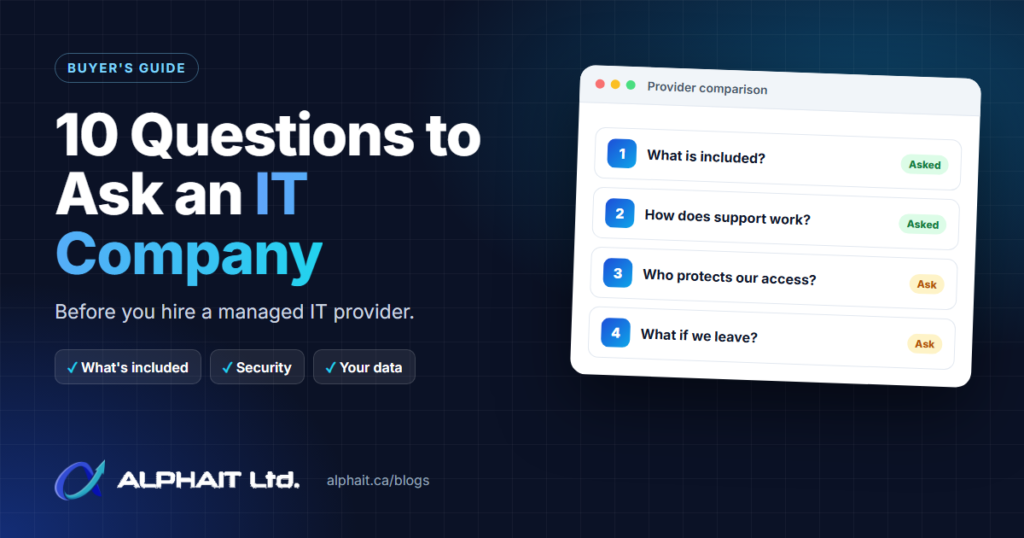
Choosing a managed IT provider is easier when you compare every candidate against the same short list. These are the 10 questions to ask an IT company before you sign, with why each one matters and what a good answer sounds like. Use the worksheet near the end to score two providers side by side.
Key takeaways
- Get the scope in writing: what the monthly fee covers, and what is billed as projects, hardware or add-on services such as backup.
- Ask how your provider protects its own access to your systems. Canada’s Cyber Centre and CISA both treat IT providers as a supply-chain risk.
- Confirm that you own your data, your accounts and your admin passwords, and how they come back to you if you leave.
- Under Alberta’s privacy law, your business stays responsible for personal information that a service provider handles for you.
- A good provider answers plainly, puts it in writing and does not pressure you to sign quickly.
Why the questions matter more than the sales pitch
An IT provider usually holds administrator access to your email, files and computers. That makes the choice a security decision as well as a service decision.
The Canadian Centre for Cyber Security publishes guidance for organizations buying managed services. It includes a checklist of questions to ask a service provider before signing up. CISA in the United States frames the same issue around a few core questions, starting with “Who is responsible for security and operations when outsourcing IT services to an MSP?” (CISA).
There is a legal angle too. Alberta’s Personal Information Protection Act (PIPA) says that when an organization engages a service provider, “the organization is, with respect to those services, responsible for that person’s compliance with this Act” (PIPA, s. 5(2)). Hiring an IT company does not hand off your privacy obligations.
The 10 questions to ask an IT company
1. What exactly is included in the monthly fee, and what costs extra?
Why it matters: Most billing disputes come from scope. “Unlimited support” can mean very different things once a new server, an office move or a new hire’s laptop setup comes up.
A good answer sounds like: A written list of what is covered (help desk, maintenance, monitoring, user changes) and what is quoted separately (projects, hardware, software licences, backup services). They should explain how project work is quoted and approved before it starts.
2. How do we get support, and what happens after hours?
Why it matters: You need to know how a staff member reaches a real person, which issues are handled remotely and when someone comes on-site. After-hours coverage is where plans differ the most.
A good answer sounds like: Clear support hours, the ways to reach the team (phone, email, portal), how urgent issues are flagged and what after-hours help costs, if it is offered. If they quote response targets, ask to see them in the agreement rather than just hearing them on a call.
3. Who is responsible for which parts of security?
Why it matters: Gaps appear when both sides assume the other one is handling something. The joint advisory from Five Eyes cyber agencies, including Canada’s Cyber Centre, recommends that contracts “transparently identify ownership of ICT security roles and responsibilities” (CISA advisory AA22-131A).
A good answer sounds like: A plain split of duties. For example, who enforces multi-factor authentication (MFA), who applies updates and patches and how quickly, who watches alerts, and what your staff are still expected to do. If you want deeper protection, they should explain what their cybersecurity services add and what that costs.
4. How are our backups done, and how do you prove a restore works?
Why it matters: A backup that has never been restored is untested. The Cyber Centre notes that if you back up daily and a failure happens 23 hours later, “23 hours of data will be lost” (ITSM.50.030).
A good answer sounds like: What is backed up (servers, PCs, Microsoft 365 or Google Workspace), how often, where the copies are kept, whether backup is included or a separate service, and how often restores are tested and reported. Our guide on how to test backups shows what a real restore test looks like.
5. How long is the contract, and what happens to our data and passwords if we leave?
Why it matters: The exit is part of the deal. The Cyber Centre advises organizations to “contractually retain legal ownership” of their data and to plan for changing providers (Cyber Centre).
A good answer sounds like: A stated term and notice period, no surprise penalties, and a written handover process. That process should cover admin passwords, licence and domain accounts in your name, network documentation, and removal of their remote tools and accounts. CISA’s advisory also says to “disable MSP accounts that are no longer managing infrastructure.”
6. Who are your technicians, and how do you protect your access to our systems?
Why it matters: Attackers target IT providers because one provider can reach many clients. The Cyber Centre has warned about malicious activity targeting IT managed service providers. The joint advisory tells customers to “enforce MFA on MSP accounts that access the customer environment” and to restrict provider access to the systems the provider manages.
A good answer sounds like: Named people or a small team, background screening and regular security training, MFA on every technician account and remote tool, least-privilege access, and logs of who did what. The Cyber Centre’s checklist asks whether administrators are screened and whether “audit logs track individual SA actions.”
7. Do you have local, on-site coverage where we are?
Why it matters: Most issues can be fixed remotely, but network failures, new equipment and office moves often need someone in person.
A good answer sounds like: A clear list of the communities they cover, how on-site visits are scheduled and whether travel or visits are billed separately.
8. What does onboarding look like?
Why it matters: The first weeks set the baseline. A rushed start can leave old accounts active, unknown devices on the network and backups nobody has checked.
A good answer sounds like: A documented process: an inventory of devices, users and software, collection of admin credentials into a secure vault, a security and backup review, a list of findings with priorities, and a named contact for your team.
9. What will you report to us, and how often do we review?
Why it matters: Without reporting, you cannot tell whether patching, backups and monitoring are actually happening. CISA’s advisory recommends that providers give customers visibility into logging activity.
A good answer sounds like: A regular report on tickets, patch status, backup results and security alerts, plus a periodic review meeting to plan upgrades and budget.
10. How is pricing calculated, and when can it change?
Why it matters: Per-user, per-device and flat-rate pricing behave differently as you hire or add equipment. You need to predict next year’s cost, not just this month’s.
A good answer sounds like: A written price, the unit it is based on, what triggers a change and how much notice you get. If you are comparing plan types, our managed IT support page explains how a monthly plan works.
Red flags to watch for
- They will not put scope, pricing or notice terms in writing.
- Admin passwords, domain names or licences are registered to the provider instead of your business.
- Technicians share one login, or MFA is not used on their remote access tools.
- “Backups are handled” with no detail on what, where or how restores are tested.
- No clear exit or handover process.
- Pressure to sign quickly, or long contracts with steep early-exit penalties.
- Vague answers about who is responsible when something goes wrong.
Comparison worksheet
Print this table and fill it in during each call. Ask for anything important in writing.
| Question | Provider A | Provider B |
|---|---|---|
| 1. Included vs extra (projects, hardware, backups) | ||
| 2. Support hours, how to reach a person, after hours | ||
| 3. Security split (MFA, patching, monitoring) | ||
| 4. Backups and restore testing | ||
| 5. Contract term, notice period, exit and handover | ||
| 6. Technician screening and access protection | ||
| 7. On-site coverage in your area | ||
| 8. Onboarding process | ||
| 9. Reporting and reviews | ||
| 10. Pricing basis and change terms |
How AlphaIT answers some of these questions
We think you should hold us to the same list, so here are a few of our own answers. AlphaIT was founded in Edmonton in October 2019.
- Pricing: Managed IT plans start at $350 per month on an annual agreement, or $400 per month month-to-month.
- Notice period: Month-to-month plans can be cancelled with 30 days’ notice.
- Backups: Online server backup to Canadian data centres is a separate paid service. It is not included in the plan.
- Coverage: We work on-site and remotely across Edmonton, St. Albert, Sherwood Park, Spruce Grove, Stony Plain, Leduc, Nisku, Fort Saskatchewan, Beaumont and Acheson.
- Getting started: We offer a free IT assessment.
You can see the full range of what we do on our IT services page.
Frequently asked questions
How many IT companies should I compare?
Two or three is usually enough. Ask each the same questions, record the answers in the worksheet and compare the written proposals, not just the conversations.
Should I give my IT provider all our admin passwords?
They will need administrator access to do the work, but your business should own the accounts and hold a copy of the credentials. The Cyber Centre advises against giving providers access to sensitive systems outside their responsibility.
Is my business still responsible for privacy if the IT company handles our data?
Yes. Under Alberta PIPA, an organization is responsible for personal information in its custody or under its control, and for the compliance of service providers it engages. Choose a provider whose security practices you can explain.
What should a managed IT agreement include?
At minimum: scope of services, what is extra, support hours and contact methods, security responsibilities, backup terms, pricing basis, contract term, notice period and a data and credential handover process.
Check where your IT stands today
Before you compare providers, it helps to know your starting point. Take our free 3-minute IT check, or call us at 780-318-0149.