
Edmonton · IT advice and planning
IT consulting for Edmonton businesses
Before you sign an IT contract, buy a server, renew Microsoft licences or move offices, get a straight answer on what you actually need. We review your setup and give you a written plan with costs.
Sample · IT roadmap
Your office, the next 24 months
Turn on MFA for every account
Two accounts still sign in with a password only.
Test a backup restore
Backups run nightly but have never been restored.
Replace the firewall
Current model is out of vendor support.
Replace PCs that can’t run Windows 11
Spread across two budget quarters.
What we advise on
The decisions we help you make
Most consulting comes down to one question: what should this business spend on technology next, and what can wait?
Where does our IT actually stand?
An assessment of computers, network, accounts, backups and security, ranked by what to fix first.
Start the free assessmentWhich Microsoft 365 plan, and is Copilot worth it?
Who needs which licence, and whether Google Workspace fits better.
Microsoft 365Keep the server, or move to the cloud?
What your software needs, what your internet can carry, and what each option costs.
Servers and cloudIs our network and firewall up to it?
Wi-Fi coverage, guest separation and whether the firewall is due for replacement.
FirewallsWill we pass the cyber insurance questions?
MFA, backups, email security and admin access checked before renewal.
CybersecurityHow long could we be down?
Backup and recovery planned around the downtime and data loss you can live with.
Backup planningWhich computers need replacing?
Windows 11 readiness and a replacement schedule that spreads the cost.
ESU cost calculatorWhat do we need for the new office?
Internet, cabling, Wi-Fi and equipment planned before the lease starts.
Office movesHow should staff use AI tools?
Which tools fit your work, what never goes into them, and a written policy.
AI solutionsClinics and law firms have extra rules to plan around. See dental clinics, medical clinics and law firms.
Good IT advice stops the purchases you didn’t need and points you to the ones you did.
Timing
When is IT advice worth paying for?
Before something hard to undo
A server, a firewall or a three-year licence agreement is easy to buy and expensive to reverse.
- A server or firewall is due for replacement
- Microsoft 365 renewal or a Copilot decision
- Moving offices or opening a second location
- Old Windows 10 computers still in use
Right after something went wrong
One incident usually points to more than one gap. An outside review finds the rest.
- A phishing email got through, or an account was taken over
- A backup failed when you needed it
- An insurance questionnaire you couldn’t answer
- The person who “did IT” is leaving
Already have a provider? An outside review gives you facts to take back to them. Start with our questions to ask an IT company.
What you get
Four parts, all in writing
You stay in control of the decisions. Our job is to give you the facts and the options, then you choose who does the work.
Inventory
What you have today: computers, network gear, accounts, licences and backups, documented.
Findings
The risks we found, ranked by what to fix first and why.
Roadmap
A plan for the next 12 to 24 months, in the order that makes sense.
Budget
Estimated one-time and monthly costs for each step.
The team has been responsive, approachable and proactive throughout our association. They take the time to explain technical concepts in simple terms and understand the unique needs of our clinic.
Measured against a standard
Advice based on Canadian guidance, not a sales pitch
We check your setup against the Canadian Centre for Cyber Security’s baseline controls for small and medium organizations. It’s a free, public list written for businesses your size, so you can read exactly what we measure you against.
The Cyber Centre’s National Cyber Threat Assessment calls ransomware one of the most disruptive forms of cybercrime facing Canada. That’s why backups and account security usually sit near the top of our recommendations, ahead of new hardware.
Sources: Cyber Centre: Baseline cyber security controls for small and medium organizations, Cyber Centre: National Cyber Threat Assessment 2025-2026.
Areas a review covers
- Accounts, passwords and multi-factor sign-in
- Backups and whether they restore
- Updates on computers, servers and network gear
- Email security and phishing protection
- Firewall and remote access
- Who has admin access, and why
Ways to work with us
Advice only, a project, or ongoing support
| Compare | Advice and planning | Project | Managed IT |
|---|---|---|---|
| What you get | Assessment and written plan | One piece of the plan carried out, such as a server replacement or Microsoft 365 migration | Ongoing support, monitoring and planning |
| Who does the work | You, your current provider or us | Us | Us |
| Price | Quoted up front after a free first conversation | Quoted in writing | From $350/month on an annual agreement |
| Learn more | Free IT assessment | All IT services | Managed IT services |
Questions
IT consulting questions
What Edmonton owners and managers ask before hiring an IT consultant.
What does an IT consultant do for a small business?
An IT consultant reviews your computers, network, accounts, backups and security, then tells you what to fix, what to buy and what can wait. You get a written plan with costs, so technology decisions are made on facts rather than sales pitches.
How much does IT consulting cost in Edmonton?
The first assessment is free. After that, consulting work is quoted up front based on the size of your business and what you need to decide, so you know the cost before we start.
Do we have to use AlphaIT to carry out the recommendations?
No. The plan is yours. You can carry it out in-house, give it to your current IT provider or have us do the work.
Can you review the work of our current IT provider?
Yes. We can look at how your systems are set up and maintained, and give you a factual report you can discuss with your provider.
Should we keep our server or move to the cloud?
It depends on your software, your internet connection and how your team works. Some businesses can move everything to Microsoft 365 and Azure, while others still need a server in the office for line-of-business software. We compare the options and their costs for your situation.
Can you help with a cyber insurance questionnaire?
Yes. Insurers often ask about multi-factor sign-in, backups, email security and admin access. We check where you stand and what to close before renewal. We provide IT services, not insurance or legal advice.
Do you help decide whether Microsoft Copilot is worth it?
Yes. We look at who would actually use it and on which plan, so you don’t pay for licences that sit unused.
Do you offer IT consulting for one-time projects?
Yes. Office moves, server replacements, Microsoft 365 migrations and firewall upgrades can all be planned and carried out as one-time projects, quoted in writing.
Do you come on site for IT consulting?
Yes, across Edmonton and nearby communities such as St. Albert, Sherwood Park, Spruce Grove and Leduc. Some of the review can be done remotely.
How do we get started?
Fill in our free 3-minute IT assessment or call 780-318-0149. We’ll talk through what you want to decide and suggest the next step.
From the blog
Related articles on IT Consulting
-
 IT & Security
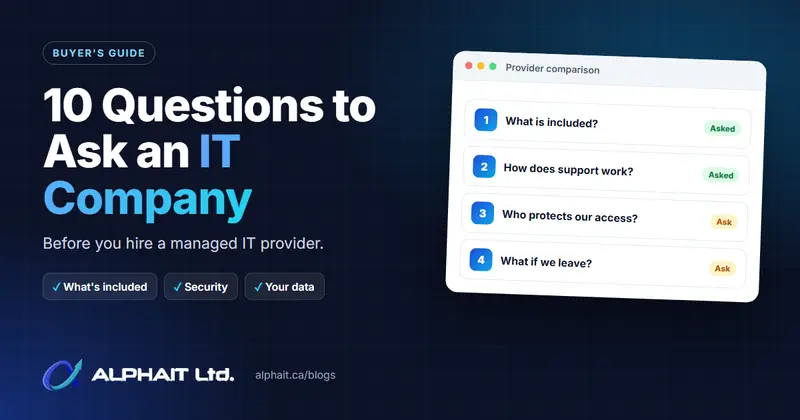
10 Questions to Ask an IT Company Before You Hire One
Comparing IT providers? Ask these 10 questions about scope, support, security, backups, exit terms and pricing, and use our side-by-side worksheet.
Big IT decision coming up?
Get a second opinion before you spend
Tell us what you’re deciding. We’ll look at your setup and give you a straight answer on what it needs, what it doesn’t, and what it should cost.
Based in Edmonton · on site across the region · open every day 11 am to 7 pm