
Law firm IT · Edmonton & area
IT Support for Law Firms in Edmonton
IT support and cybersecurity for small and mid-sized Alberta law firms. We look after the computers, Microsoft 365, client file storage, remote access and backups your practice runs on, and we set them up with Law Society of Alberta rules in mind: trust record backups, client consent for cloud storage, and a plan for when something goes wrong.
Managed IT from $350/month · free law firm IT assessment
- Coordinates with your software vendors
- Client files stored in Canada
- Remote & on-site support
Firm systems
● Ready for clients
Client files & matters
Access by matter
Trust records backup
Restore tested
Email + payment checks
Filtered
Sign-ins + MFA
Enforced
Court & home access
Secured
Built for law practices
Trust records, client files and conflicts
Local to Edmonton
Remote help first, on-site when needed
Fraud-aware email
Checks on payment and wire instructions
Written for your file
Safeguards you can show insurers and clients
Where law firm IT goes wrong
Your Firm Holds Two Things Criminals Want: Client Secrets and Trust Money
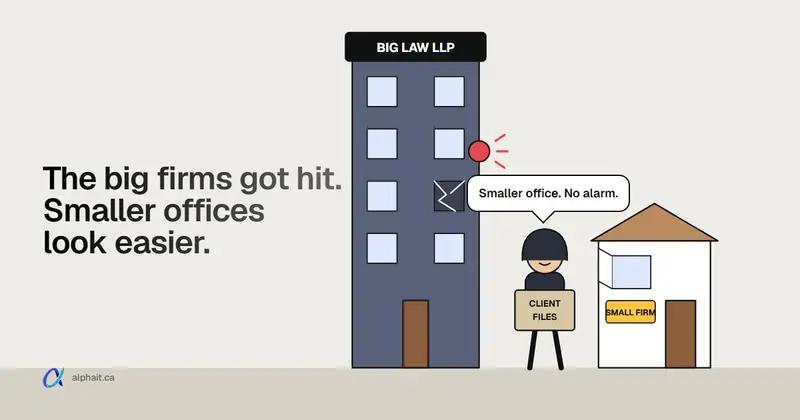
Big firms have security teams. A five-lawyer office usually has a part-time IT person, a shared password list and a server in the closet. Attackers know that. Four large Canadian firms disclosed breaches in October 2026, and the methods used against them work just as well on a small office. Read what happened and what small firms should check.
Fake payment instructions
A real-looking email from a client, realtor or opposing counsel changes the account for a closing payout. Once trust money is sent, it is usually gone. ALIA’s cyber program does not cover this kind of loss.
Client files in too many places
Matters live in the practice software, in Word files on a shared drive, in email attachments and on laptops. Nobody can say for sure who can open which file.
Conflicts and ethical walls
When a lawyer must be screened from a matter, the screen has to exist in the file system too, not just in a memo.
Lawyers and assistants move on
A departing associate may still have email, remote access or a synced copy of client files weeks later. Offboarding has to happen on the last day.
Working from court, home and the road
Lawyers work from courthouses, client offices and the kitchen table. Public Wi-Fi and personal devices are an easy way in without MFA and encrypted laptops.
Ten years of records on an old server
Trust records must be retrievable for at least ten full years. Many firms keep them on a server that is past its life and has never had a restore test.
Law firm IT services
What We Look After in Your Firm
Your practice management and accounting software vendors support their applications. Our job is everything those applications sit on: devices, network, user accounts, security and backups. If it’s unclear whose problem it is, we open the ticket with the vendor ourselves.
Managed IT support
Lawyers, assistants and reception call one number. Most issues are fixed remotely, and we come to the office when a job needs hands on the hardware.
Microsoft 365 for law firms
Email, Teams, SharePoint and OneDrive configured so every sign-in needs MFA, data sits in Canadian data centres, and sharing rules that stop client files leaving by accident.
Client file storage by matter
File storage organised by client and matter, with access limited to the people working on it and screens for conflicted lawyers.
Email security & fraud checks
Filtering for impersonation and lookalike domains, warnings on outside senders, and a call-back rule for any change to payment details.
Backup & trust record recovery
Backups of accounting data, client files and Microsoft 365, kept in Canada, with restore tests you can point to.
Cybersecurity & EDR
Threat detection software on each laptop and desktop, monthly patching, and logs kept long enough to investigate and report a breach.
Firewall & remote access
A managed firewall and secure remote access for lawyers working from court, home or a client’s office.
Workstations, scanners & printers
Dual-screen workstations, scanners that save straight into the matter folder, and printers set up so nothing sits in a shared tray.
New offices & moves
Moving or opening a new office? We arrange internet, cabling, the network, computers and phones ahead of the move.
Law Society of Alberta
Five Law Society and Privacy Rules That Shape Your Firm’s IT
1. Lawyers must understand the technology they use. Since 2020, the commentary to Code of Conduct Rule 3.1-2 says lawyers should understand the technology in their practice and its risks and benefits. It isn’t one size fits all. A lawyer can rely on a knowledgeable consultant but still has to supervise them, so you should be able to ask your IT provider what they did and get a plain answer.
2. Trust records need a tested backup. Under Rule 119.35(5), a firm using approved accounting software must keep an electronic backup of its prescribed financial records, update it monthly and test a restore twice a year. Rule 119.35(1) says those records must be kept somewhere safe and secure and be retrievable on demand for at least ten full years.
3. Cloud storage needs client consent. The Law Society says lawyers should get consent in the retainer agreement to use email and cloud storage. If client data is stored or processed outside Canada, the client must be told and must consent. That is why we keep client files in Canadian data centres where the service allows it, and tell you in writing where everything is stored.
4. Remote ID checks have record-keeping rules. Since January 1, 2025, photo ID can be verified virtually under Rule 119.50(6), using a secure, private video meeting and technology that checks the ID is genuine. The firm must keep a copy of the ID and the confirmation from the verification provider, so those records need a secure, backed-up home.
5. A breach can mean several reports. The Law Society’s February 2026 notice says that after a cyber incident a lawyer may need to report to the client, to ALIA or another insurer, to the Law Society’s Trust Safety department, and to the Privacy Commissioner. Under section 34.1 of Alberta’s PIPA, the Commissioner must be notified without unreasonable delay if there is a real risk of significant harm. Good logs and backups decide how much you can say with confidence.
Sources: LSA: Code of Conduct changes (technology competence), LSA: prescribed financial records, LSA: consent for cloud usage and email, LSA: virtual client ID verification, LSA: cybersecurity threats and your reporting obligations, OIPC: notifying affected individuals.
AlphaIT provides IT services, not legal advice. Confirm your obligations with the Law Society of Alberta, a Practice Advisor or your own counsel. For how PIPA breach reporting works, read our Alberta PIPA breach reporting guide.
What we can document for your firm
- Where client files and email are stored
- Plain-language safeguards for retainer disclosures
- Who has access to which matters
- Monthly trust backup and restore test results
- Proof that departing staff lost access the same day
- Device inventory and encryption status
- Answers for your cyber insurance questionnaire
- Incident timelines and logs for your reports
Old server · cloud move · new software
Retiring the Office Server Without Losing Ten Years of Files
A lot of small firms still run on a file server bought years ago, with closed files, old accounting data and scanned documents mixed together. Moving it to Microsoft 365 or a new practice system is a good idea. Doing it in a weekend usually isn’t.
We map what is on the server first: active matters, closed files that must be kept, trust records and anything that can be destroyed under your retention policy. Then we move it in stages, keep a full copy until you have signed off, and update the description of where client data lives for your retainer agreements.
What we check before the move
- Active, closed and archived matters
- Trust and accounting data exports
- Folder permissions and conflict screens
- Data location for every new service
- Scanner and template paths
- Practice software integration
- Retention dates for closed files
- A restore test before the old server goes
Security for law firms
The Attacks Law Firms Actually See
Most law firm incidents start with a convincing email or phone call, not a hacker breaking in through the firewall. We start with these.
Changed payment details
A lookalike email asks for funds to go to a “new” account. Read how fake invoice and payment fraud works and the call-back rule that stops it.
Fake help desk calls
In October 2026 the Cyber Centre warned about callers posing as IT support, with legal firms a main target. See our help desk phone scam alert.
Stolen Microsoft 365 passwords
Fake “shared document” emails steal logins. Turning on multifactor authentication blocks the bulk of them.
Shared and reused passwords
One password list on a shared drive can open every account in the firm. A business password manager fixes that quickly.
Ransomware on the file server
Encrypted files and a ransom note. Our guide covers what to do in the first hours and why tested backups matter.
Insurance questionnaires
Insurers want to hear about MFA, threat detection and backups before they quote. Our cyber insurance checklist lists what they typically ask.
How we start with a firm
Getting Your Firm Set Up With AlphaIT
We work around court dates and closings, not through them.
Step 1
Free IT assessment
We look at computers, email, file storage, backups and remote access, then rank what to fix first.
Step 2
Fixed monthly quote
One price for your firm, in writing, listing what is covered and what is not.
Step 3
Quiet onboarding
MFA, EDR, backups and email protection set up after hours, with staff told what changes and when.
Step 4
Support and reviews
A help desk for your team, monitoring and patching, and scheduled reviews of access and backup tests.
Prefer a quick self-check first? Our free online IT check scores your setup in a few minutes.
Frequently asked questions
Law Firm IT FAQs
What lawyers and office managers usually ask before switching IT providers.
Do you support Clio, PCLaw or our other practice software?
We support the computers, accounts, network and security your practice management and accounting software run on, whether it is cloud-based or installed in the office. Problems inside the application, such as a billing template, go to the software vendor, and when it isn’t obvious which side the problem is on, we call them for you.
If our practice software is cloud-based, what is left for IT?
Plenty. Cloud software still depends on your internet, computers, browsers, scanners and every staff account being protected with MFA. Email and Microsoft 365 are where most law firm incidents start, and those stay your responsibility.
Can our client files be stored in Canada?
For Microsoft 365, the data location is set when the tenant is created, and Canadian tenants are normally stored in Canadian data centres. For other services we check the provider’s data location before recommending them. The Law Society says clients must be told and must consent if their data is stored or processed outside Canada.
How do we back up trust accounting records?
Rule 119.35(5) requires firms using approved accounting software to keep an electronic backup of prescribed financial records, update it monthly and test a restore twice a year. We set up the backup, run the restore tests and give you the results to keep with your records.
How do we stop payment instruction fraud?
Use filtering for lookalike domains and impersonation, warnings on outside email, and MFA on every mailbox. Most important is a firm rule that any change to payment details is confirmed by phone, using a number you already have on file. ALIA’s cyber program excludes losses from fraudulent instructions.
What should we do if we think we have been breached?
Call your IT provider and ALIA’s 24-hour cyber hotline before deleting anything. The Law Society’s February 2026 notice lists the client, your insurer, the Trust Safety department and the Privacy Commissioner as possible reports. We secure accounts, preserve logs and build the timeline those reports need.
Can lawyers work securely from court or home?
Lawyers get MFA on every account, encrypted laptops and a secure way into firm files. We avoid personal remote-access apps and shared passwords, which are common ways into small firms.
Do you help with virtual client ID verification?
We set up secure video meetings and a protected place to keep ID copies and verification records. The verification service itself must meet Law Society requirements, and the Law Society points to DIACC-certified providers as a starting point.
How do ethical walls work in our files?
When a lawyer must be screened from a matter, we restrict that matter’s folders, Teams channels and shared mailboxes so the screened person cannot open them, and we keep a record of when the restriction was applied.
What does law firm IT support cost?
Plans start at $350 a month. The price is set by how many people and devices you have and which services you want. After the free assessment you get a fixed monthly quote in writing.
Do you also work with accounting firms?
Yes. Accounting and bookkeeping offices have similar needs around client data, tax season and record keeping. See the accounting section on our industries page.
From the blog
Related articles on IT Support for Law Firms
-
 IT & Security
Canadian Law Firm Data Breaches: What a Small Edmonton Law or Accounting Office Should Do Now
McCarthy Tétrault, BLG, Bennett Jones and Davies all confirmed breaches in October 2026. Here is why attackers go after firms, how they actually get in, what the Law Society of Alberta expects, and the checklist we'd work through in a small office.
Free law firm IT assessment
Find the Gaps Before a Fraudster or an Auditor Does
We’ll review your email, file storage, backups, remote access and security, walk you through the findings without jargon, and send a fixed monthly quote.
780-318-0149
Edmonton, AB · serving the Edmonton region