
Medical clinic IT · Edmonton & area
IT Support for Medical Clinics in Edmonton
IT support for family practices, walk-in and specialist clinics: EMR workstations and exam-room PCs, Alberta Netcare access, eFax and e-referrals, virtual-care rooms, internet, backups and Health Information Act safeguards. One local team that works alongside your EMR vendor, so physicians and staff can stay focused on patients.
Managed IT from $350/month · free medical clinic IT assessment
- Works with your EMR vendor
- Information manager agreement signed
- Remote & on-site support
Clinic systems
● Ready for patients
EMR & exam-room PCs
Running
Internet with failover
Online
eFax & referrals
Delivering
Backups (Canada)
Tested
Sign-ins + MFA
Enforced
EMR-aware support
We handle the IT, your vendor handles the software
Remote + on-site
Edmonton and surrounding area
HIA-aware safeguards
MFA, encryption, logging, access reviews
Paperwork included
Documentation for your privacy officer
Where clinic days go wrong
A Medical Clinic Runs on Its EMR, and the EMR Runs on Everything Else
Most EMRs in Alberta clinics are now hosted by the vendor, so the software itself rarely breaks. What stops a clinic is everything underneath it: the internet line, the exam-room computer, the fax that never arrived, or a former employee who still has access.
The internet drops and charting stops
With a hosted EMR, no internet means no schedule, no charts and no prescriptions. A second connection that takes over automatically keeps the clinic working.
Referrals and results arrive by fax
Lab results, specialist letters and pharmacy requests still come in by fax. A full fax tray or a broken eFax link means care is delayed and nobody knows.
Shared exam-room computers
Several physicians and nurses use the same exam-room PCs. Shared logins make it impossible to show who opened which chart, which matters when an access is questioned.
Staff come and go
Locums, students and casual staff need access quickly and need it removed just as quickly: email, EMR, Netcare and remote access, all on the day they leave.
Virtual visits that keep failing
Video appointments need a working camera, headset and enough bandwidth in a private room, or the physician ends up on the phone instead.
Charting from home or the hospital
Physicians finish notes after hours from personal devices. Without MFA and a secured connection, that is the easiest way into the clinic.
Medical clinic IT services
What We Look After in Your Clinic
Your EMR vendor supports the application. We support the computers, network, accounts, security and backups it depends on, and we call your vendor for you when the problem is on their side.
Managed IT support
One number for reception, nurses and physicians. Remote help first, on-site visits when hands-on work is needed.
EMR workstations & exam rooms
Exam-room and front-desk PCs set up to your EMR vendor’s requirements, with individual logins, auto-lock and quick user switching.
Clinic internet & failover
Business internet with an automatic backup connection, plus separate networks for clinical devices and patient Wi-Fi.
Firewall & network security
A managed firewall, segmented networks and secure remote access for physicians working off-site.
Cybersecurity & EDR
Endpoint detection and response on every computer, patching, and monitoring that keeps logs you can use in a breach investigation.
Microsoft 365 for clinics
Email, Teams and file sharing set up with MFA, Canadian data residency options and access you can remove in minutes.
Email security
Phishing and impersonation protection for the inboxes that receive referrals, invoices and patient questions.
Backup & recovery
Backups of clinic files, Microsoft 365 and any local systems, with off-site copies in Canada and regular restore tests.
eFax, printers & scanners
eFax delivery into your EMR workflow, requisition and label printers, and document scanners that file to the right place.
Virtual-care rooms
Cameras, headsets, audio and bandwidth for video visits, tested before the first booked appointment.
Secure remote charting
MFA, encrypted laptops and a secured connection so physicians can chart from home or the hospital.
New clinics & moves
Internet orders, cabling, network, workstations and phones planned before opening day or moving day.
Alberta privacy rules for physicians
Four Alberta Requirements That Shape Your Clinic’s IT
1. Your IT company needs a written agreement. Physicians are custodians under the Health Information Act. An IT provider that stores, manages or can access health information is an information manager, and section 66 requires a written agreement with it before work starts. We sign one with every clinic before onboarding.
2. A privacy impact assessment comes before system changes. Section 64 requires a PIA to be submitted to the Information and Privacy Commissioner before a new information system or practice involving health information is put in place. The OIPC gives adopting a new EMR or moving an EMR to the cloud as examples, and Alberta Netcare Portal access has its own PIA process. We write the technical description your PIA needs: where data is hosted, who can access it and how it is backed up.
3. Some breaches must be reported. Under section 60.1, if health information is lost or accessed without authority and there is a risk of harm, the custodian must notify the Commissioner, the Minister of Health and the affected patients. Whether a lost laptop was encrypted is one of the factors in that assessment, which is why clinic laptops should always be encrypted.
4. Records outlive your systems. The College of Physicians & Surgeons of Alberta says physicians must keep an adult patient’s full record for 10 years after the last visit, and longer for minors. That affects how long backups are kept and how data is exported when you change EMRs.
Sources: Health Information Act, OIPC: privacy impact assessments FAQ, OIPC: Netcare PIA process, OIPC: breach notification, CPSA: how long records are kept.
AlphaIT provides IT services, not legal advice. The HIA was amended again in 2026, so confirm your obligations with the OIPC, the CPSA or your privacy advisor. For a plain-English summary of the rules, read our cybersecurity checklist for Alberta clinics.
What we hand your privacy officer
- Signed information manager agreement
- Written list of technical safeguards
- Network diagram and device inventory
- Who has access to what, reviewed regularly
- Records of access removed when staff leave
- Backup and restore test results
- Technical sections for your PIA
- A timeline and logs if an incident happens
EMR change · cloud move · new clinic
Switching EMRs or Moving to the Cloud? Plan the IT First
An EMR change touches every computer, printer and fax line in the clinic, and the records in your old system still have to be kept for years. Most go-live problems are IT problems that could have been found weeks earlier: an internet line that can’t handle the load, exam-room PCs below the vendor’s requirements, or label printers nobody tested.
We work through the IT side with you and your new vendor, so go-live day is about learning the software, not fixing computers.
What we check before go-live
- Internet speed and a backup line
- Workstations against vendor specs
- Browser, add-ons and remote clients
- Printers, label printers and scanners
- eFax routing into the new EMR
- Export and archive of the old EMR
- Technical details for the PIA update
- On-site support on go-live day
Security for medical clinics
The Attacks Clinics Actually See
Most clinic incidents don’t start with a hacker breaking into the EMR. They start with an email, a password or a lost device. These are the ones we protect against first.
Phishing for Microsoft 365 logins
Fake “shared document” and voicemail emails steal staff passwords. Our free Spot the Scam quiz shows staff what to look for. Multifactor authentication stops most of these attempts.
Stolen app passwords and tokens
Attackers increasingly sign in as apps rather than people, skipping MFA. See our alert on stolen app secrets in Entra ID.
Lost or stolen laptops
An unencrypted laptop with patient information can mean a reportable breach. Encryption and remote wipe change that assessment.
Fake “IT support” calls
Callers pretending to be your EMR vendor or Microsoft ask staff to install remote-access tools. Staff should know exactly who your real IT contact is.
Ransomware and deleted data
Microsoft 365 is not a full backup on its own. Read what Microsoft 365 does and doesn’t back up.
Insurance questionnaires
Cyber insurers now ask about MFA, EDR and backups before they quote. Our cyber insurance checklist covers the usual questions.
How we start with a clinic
From First Call to Fully Supported
Onboarding happens around your clinic hours, not during them.
Step 1
Free IT assessment
We review your computers, network, accounts, backups and security, and list what needs attention.
Step 2
Written proposal
A flat monthly fee for your clinic’s size, with what’s included and what isn’t spelled out.
Step 3
Agreement, then onboarding
We sign the information manager agreement first, then set up MFA, EDR, backups and documentation after hours.
Step 4
Ongoing support
Day-to-day help for staff, patching and monitoring, and a regular review of access and backups.
Not sure where your clinic stands today? Try our free online IT check first. It takes about three minutes.
Frequently asked questions
Medical Clinic IT FAQs
Questions physicians and clinic managers ask us most.
Do you support our EMR?
We support the computers, network, accounts and security that your EMR runs on, whether it is Accuro, Med Access, PS Suite, Healthquest or another system. Application problems, such as a template or billing issue, go to your EMR vendor, and we contact them for you when the cause isn’t clear.
Our EMR is in the cloud. Do we still need IT support?
Yes, usually more than before. A hosted EMR depends on the clinic’s internet, the exam-room computers, browsers, printers and fax, and on every staff account being secured with MFA. Those are the things that fail, and they are what we manage.
Can you help with Alberta Netcare access?
We set up and secure the computers and browsers used for the Netcare Portal and remove access promptly when staff leave. Registration and the Netcare privacy impact assessment are completed by the custodian with Alberta Health and the OIPC; we supply the technical information you need for them.
Do we need a privacy impact assessment for a new EMR?
Under section 64 of the Health Information Act, custodians must submit a PIA before introducing a new information system or changing one, and the OIPC lists adopting a new EMR or moving an EMR to the cloud as examples. We provide the technical sections: hosting location, access controls, network design and backups.
Will you sign an information manager agreement?
Yes. Section 66 of the Health Information Act requires a written agreement with an information manager, which includes an IT provider with access to health information. We sign it before onboarding starts.
How much does IT support for a medical clinic cost?
Managed IT plans start at $350 per month. Your price depends on the number of computers and what’s included, and it’s quoted as a flat monthly fee in writing after a free assessment, so you know the cost before you sign.
What happens if a clinic laptop is lost or stolen?
We lock and, if needed, wipe it remotely, and confirm whether it was encrypted. That information feeds the custodian’s section 60.1 risk-of-harm assessment, which decides whether the Commissioner, the Minister and patients must be notified.
Can physicians chart securely from home?
Yes. We set up MFA, encrypted devices and a secured connection, and we avoid shared passwords and personal remote-access apps, which are a common way into clinic systems.
How long should our backups be kept?
The CPSA says an adult’s full record must be kept for 10 years after the last visit, and longer for minors. Your EMR vendor holds the main record, so we focus on clinic files, Microsoft 365, local systems and the export of any old EMR you stop using.
Can you set up rooms for virtual visits?
Yes. We install and test cameras, headsets and audio, check bandwidth, and make sure the video platform is set up the way your clinic’s privacy policy requires.
Do you also work with dental offices?
Yes. Dental clinics have different systems, such as imaging sensors and practice servers. See our dental IT support page.
From the blog
Related articles on IT Support for Medical Clinics
-
 IT & Security
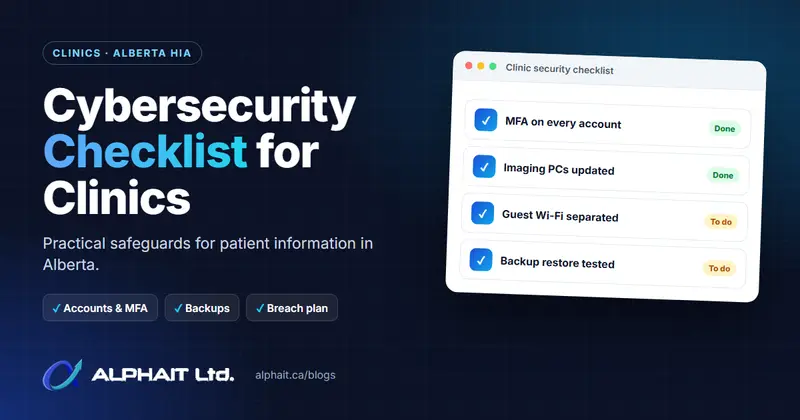
Cybersecurity Checklist for Clinics: HIA Safeguards in Alberta
A practical, plain-English cybersecurity checklist for Alberta dental and health clinics, covering HIA safeguards, breach notification and a printable table.
Free medical clinic IT assessment
Let’s Make Sure Your Clinic’s IT Isn’t the Reason Patients Wait
We’ll review your workstations, internet, accounts, backups and security, explain what we find in plain language, and give you a flat monthly price in writing.
780-318-0149
Edmonton, AB · serving the Edmonton region