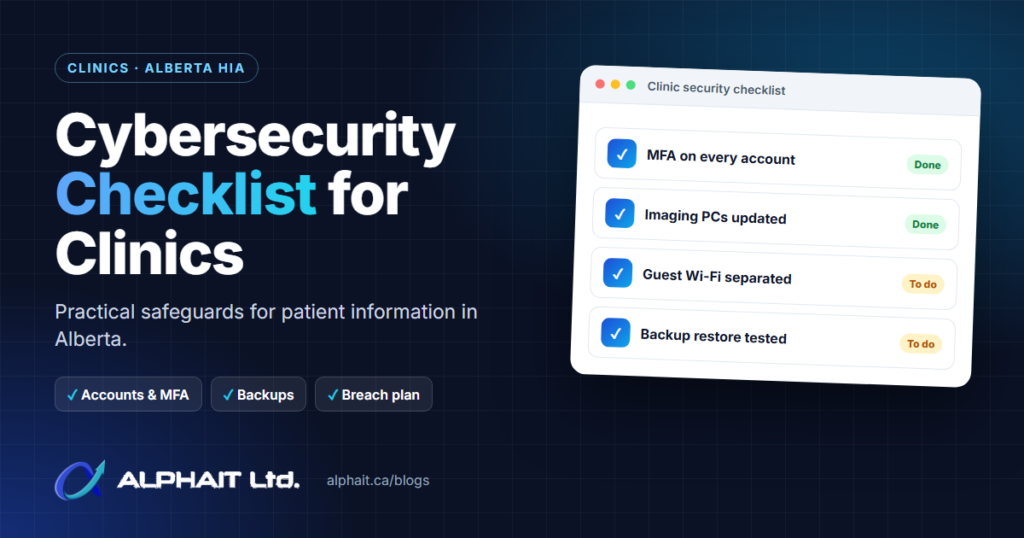
A practical cybersecurity checklist for clinics comes down to a short list of habits: strong logins, updated computers, separated networks, tested backups, careful vendors and a written plan for when something goes wrong. In Alberta, those habits also support the safeguards that the Health Information Act (HIA) expects custodians to keep. This guide explains those duties in plain English and turns them into a checklist your office manager can work through.
Key takeaways
- Dentists, dental hygienists and many other regulated health professionals are custodians under the HIA, and their staff and IT vendors are affiliates.
- Section 60 of the HIA requires reasonable administrative, technical and physical safeguards, and the regulation requires you to keep a written record of them.
- If a breach creates a risk of harm, the custodian must notify the Commissioner, the Minister and affected individuals as soon as practicable.
- Encryption matters: it is one of the factors the regulation lists when deciding whether a breach creates a risk of harm.
- HIA amendments came into force on June 22 and July 2, 2026, so clinics should review their policies against the current Act.
- This article is general information, not legal advice. Confirm your obligations with the OIPC or your professional college.
Who is a custodian under the Health Information Act?
A custodian is the person or organization legally responsible for health information. The OIPC’s HIA overview lists regulated members of 13 health professions as custodians, including dentists, dental hygienists, denturists, physicians, pharmacists, optometrists, chiropractors and physiotherapists.
Everyone who works for or provides a service to a custodian is an affiliate. Under section 1(1)(a) of the Act, that includes employees, students, volunteers, contractors and information managers, such as a practice-management software vendor or an IT provider. Anything an affiliate collects, uses or discloses counts as the custodian’s own action (section 62).
In a typical dental clinic, the dentist is the custodian, and the front desk, dental assistants and the IT company are affiliates. Dental hygienists are also listed as custodians, which is one reason the custodianship arrangements in a shared practice should be written down. The College of Dental Surgeons of Alberta’s Standard of Practice on privacy (May 2026) also requires dentists to document custodianship arrangements. If you are unsure who the custodian is in a group practice, ask the OIPC or your college.
What the HIA expects: reasonable safeguards
Section 60 of the Health Information Act says a custodian must take reasonable steps to maintain administrative, technical and physical safeguards that protect confidentiality and guard against reasonably anticipated threats, loss, and unauthorized access, use, disclosure or modification. The safeguards must address the risks of electronic health records and the proper disposal of records.
Section 8 of the Health Information Regulation adds practical duties. A custodian must:
- identify and keep a written record of its safeguards;
- designate a person responsible for the overall security of health information;
- periodically assess those safeguards;
- make sure affiliates are aware of and follow the safeguards; and
- set sanctions for affiliates who breach them.
The current Act also requires a privacy management program made up of written policies and procedures (section 63), and a privacy impact assessment (PIA) submitted to the Commissioner before introducing or changing an information system or administrative practice involving identifying health information (section 64). The OIPC’s PIA FAQ gives examples such as implementing a new EMR or moving an on-premise EMR to the cloud. Since October 1, 2024, the OIPC reviews PIAs and issues a closing letter with comments rather than “accepting” them.
Breach notification under section 60.1
If individually identifying health information is lost, or accessed or disclosed without authority, affiliates must tell the custodian as soon as practicable. The custodian must then assess whether there is a risk of harm to anyone. If there is, the custodian must notify the Commissioner, the Minister and the affected individuals as soon as practicable, following the regulation’s requirements for written notice.
Section 8.1 of the regulation lists the factors to weigh. These include whether the information could be used for identity theft or fraud, and whether the custodian can show the data was encrypted or otherwise secured so an unauthorized person could not read it. The OIPC’s breach notification page provides a reporting form and a breach notification assessment tool to help you decide.
Failing to maintain safeguards or to give required notice is an offence under section 107 of the Act.
What changed in 2025 and 2026
- June 11, 2025: the Access to Information Act and the Protection of Privacy Act replaced FOIP for public bodies. Private clinics are generally covered by the HIA (and PIPA for non-health personal information), not these new Acts.
- December 11, 2025: the Health Statutes Amendment Act, 2025 (No. 2) (Bill 11) received royal assent.
- June 22 and July 2, 2026: according to the OIPC, the HIA amendments from Bill 11 came into force. The changes cover shared health information, automated systems (including AI), data matching and a new option for information managers, such as software vendors, to submit an information security policy to the Commissioner (section 64.2).
If your policies were written before mid-2026, review them against the current Act.
The cybersecurity checklist for clinics, area by area
The checklist below follows the Canadian Centre for Cyber Security’s baseline controls for small and medium organizations, adapted for a clinic.
1. Accounts and multi-factor authentication (MFA)
- Give every staff member their own login. No shared “frontdesk” accounts.
- Turn on MFA for email, practice-management software, remote access and any admin account. The Cyber Centre says to use MFA wherever possible and to require it for administrators and remote access.
- Remove access the same day someone leaves.
2. Front-desk and operatory workstations
- Set screens to lock automatically after a short idle time, and position monitors so patients cannot read them.
- Encrypt laptops and any PC that stores patient data.
- Run up-to-date security software on every device.
- Block personal USB drives. Use only clinic-owned, encrypted portable media.
3. Imaging PCs and practice-management software
- Keep an inventory of every computer, including imaging and sensor PCs that are often forgotten.
- Turn on automatic updates for Windows and other software where possible.
- For imaging PCs that can’t update automatically, confirm the supported update path with the imaging vendor and schedule it.
- Plan to replace systems that no longer receive security updates.
Clinics with dental-specific systems can find more detail on our IT for dental clinics page.
4. Network separation
- Put patient guest Wi-Fi on a separate network that cannot reach clinic computers. The Cyber Centre advises never connecting public Wi-Fi to the business network.
- Put smart TVs, cameras, thermostats and other connected devices on their own network.
- Keep imaging devices and servers on a segment that only authorized workstations can reach.
- Use a business firewall between your network and the internet, and keep its firmware current.
5. Email and phishing
- Teach staff to spot fake invoices, “updated banking details” and requests for patient records from unknown senders.
- Verify any change in payment details or any unusual records request by calling a known number, not the one in the email.
- Use email filtering and protection for links and attachments. See our email security options.
- Double-check the recipient before sending patient information. A misdirected email can itself be a breach.
6. Backups and restore testing
- Back up the practice-management database, imaging files and key documents automatically.
- Keep at least one copy offline or offsite, and encrypted, as the Cyber Centre recommends.
- Test a restore on a schedule. A backup you have never restored is a guess.
Our backup and disaster recovery page explains how we approach this.
7. Vendors and remote access
- Have a written information manager agreement with any vendor that handles health information (HIA section 66).
- Ask vendors how they protect your data. Under section 64.2, a vendor may already have an information security policy reviewed by the Commissioner.
- Require VPN with MFA, or a vendor tool with MFA, for all remote access. Turn off remote access tools when not in use.
- If data is stored or used outside Alberta, section 8(4) of the regulation requires a written agreement first.
8. Physical security
- Lock the server or network closet.
- Keep paper charts and printed day sheets out of public view and locked after hours.
- Shred paper and securely wipe or destroy old drives, as section 60(2)(b) requires proper disposal.
9. Staff training
- Train staff when they start and at least yearly on privacy, phishing, passwords and reporting.
- Make it clear that staff must report a suspected breach right away. Affiliates have that duty under section 60.1(1).
10. Incident plan
- Write a one-page plan: who to call, how to isolate a device, where backups are and who decides on notification.
- Name your designated security person, as section 8(2) of the regulation requires.
- Keep the OIPC’s breach tools and contact details with the plan.
If you want help putting these controls in place, see our cybersecurity services.
Printable HIA security safeguards checklist
| Area | Check | Suggested frequency |
|---|---|---|
| Governance | Written record of safeguards and a designated security person | Review yearly |
| Governance | Privacy management program and PIAs for new or changed systems | Before any system change |
| Accounts | Individual logins, MFA on email, software and remote access | Check quarterly |
| Accounts | Departing staff removed the same day | Every departure |
| Workstations | Auto screen lock, encryption, security software | Check quarterly |
| Imaging and software | All PCs inventoried and updated, unsupported systems planned for replacement | Monthly |
| Network | Guest Wi-Fi and connected devices separated from clinic systems | Yearly and after changes |
| Filtering on, payment changes verified by phone | Ongoing | |
| Backups | Encrypted offsite or offline copy, test restore completed | Restore test quarterly |
| Vendors | Information manager agreements, MFA on remote access | Yearly |
| Physical | Locked network closet, secure disposal of paper and drives | Ongoing |
| Training | Privacy and phishing training recorded | Onboarding and yearly |
| Incident plan | One-page plan with contacts and OIPC tools | Review yearly |
The frequencies are our suggestions, not legal requirements. Adjust them to your clinic’s size and risk.
The first hour of a suspected breach
The OIPC’s Key Steps in Responding to Privacy Breaches sets out four steps: contain, evaluate the risks, notify and report, then prevent. The first three should happen right away. In practice, the first hour usually looks like this:
- Contain it. Disconnect the affected computer from the network (unplug the cable or turn off Wi-Fi) but don’t wipe it.
- Tell the right people. Staff tell the custodian or designated security person. Call your IT provider. Call police if theft or criminal activity is involved.
- Preserve the facts. Write down what happened, when it was discovered, what information may be involved and what you’ve done so far.
- Change passwords for any account that may be compromised, from a clean device.
- Start the risk-of-harm assessment using the OIPC’s assessment tool, and contact the OIPC if you’re unsure. Notification decisions belong to the custodian.
Frequently asked questions
Do small dental offices need a privacy impact assessment?
If the dentist is a custodian, section 64 applies regardless of clinic size. The OIPC’s PIA FAQ lists new EMRs and cloud migrations as examples that need one. The CDSA’s Standard of Practice also requires policies that include PIAs as required. Confirm your situation with the OIPC.
Is ransomware a reportable breach under the HIA?
It can be. The OIPC’s assessment tool notes that ransomware may encrypt or steal health information, which can count as loss or unauthorized access. Whether you must notify depends on the risk-of-harm assessment.
Does encryption mean I don’t have to report a lost laptop?
Possibly. Section 8.1 of the regulation says that if you can demonstrate the data was encrypted so an unauthorized person could not access or read it, notice may not be required. You need to be able to show it, so keep proof that encryption was turned on.
Does the new Protection of Privacy Act apply to my clinic?
Generally no. It replaced FOIP for public bodies on June 11, 2025. Private health custodians are governed by the HIA. Check with the OIPC if your clinic has public-sector ties.
Is my IT company responsible if they cause a breach?
Your IT provider is an affiliate and must notify you. Under the HIA, notification to the Commissioner, Minister and patients remains the custodian’s duty, which is why vendor agreements matter.
Related guides: How to set up MFA in Microsoft 365, how to test your backups, when to replace a firewall.
Get a clear picture of where your clinic stands
Take our free 3-minute IT check to see where you stand, or call our team at 780-318-0149.