Your firewall is the one device that faces the internet all day, every day. Knowing when to replace a firewall mostly comes down to one question: is the vendor still fixing it? This guide shows you how to check, what other red flags to look for, and what to do if yours is past its end of life.
Key takeaways
- A firewall that no longer gets firmware updates should be replaced. Any new flaw found in it will stay unpatched.
- Canada’s Cyber Centre and CISA both warn that attackers now go after edge devices like firewalls and VPNs.
- Expired security subscriptions, slow inspection, no MFA on the VPN and no logs are red flags too.
- You can check your model’s status in a few minutes on the vendor’s lifecycle page.
- Size a replacement for your internet speed with inspection turned on, not the biggest number on the box.
What a business firewall does that your ISP router does not
The router your internet provider supplies mainly connects the office to the internet and shares that connection. A business firewall sits in the same spot but also enforces rules about which traffic is allowed in and out, inspects traffic for threats, runs the VPN that remote staff use, and keeps logs.
The Canadian Centre for Cyber Security describes firewalls as devices “that control the data entering and exiting a network or security zone.” Its baseline controls for small and medium organizations say businesses should have dedicated firewalls between the corporate network and the internet.
What firewall end of life actually means
Vendors retire hardware in stages. The names differ, but the pattern is the same:
- End of sale (or end of order). You can no longer buy the model new, but it is still supported.
- Wind-down. New features stop. The vendor may only fix serious bugs and security issues.
- End of support (or end of life). Firmware updates, security fixes and technical support stop.
Fortinet says hardware support generally ends 60 months after the end-of-order date. Cisco Meraki typically supports products for five years after end of sale. WatchGuard says end of life generally falls up to five years after end of sale, and that security updates and technical support end at that point. SonicWall says that at End of Support it no longer provides technical support, firmware updates or hardware replacement.
After end of support, the firewall still turns on and passes traffic. Nobody is fixing it anymore.
Why attackers target firewalls and VPNs
Firewalls and VPN gateways have public internet addresses, so attackers can find and probe them from anywhere. The Cyber Centre’s edge device guidance, endorsed by its Five Eyes partners, says “targeting edge devices has now become a tactic of choice for many cyber threat actors, including state-sponsored actors.” It also warns that on an end-of-life device, “any discovered vulnerability on a device will remain unpatched.”
In February 2026, CISA issued Binding Operational Directive 26-02, ordering U.S. federal agencies to inventory and remove end-of-support edge devices, including firewalls and VPN gateways. It does not apply to Canadian businesses, but the reasoning does. A joint CISA, FBI and UK NCSC fact sheet says attackers use these devices as “entry points” into otherwise modern networks.
Red flags: when to replace a firewall
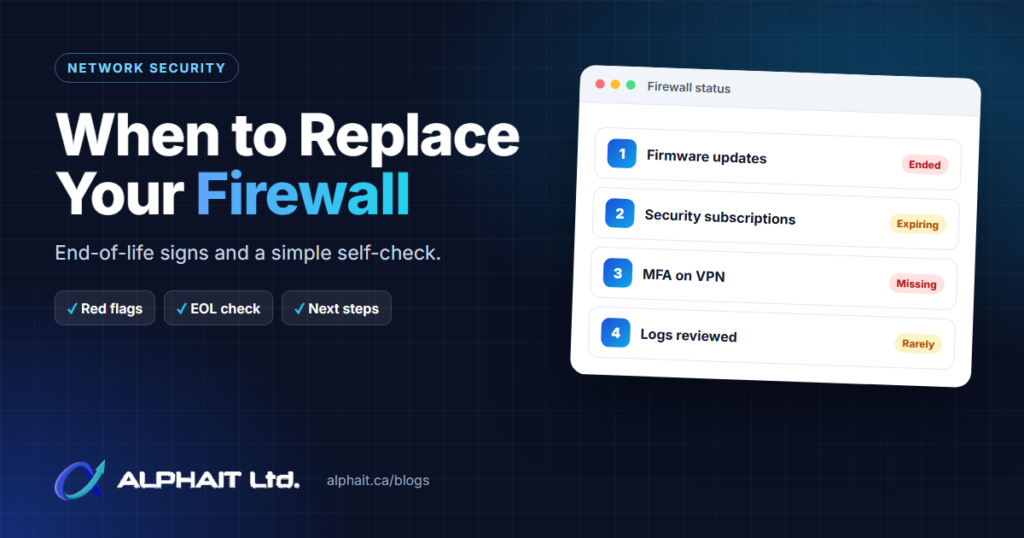
1. No more firmware updates
This is the big one. If the vendor lists your model as end of support, plan the replacement now. The Cyber Centre’s baseline controls tell organizations to replace hardware and software that no longer receive updates because the vendor ended support.
2. Expired security subscriptions
Most business firewalls rely on paid subscriptions for intrusion prevention, malware scanning and web filtering. When those lapse, those protections stop updating. The license page in the admin console shows expiry dates. Some vendors also stop selling renewals before end of support. Fortinet’s last service extension date is 12 months before end of support.
3. It cannot inspect traffic at your internet speed
Many offices have upgraded their internet plan since the firewall went in. A firewall sized for the old plan may slow things down once threat inspection is on, which tempts people to turn inspection off. Data sheets list several throughput numbers, and the gap is large. Fortinet’s FortiGate 40F data sheet lists 5 Gbps of basic firewall throughput, 600 Mbps of threat protection throughput and 310 Mbps of SSL inspection throughput.
4. No MFA on the VPN or admin login
The Cyber Centre recommends phishing-resistant multi-factor authentication for all administrative access to edge devices, and its VPN guidance says to activate MFA for VPN access. If your firewall cannot do this, that is a strong reason to replace it.
5. No logs, or logs nobody can find
Logs are how you find out what happened after an incident. The Cyber Centre recommends centralized, off-device logging set to be as detailed as possible.
6. The admin page is reachable from the internet
The Cyber Centre says network management interfaces “should not be directly exposed to the Internet.” If anyone can log in to the firewall from home without a VPN, change that setting today, whatever the age of the device.
7. You have outgrown it
Signs include more staff and devices than the model was built for, a second location that needs a site-to-site VPN, or no way to separate guest Wi-Fi, cameras and phones from office computers. That separation also involves your switches and wireless, covered on our network switching and Wi-Fi page.
How to check your firewall’s end-of-life status
- Find the brand and model. Check the label on the bottom or back of the device for the model name and serial number.
- Find the firmware version. Log in to the admin page (or ask whoever manages it) and look on the dashboard or system screen.
- Open the vendor’s lifecycle page from the list below and search for your model.
- Write down the dates for end of sale, last renewal (if listed) and end of support or end of life.
- Check your subscriptions and support contract expiry in the admin console.
Where to look:
- Fortinet: the Fortinet product life cycle page (no login needed, according to Fortinet).
- SonicWall: the SonicWall product lifecycle tables.
- Cisco Meraki: the Meraki end-of-life policy and its linked product dates.
- WatchGuard: the WatchGuard end-of-life policy.
- Sophos: the Sophos network security hardware lifecycle page.
- Ubiquiti: the Vintage and Legacy Products article. “Vintage” products still get critical bug fixes and security updates. “Legacy” products have stopped receiving updates.
If the only device you can find is the box your internet provider supplied, that usually means there is no business firewall in place.
What to do if your firewall is end of life
Interim steps while you plan
These reduce risk but do not make an unsupported device safe long term.
- Install the last firmware the vendor released for your model.
- Block admin access from the internet and change any default usernames and passwords.
- Disable features you do not use, such as an old SSL VPN portal. The Cyber Centre recommends “disabling unneeded services, protocols and ports.”
- Turn on MFA for VPN and admin logins if the device supports it.
- Send logs somewhere other than the firewall itself.
- Put a firm replacement date in the calendar.
Planning the replacement
Size it by inspected throughput. Compare your internet plan with the new model’s threat protection and SSL inspection figures, not the headline firewall number. Leave room for a faster plan later.
Check the new model’s lifecycle. Buy a current model, not one already announced as end of sale. With support often running about five years past end of sale, a model late in its sales window has less life left.
Budget for licensing. Plan for security subscriptions and support, not just hardware, and line up renewal dates. Some vendors, such as Sophos, let you move the remaining term of a service contract to a supported successor model.
Decide on high availability. A pair of firewalls in failover keeps the office online if one unit fails. It is worth it if an outage would stop your business from working.
Migrate rules and VPNs carefully. Document the current rules, remove ones nobody can explain, and rebuild them on the new device. Recreate site-to-site and remote-access VPNs, update staff VPN clients, and cut over after hours with a rollback plan.
Our firewall and network security service handles this kind of replacement and migration, as part of our wider cybersecurity services.
10-point firewall self-check
| # | Question | Good sign | Red flag |
|---|---|---|---|
| 1 | Do you know the model and who manages it? | Written down, named contact | Nobody is sure |
| 2 | Is the model still supported? | Supported, end date known | End of support or end of life |
| 3 | When was firmware last updated? | Recently, current release | Years ago, or unknown |
| 4 | Are security subscriptions active? | Active, renewal date on file | Expired or never bought |
| 5 | Is threat inspection turned on? | Yes, without slowing the office | Off, or turned off for speed |
| 6 | Does inspected throughput match your internet plan? | At or above plan speed | Well below it |
| 7 | Is MFA required for VPN and admin logins? | Yes, for both | Password only |
| 8 | Is the admin page blocked from the internet? | Internal or VPN access only | Reachable from anywhere |
| 9 | Are logs kept off the device? | Sent to a log service | No logs, or lost on reboot |
| 10 | Are guest, staff and other devices separated? | Separate networks with rules | Everything on one network |
A red flag on question 2 means start planning the replacement. Two or more red flags elsewhere mean the firewall needs attention, even if it is still supported.
Frequently asked questions
When should you replace a firewall?
Replace it before the vendor’s end-of-support date, or sooner if it cannot inspect traffic at your internet speed or lacks MFA and logging. Start planning when the model is announced as end of sale.
How long does a business firewall last?
It depends on the vendor’s support window more than the hardware. Several vendors publish support windows measured in years after a model stops being sold (Sophos, for example, commits to at least five years for its XGS firewalls), and each vendor’s policy is different. Check your vendor’s lifecycle page rather than counting years since installation.
Is an old firewall safe if it still works fine?
Not once updates stop. Working and being protected are different things. Any new vulnerability stays open, and both the Cyber Centre and CISA point to unsupported edge devices as a way into networks.
Can I keep paying for subscriptions on an end-of-life firewall?
Usually not for long. Fortinet stops accepting service extensions 12 months before end of support. SonicWall may still sell some security subscriptions after End of Support, but the device itself no longer gets firmware updates.
Is the router from my internet provider enough?
For most businesses with staff, client data or remote access, no. The Cyber Centre’s baseline controls call for dedicated firewalls at the internet boundary.
Related guides: How to set up MFA in Microsoft 365, how to test your backups, a cybersecurity checklist for Alberta clinics.
Not sure where your firewall stands?
If the self-check raised more questions than answers, take our free 3-minute IT check. It asks about your firewall along with other IT basics. Prefer to talk it through? Call the AlphaIT team at 780-318-0149.