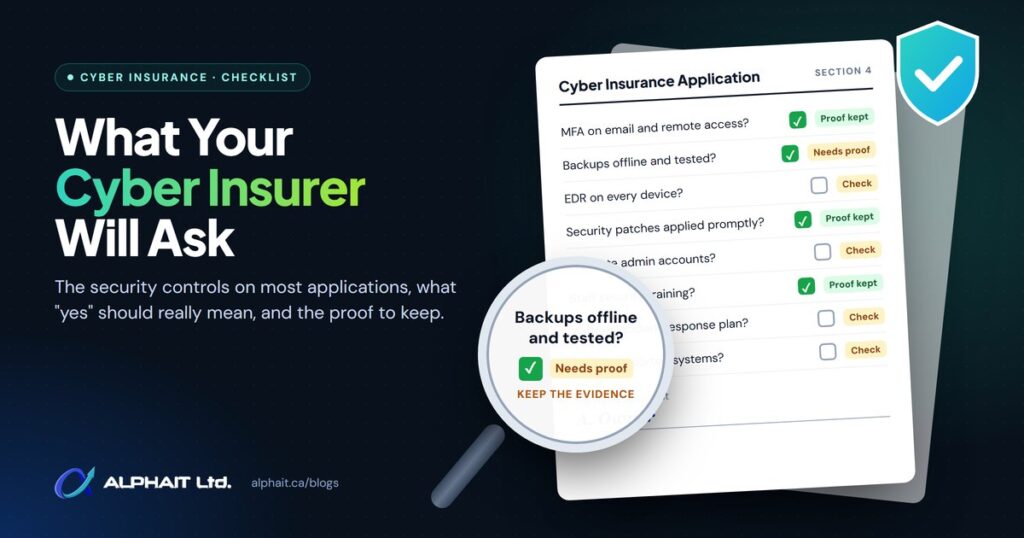
When you apply for or renew cyber insurance, the application asks how your business protects its systems and data. This cyber insurance security checklist walks through the controls those questions usually cover, such as multi-factor authentication, backups, endpoint protection and an incident response plan, and explains what a truthful “yes” should look like and what proof to keep on file.
Insurers use your answers to decide whether to cover you and what to charge. The Insurance Bureau of Canada (IBC) notes that “cyber security practices, including multi-factor authentication, incident response planning and third-party risk management, influence how insurers assess and price cyber risk.” Every policy and application is different, so treat this guide as preparation, not a substitute for reading your own form.
Key takeaways
- Cyber insurance applications ask about your security controls because insurers use the answers to assess and price your risk.
- The same core controls come up again and again in official guidance: MFA, tested backups, endpoint protection, patching, email filtering, training, limited admin access and a written incident plan.
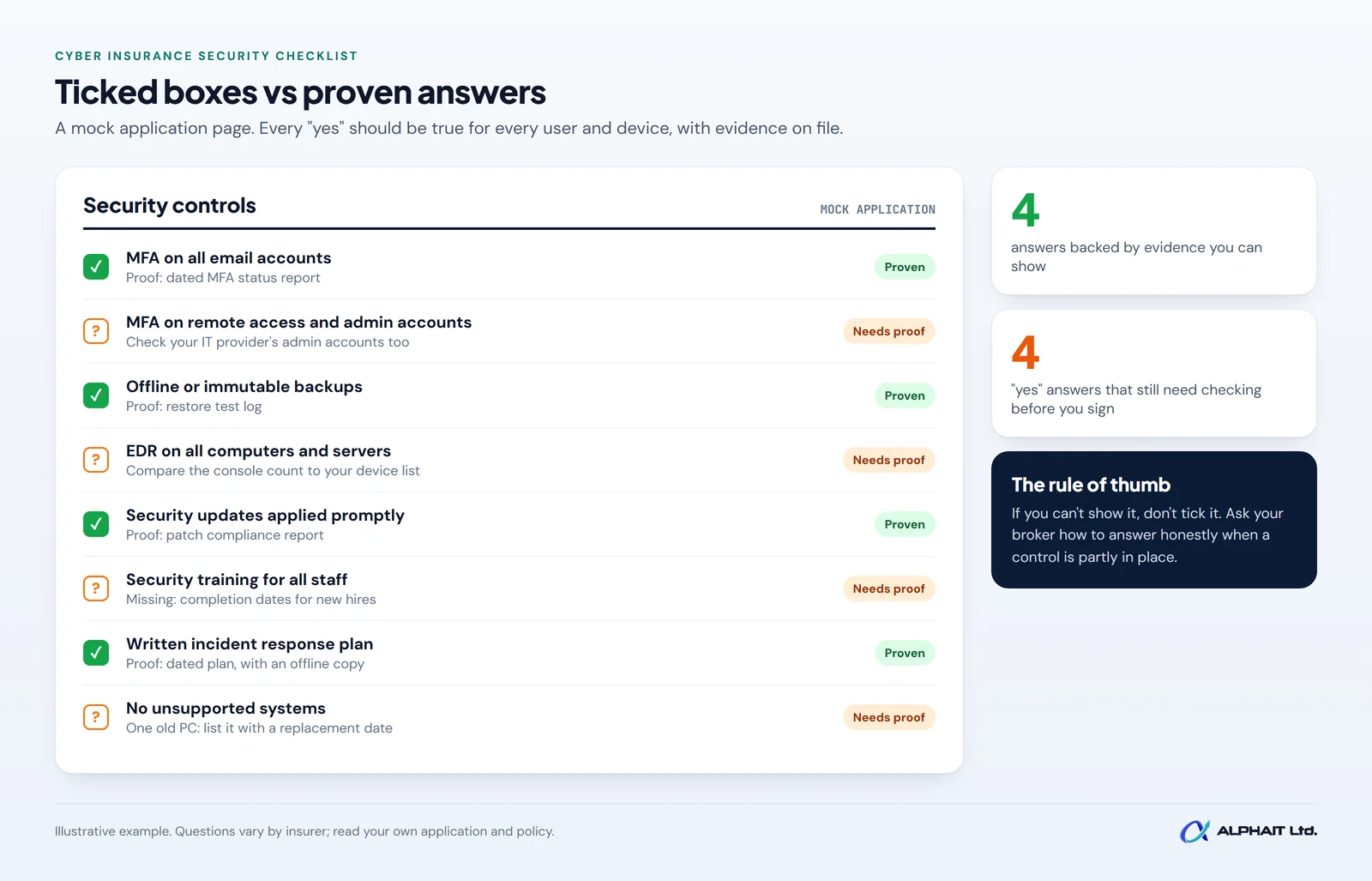
- A “yes” should mean the control is in place for everyone and everything the question covers, not just most of it.
- Keep simple evidence for each answer: screenshots, reports, logs and dated documents.
- Answer honestly. If you are unsure what a question means, ask your broker before you sign.
Why insurers ask about your security controls
A cyber insurance application is a risk questionnaire. IBC’s Cyber Savvy insurance guide for small businesses says you will likely fill out an application that insurers use to “assess the risks to your organization and appropriately price your policy.” Its sample questions include what security measures prevent access to your systems and servers, what you use for encryption and authentication, which antivirus and firewalls you run, and whether you provide security or privacy training for all staff.
IBC’s online cyber insurance checklist goes further and asks about planned upgrades in areas like backups, software updates, multi-factor authentication, encryption, device inventory and application controls. In other words, insurers want to know both what you have today and what you are working on.
Cyber insurance is not a replacement for security. The Canadian Centre for Cyber Security lists insurance as one item in its baseline cyber security controls for small and medium organizations, suggesting organizations “consider purchasing a cyber security insurance policy that includes coverage for incident response and recovery activities.” The rest of that list is the security work that makes you a good risk in the first place.
The cyber insurance controls most applications cover
Wording differs between insurers, but the topics line up closely with Canadian and U.S. government guidance for small organizations. Here is what each control means in plain English.
Multi-factor authentication (MFA)
MFA means signing in with something besides a password, such as a code from an app or a security key. The Cyber Centre defines it as needing two or more different authentication factors to sign in. Expect questions about MFA on three areas in particular: email, remote access (VPN or remote desktop) and administrator accounts. CISA recommends phishing-resistant MFA for all services, particularly for email, VPNs, and accounts that access critical systems. If you use Microsoft 365, our guide on setting up MFA in Microsoft 365 shows how to switch it on for everyone.
Offline or immutable backups that you have tested
A backup only counts if ransomware can’t reach it and you can actually restore from it. CISA advises organizations to “maintain offline, encrypted backups of critical data, and regularly test the availability and integrity of backups.” “Immutable” means a copy that can’t be changed or deleted for a set period. The Cyber Centre’s baseline controls add that you should ensure recovery mechanisms can effectively restore your systems from backups. Our guide to testing backups shows how to run and record a restore test.
Endpoint detection and response (EDR)
Traditional antivirus looks for known bad files. Endpoint detection and response (EDR) software watches computers and servers for suspicious behaviour and can stop an attack in progress. CISA recommends using application allowlisting and/or EDR solutions on all assets, and IBC’s guide lists endpoint detection and response among advanced security measures to manage access. The word “all” matters: one unprotected laptop is a gap.
Patching and updates
Patches fix security holes. The Cyber Centre’s baseline controls tell organizations to enable automatic patching for all software and hardware. CISA puts internet-facing systems first, recommending you prioritize timely patching of internet-facing servers. Expect to be asked how quickly you apply updates, especially critical ones.
Email filtering
Most attacks start with an email. The Cyber Centre says organizations “should implement email filtering at points of ingress and egress”, which means checking mail coming in and going out. Our email security page explains the layers we use.
Security awareness training
Training teaches staff to spot phishing and report it. The Cyber Centre says organizations “should invest in cyber security awareness and training for their employees.” IBC’s guide asks whether you provide training for all staff, so be ready to show who completed it and when.
Privileged access (admin accounts)
Admin accounts can change anything, so attackers want them. The Cyber Centre says organizations should only permit administrator accounts to perform administrative activities, “and not user-level activities such as accessing email or browsing the web.” CISA likewise advises you to separate administrator accounts from user accounts. In practice, staff use a normal account day to day and a separate admin account only when needed. Removing access promptly when people leave is part of this too; see our employee offboarding IT checklist.
A written incident response plan
An incident response plan says who does what when something goes wrong. The Cyber Centre recommends a written incident response plan that details who is responsible for handling incidents, including contacts for outside parties and regulators. Add your insurer’s claims or breach hotline to it. IBC’s guide lists your cyber insurer among the first people to report an incident to.
End-of-life systems
End-of-life software and hardware no longer get security fixes from the vendor. The Cyber Centre’s baseline controls advise organizations to assess whether to replace software and hardware that can’t be automatically updated. CISA’s Cyber Essentials is more direct: “Replace unsupported operating systems, applications and hardware.” If any old computer, server or firewall is still running, list it honestly with a replacement date.
Cyber insurance security checklist: what “yes” should mean
Use this table to prepare before your application or renewal. The middle columns are our plain-English interpretation, not any specific insurer’s wording. Always answer the question your form actually asks.
| Control | What the insurer is likely asking | What “yes” should mean | Evidence to keep |
|---|---|---|---|
| MFA on email | Do all users need MFA to sign in to email, including webmail? | Every mailbox, including owners and shared admins, with no exceptions you can’t explain | MFA status report or screenshot from your email admin centre, dated |
| MFA on remote access | Is MFA required for VPN, remote desktop or remote access tools? | No way to connect from outside without a second factor | VPN or remote tool settings screenshot; list of remote access methods |
| MFA on admin accounts | Do administrator and cloud admin accounts use MFA? | Every admin account, including your IT provider’s | List of admin accounts with MFA status |
| Backups | Are backups offline, separate or immutable, and tested? | At least one copy ransomware can’t reach, with a recent successful restore | Backup reports; restore test log with dates and results |
| Endpoint detection and response | Is EDR installed on all computers and servers? Is it monitored? | Every device covered, and someone reviews alerts | EDR console device count compared with your device inventory |
| Patching | How quickly are security updates applied? | Automatic updates on, with critical patches applied promptly | Patch compliance report; written patching policy |
| Email filtering | Do you filter incoming email for phishing and malware? | A filtering service checks all inbound mail | Filtering service name, settings screenshot, sample report |
| Security awareness training | Do all staff receive security training? How often? | Everyone, including new hires and managers, on a set schedule | Training records with names and completion dates |
| Privileged access | Are admin rights limited and kept separate from daily accounts? | Staff work without admin rights; admins use separate accounts | List of who has admin rights and why; access review date |
| Incident response plan | Do you have a written plan? Has it been tested? | A current, written plan with names and phone numbers, stored offline too | Dated plan document; notes from a tabletop exercise |
| End-of-life systems | Do you run unsupported software or hardware? | None, or each one is listed with a plan to replace or isolate it | Device and software inventory with support status |
Why honest answers matter
It is tempting to tick “yes” when a control is mostly in place. Be careful. Your application answers are the basis the insurer uses to assess and price your policy, and an inaccurate answer about a material fact can create problems if you ever make a claim, including the possibility of reduced or denied coverage. How that plays out depends on your policy wording and the law that applies, so read your policy and ask your broker.
Some practical habits we recommend:
- Read each question literally. “All users” means all users, not most.
- Ask before you guess. If a question is unclear, ask your broker what it covers and get the answer in writing.
- Explain partial answers. If a control is in progress, say so and give a target date. IBC’s checklist itself asks about planned upgrades.
- Keep a copy. Save the signed application with your evidence folder, and check it again at renewal.
- Tell your broker about changes. Ask whether you need to report a major change, such as dropping a security tool, during the policy term.
How to prepare before your renewal
- Get the form early. Ask your broker for the application or renewal questions a month or two ahead.
- Walk through the checklist above. Mark each control as yes, partly or no.
- Collect evidence. Put screenshots, reports and documents in one dated folder.
- Close quick gaps first. MFA on a few missed accounts or removing extra admin rights can often be fixed quickly.
- Plan bigger fixes. Replacing old systems or adding EDR may take longer, so set dates.
- Review with your IT provider. Have whoever manages your systems confirm each technical answer before you sign.
If you work with an IT company, ask them to fill in the technical answers with you. Our cybersecurity services for Edmonton businesses include help preparing for these questions, along with the MFA, EDR, backup and training controls behind them.
Frequently asked questions
What security controls do cyber insurers usually ask about?
Questions vary by insurer, but they commonly cover MFA, backups, endpoint protection, patching, email filtering, staff training, admin access and incident response planning. IBC confirms that MFA and incident response planning influence how insurers assess and price cyber risk.
Is antivirus the same as EDR?
Not quite. Traditional antivirus mainly blocks known threats. EDR also watches for suspicious behaviour and helps you respond. If a question asks about EDR specifically, check with your IT provider which one you have before answering.
What if we don’t have every control in place yet?
Answer honestly and describe what is in progress, with dates. Talk to your broker about how gaps may affect your options. Fixing the gaps is worth doing whether or not you buy insurance.
Does having cyber insurance mean we don’t need these controls?
No. IBC describes cyber insurance as one part of a broader cyber risk strategy, and the Cyber Centre lists it alongside, not instead of, its baseline controls.
Related guides: How to set up MFA in Microsoft 365, how to test backups, questions to ask an IT company, what to do in a ransomware attack, PIPA breach reporting in Alberta.
Get ready for your next cyber insurance renewal
Not sure how you would answer some of these questions? Take our free 3-minute IT check to see where your MFA, backups and other basics stand. When you are ready to close the gaps, our cybersecurity team can help you get the controls and the evidence in place. Prefer to talk? Call AlphaIT at 780-318-0149.