Vishal Sharma
On this page
All three can now turn a prompt or a document into an editable slide deck.
- ChatGPT Slides started rolling out on October 16, 2026 to Pro, Business and Enterprise accounts with Space access. It exports to PowerPoint, PDF or Google Slides.
- Copilot in PowerPoint builds native .pptx files and can use your company template and Brand Kit. The full version needs a Microsoft 365 Copilot licence (Copilot Business is CAD $28.50 per user per month, paid yearly).
- Gemini in Google Slides builds native Slides decks and can copy the look of an existing deck. You need Workspace Business Standard or Plus or a Google AI Pro/Ultra plan.
If your office lives in Microsoft 365, start with Copilot. If it lives in Google Workspace, use Gemini. ChatGPT Slides mainly makes sense if you already pay for ChatGPT Business.
One honest caveat: we haven’t run all three side by side. Everything below is based on the vendors’ documentation and published reviews, linked in the sources. ChatGPT Slides is only three weeks old. I couldn’t find an independent quality test yet, so try your own content before trusting anyone’s “looks best” verdict.
What each tool can actually do
ChatGPT Slides
OpenAI’s help article and release notes (as summarized by Digital Applied) list four ways to start a deck:
- from an existing chat,
- from uploaded files (reports, meeting notes, spreadsheets),
- from a plain outline,
- from an example deck whose style ChatGPT should follow.
Decks live in Space, OpenAI’s shared workspace. Teammates can edit at the same time and leave comments.
Also good to know:
- You can edit text, images, shapes and charts by hand, or ask ChatGPT to change them.
- On the web, you can export to PowerPoint (.pptx), PDF or Google Slides. The desktop app opens the deck in PowerPoint or Keynote if you have them.
- On Windows 10, the desktop app can’t do collaborative Slides and falls back to plain .pptx files. Use the web version.
- Space pages are read-only on mobile.
- There’s no dedicated brand kit. The example-deck option is the closest thing.
Copilot in PowerPoint
Microsoft’s support article describes the flow:
- Open a new presentation.
- Select the Copilot icon.
- Describe the deck you want.
- Answer (or skip) its questions about audience, length, design and images.
You can also build a deck from a Word document. Microsoft’s tip is a good one: use proper Word heading styles. Copilot uses them to decide where slides break. Keep the file under 24 MB.
Branding is where Copilot is strongest for a business:
- Start from your company template and Copilot keeps its layouts, theme and design.
- If your organization uses a Brand Kit, pick it under Select brand. To set one up, go to Manage kits, add logos, fonts and colours, then Publish Brand Kit.
- The output is a normal PowerPoint file. Nothing to export or convert.
Microsoft’s branded-presentation tutorial also mentions PDFs. That feature needs a Microsoft Copilot (work) licence.
Gemini in Google Slides (and the Gemini app)
Google announced full-deck generation in Slides on July 22, 2026. Choose Generate presentation at slides.new, or open Gemini in the side panel of a blank deck. You can feed it Google Docs, Sheets, PDFs and previous decks. It may ask about length, tone and focus. Then it shows an outline for you to approve before it builds slides. Every slide is editable. You can also select an existing deck so it matches your brand’s style. At launch it was English only.
Inside an existing deck, Google’s help page covers single slides. Type @ and a Drive file name to pull in content. Use Match presentation style to copy another deck’s look.
There’s a second route. Since late 2025, the Gemini app’s Canvas can generate a presentation from a topic or uploaded document and export it to Google Slides. It works on more editions, including Business Starter. For a .pptx, use File › Download › Microsoft PowerPoint in Slides. Expect some font and spacing clean-up.
What licence do you need, and what does it cost?
ChatGPT Slides
OpenAI lists Slides for Pro, Business and Enterprise users with Space access. The rollout is gradual, so an eligible account may not see it yet. Plus, Go and Free aren’t included.
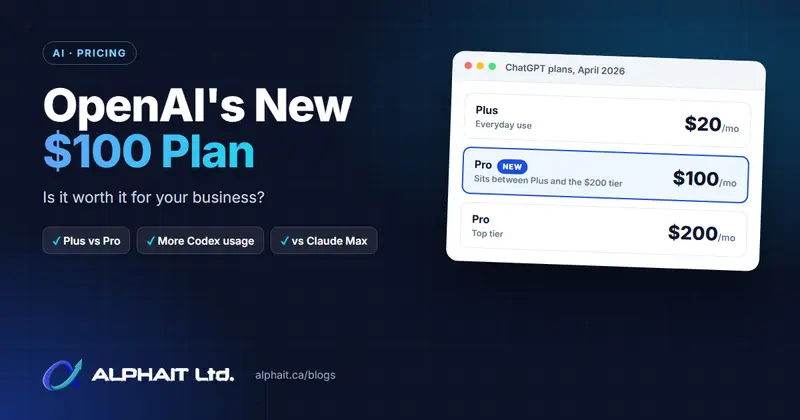
OpenAI prices in US dollars. Per its pricing page (see our ChatGPT plan comparison):
- Business is US$20 per user per month billed yearly (minimum 2 users) or US$25 monthly.
- Pro starts at US$100 per month.
- Enterprise is a sales quote.
Copilot in PowerPoint
This is the confusing one. Here’s the plain version as of November 2026, from Microsoft Learn:
| Your situation | Copilot inside PowerPoint |
|---|---|
| Copilot Chat (Basic): no Copilot licence | No in-app Copilot. You can still use Copilot Chat on the web or app, upload a file and ask for slide content. |
| Microsoft 365 Copilot (Basic): no Copilot licence, “standard access” | Can create decks from prompts or existing content and edit them, but availability depends on capacity and can vary through the day. |
| Microsoft 365 Copilot (Premium): paid licence | Full Copilot in PowerPoint with priority access, plus it can draw on your emails, files and meetings. |
Which free tier you land in depends on your tenant. Microsoft’s pages don’t spell out the rule. Message Center posts reported by Chris Menard said tenants over 2,000 users lost in-app Copilot for unlicensed staff. Smaller tenants kept standard access. Reports disagree on the date (April 15 or May 16, 2026). Check what your staff actually see in PowerPoint.
New limits start November 9, 2026. Microsoft’s message MC1536163 covers users without a Microsoft 365 Copilot licence. They’ll hit fair use limits on some Copilot Chat features on web, desktop and mobile.
- Access can vary during the day.
- Users see a wait time when something isn’t available.
- Admins can’t view or change the limits.
Microsoft doesn’t publish the numbers. Free Copilot is fine for the odd deck. It’s not for someone building presentations all afternoon.
Now the paid licence, per Microsoft’s Canadian pricing page. The Copilot Business add-on is CAD $28.50 per user per month paid yearly, or CAD $34.20 paid monthly. A first-year promotion of CAD $24.43 runs to December 31, 2026. It needs an eligible Microsoft 365 Business plan and suits organizations up to 300 users. Is it worth it? That depends on far more than slides, so see is Microsoft Copilot worth it for a small business.
Gemini
Full-deck generation in Slides needs Workspace Business Standard, Business Plus, Enterprise Standard or Enterprise Plus. A personal Google AI Pro or Ultra plan also works. Google’s Canadian pricing page lists per-user monthly prices in November 2026: Business Standard at CAD $18.40 and Business Plus at CAD $28.70. Business Starter (CAD $9.20) gets the Gemini app’s Canvas route only. Still choosing a platform? See Microsoft 365 vs Google Workspace.
What happens to your data?
This matters most for client proposals, which often contain pricing and names.
- ChatGPT: OpenAI says Business and Enterprise workspace data isn’t used for training by default. Pro is a personal plan under consumer terms. There, chats can be used for training unless the user opts out in Data Controls. Anything on a shared Space page is visible to everyone with access. That includes text ChatGPT drafted from your memory or earlier chats. Digital Applied’s summary of OpenAI’s notes lists Canadian data residency for Slides as “not yet” available.
- Copilot: when staff sign in with their work account, Microsoft applies Enterprise Data Protection. Those are the same contractual terms that cover your Exchange email and SharePoint files. Free tiers only see what you upload or have open. The paid licence can pull in anything the user has permission to see. Messy SharePoint sharing becomes a real risk.
- Gemini: Google’s Workspace privacy hub says your content isn’t human reviewed or used to train models outside your domain without permission. Staff on personal Google accounts fall under consumer terms instead.
Whichever you pick, the rule is the same: business accounts only, no personal accounts for client work. Not in writing yet? Our AI use policy template is a good start.
Side-by-side comparison
| ChatGPT Slides | Copilot in PowerPoint | Gemini in Google Slides | |
|---|---|---|---|
| Create from a prompt | Yes | Yes | Yes |
| Create from a document | Uploaded files, chat or outline | Word documents (under 24 MB); files and PDFs in the branded tutorial | Docs, Sheets, PDFs, previous decks |
| Brand / template | Follow an example deck | Company template + Brand Kit | Match an existing deck’s style |
| Where you edit | ChatGPT (Space), by hand or by prompt | PowerPoint | Google Slides |
| Export to .pptx | Yes (web) | Already .pptx | Download as .pptx |
| Licence needed | Pro, Business or Enterprise | Copilot licence for full use; limited standard access in some tenants | Business Standard/Plus or AI Pro/Ultra |
| Starting price | US$20/user/mo (Business, yearly) | CAD $28.50/user/mo add-on (yearly) | CAD $18.40/user/mo (Business Standard) |
| No training on business data | Business and Enterprise by default | Yes, with work sign-in | Yes, Workspace accounts |
Which one for three common small-business decks
A client proposal deck
Pick the one that lives where your template lives. In a Microsoft 365 office, that’s Copilot in PowerPoint. Open your company template and select the Brand Kit. You get a native .pptx your clients can open, with no export clean-up. In a Google Workspace office, use Gemini and point “select an existing deck” at your last good proposal. Either way, check every number and claim yourself. AI tools happily invent a statistic to fill a slide.
A staff training deck
Start from the document you already have: the procedure in Word, the SOP in Google Docs. Copilot’s Word input and Gemini’s Docs input are built for this. ChatGPT Slides suits a messy source (notes, a spreadsheet and a PDF together) because it takes mixed files. Ask for speaker notes and a quiz slide at the end.
A quick internal update
Don’t buy anything for this. Paste your bullet points into whatever you already have. Free Copilot Chat, standard-access Copilot in PowerPoint, Gemini’s Canvas or ChatGPT Business will all do. Five plain slides are fine for a Monday meeting.
What I’d actually do: don’t add a new AI subscription just for slides. Use the one that matches your main platform. Only pay for Copilot or ChatGPT Business when someone will use it for much more than decks. Want a second opinion? That’s the kind of question our AI solutions work starts with.
A prompt template that works in all three
Most bad AI decks come from a one-line prompt. Give it the same brief you’d give a junior staff member. (For more on prompt structure, try our free AI prompt generator.)
Create a [number]-slide presentation for [audience, e.g. the owner and office manager of a 12-person dental clinic].
Goal: after this deck, they should [decide / approve / know how to ...].
Use the attached [document name] as the only source of facts. Don't add statistics, prices or claims that aren't in it. If something is missing, put [CHECK] on the slide.
Structure:
1. Title slide
2. The problem in their words
3-[n]. One idea per slide, max 5 bullets, max 12 words per bullet
Last slide: next steps with owners and dates
Style: plain Canadian English, no jargon, follow our template/brand.
Add speaker notes (3-4 sentences) to every slide.
Suggest one chart or simple diagram where the data supports it.
Before building, show me the outline so I can approve it.
Two lines do the heavy lifting. “Only source of facts” cuts down invented numbers. “Show me the outline first” saves you regenerating 15 slides because slide 3 went the wrong way.
Microsoft 365 offices have a related decision: should staff build their own Copilot agents? We cover it in should you let Microsoft 365 users create AI agents.
Sources
- Digital Applied: ChatGPT Slides plans, export and what teams get (summary of OpenAI’s October 16, 2026 release notes and Space help article)
- OpenAI Help: Creating and collaborating on slides in ChatGPT
- OpenAI Help: Managing data, sharing and privacy in ChatGPT Business
- OpenAI: How your data is used to improve model performance
- Microsoft Support: Create a new presentation with Copilot in PowerPoint
- Microsoft Support: Create a branded presentation from a file
- Microsoft Learn: What is Microsoft Copilot? (licence tiers, standard access, Enterprise Data Protection)
- Microsoft Learn: License options for Microsoft Copilot
- Microsoft Canada: Copilot for business pricing
- MC1536163: Limits in Copilot Chat
- Chris Menard: Copilot Chat changes for unlicensed users (MC1253858 and MC1253863)
- Google Workspace blog: Create on-brand presentations with Gemini in Google Slides
- Google Docs Editors Help: Collaborate with Gemini in Google Slides
- Google Workspace Updates: Generate presentations in the Gemini app
- Google Workspace pricing (Canada)
- Google Workspace Help: Generative AI privacy hub
Frequently asked questions
Is ChatGPT Slides available on ChatGPT Plus?
No. OpenAI lists ChatGPT Slides for Pro, Business and Enterprise users who have access to Space. Plus, Go and Free aren’t included. The rollout started on October 16, 2026 and is gradual, so even eligible accounts may not see it yet.
Can I use Copilot in PowerPoint without paying for a Copilot licence?
Sometimes. Microsoft’s docs describe a “standard access” tier. Unlicensed users there can still create and edit decks in PowerPoint, subject to capacity. Reports say this applies to smaller tenants. Users with only Copilot Chat (Basic) don’t get Copilot inside PowerPoint. From November 9, 2026, unlicensed users also face fair use limits that admins can’t change.
Which Google Workspace plan includes Gemini presentation generation?
A full deck in Google Slides needs Business Standard, Business Plus, Enterprise Standard or Enterprise Plus. A Google AI Pro or Ultra plan also works. In Canada, Business Standard is listed at CAD $18.40 per user per month. Business Starter users can still create a presentation in the Gemini app’s Canvas and export it to Slides.
Is it safe to put client information into an AI presentation tool?
Only on a business account. ChatGPT Business and Enterprise, Copilot with a work sign-in and Gemini on Workspace all say business data isn’t used to train their models. Personal plans, including ChatGPT Pro, follow consumer terms. Keep client data out of them unless training is switched off.
Want help choosing and setting up the right AI tools for your office? AlphaIT’s AI solutions and Microsoft 365 teams can set up Copilot, templates and Brand Kits safely. Contact us.