Vishal Sharma
On this page
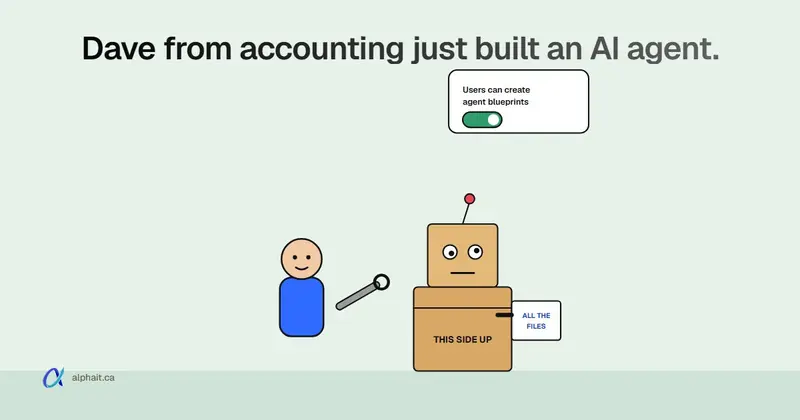
The “on by default” news is real, but it’s narrower than the headlines. Microsoft’s Message Center post MC1506733 says that starting November 4, 2026, ordinary users in Microsoft Entra can create agent blueprints. An admin can stop this with a new setting, “Users can create agent blueprints” (Entra ID › Users › User settings). Rollout runs through late November 2026.
One thing was already true before this month. Staff with a Copilot licence (or in tenants with pay-as-you-go) can build agents in Agent Builder. And the org-wide sharing setting defaults to “All users”.
Our advice for a 10–50 person office:
- turn the Entra toggle off;
- limit org-wide agent sharing to one or two people;
- check the Agents › All agents list in the Microsoft 365 admin center once a month.
Below is what we could confirm in Microsoft’s documentation, what we couldn’t, and the exact settings.
What actually changed in November 2026
Two different things are getting mixed together online. Here’s how they split.
| Claim | Status | Source |
|---|---|---|
| Default users can create agent blueprints in Entra from Nov 4, 2026 | Confirmed (MC1506733, published Oct 13, 2026; rollout early to late November) | Message Center |
| A new toggle, “Users can create agent blueprints”, controls it | Confirmed in the MC post. One independent write-up says the portal label may differ slightly, so look for “agent blueprints” or “agent identity blueprints” | MC1506733, Office 365 for IT Pros |
| Users can build agents in Agent Builder in Copilot | Not new. On by default for licensed users; Microsoft’s admin guide says Agent Builder needs a Microsoft 365 Copilot licence or pay-as-you-go for Copilot Studio | Microsoft Learn |
| Agent Builder’s look changed | Yes, back in April 2026 (MC1282682). No admin controls changed | Message Center |
| Agent Builder agents can be shared with the whole organization | Default is “All users” can share org-wide | Microsoft Learn |
So nothing in November gave every employee a new Copilot button. What changed is an identity setting in Entra. That matters more to your security than to your day-to-day.
What is an AI agent, in plain words?
An agent is a saved version of Copilot with its own instructions and its own files. Someone writes “You answer questions about our employee handbook and holiday schedule.” They point it at a SharePoint folder and give it a name. Coworkers then chat with it instead of digging through folders.
Microsoft has a few ways to build one:
- Agent Builder, inside the Microsoft 365 Copilot app. Point and click. This is what most office staff will use.
- SharePoint agents, built from a site or folder.
- Copilot Studio, a fuller low-code tool that can connect to other systems and take actions.
- Developer tools (Agents Toolkit, Microsoft Foundry). Rare in a small office.
An agent blueprint is the Entra side of this. Microsoft Learn describes it as “an object in Microsoft Entra ID that serves as a template for creating agent identities”. Think of it as an app registration for agents. It holds credentials and permissions, and every agent identity made from it inherits them. Whoever creates a blueprint owns it. That’s why identity experts don’t like letting anyone create one.
Can a staff-built agent see files it shouldn’t?
Mostly, no. The agent can only show a user what that user can already open. For SharePoint and OneDrive sources, Microsoft says “the agent respects the end user’s information and sensitivity privileges.” If Sarah in reception can’t open the payroll folder, the agent won’t answer her from it.
Here’s where it goes wrong in real offices:
- Your SharePoint permissions are already too open. If “Everyone except external users” can open the HR site, an agent will happily surface it. The agent doesn’t create the leak. It makes the leak easy to find. We covered this in our Copilot buying guide, and it applies to agents too.
- Uploaded files are visible to everyone who can use the agent. Files someone drags in from their own PC become “embedded” knowledge. Microsoft’s own warning: “any user who has access to the agent also has access to the information in the file.” Upload a salary spreadsheet and share the agent with the office. Now everyone can ask about salaries.
- Sharing an agent can share the files. When an owner shares an agent, Agent Builder can share the SharePoint files and folders behind it too. This works if the owner has rights to change sharing. Removing someone from the agent later doesn’t remove their access to those files.
- Copilot Studio agents can run as their maker. In Copilot Studio, a connector tool can be set to “Maker-provided credentials”. Then every user acts with the builder’s connection to that system. The default is the user’s own credentials. But it’s one dropdown away.
- Email stays private. If a builder adds “My emails” as knowledge, people they share the agent with don’t get that mailbox. Microsoft says so directly.
If you only do one thing this week, check who can open your HR, finance and management SharePoint sites. Agents or not, that’s the real exposure.
What does it cost?
Building and using simple agents is included, but agents that read company data can be metered.
- Copilot Chat (no Copilot licence): agents grounded in instructions and public websites are included. Agents that use shared tenant data like SharePoint are pay-as-you-go. They’re billed through a Copilot Studio subscription and are off by default.
- Microsoft 365 Copilot licence: agent use is included. Nothing to switch on.
- Copilot Studio agents used by unlicensed people consume Copilot Studio capacity. Microsoft publishes the rates on its billing page. We haven’t quoted a number because it varies by plan and changes.
The cost risk is simple. Say someone set up pay-as-you-go, and a popular agent reads SharePoint for unlicensed users. You get a usage bill. Set a budget in the billing policy if you turn it on. Whether the paid licence is worth it is a separate question, answered in Is Microsoft Copilot worth it?.
The admin controls that exist today
These are the settings we could confirm in current Microsoft Learn pages and the Message Center. You need the AI Administrator or Global Administrator role (Global Reader can view).
Entra admin center
| Setting | Where | Default | What we’d set |
|---|---|---|---|
| Users can create agent blueprints | entra.microsoft.com › Entra ID › Users › User settings › Default user role permissions | Yes (from the rollout, Nov 4 to late Nov 2026) | No |
| Users can register applications | Same page | Yes | No, if nobody in-house builds apps |
Setting blueprints to No still lets admins and anyone with the Agent ID Developer role create them. It doesn’t delete existing blueprints. It doesn’t stop Copilot Agent Builder either. If you change the toggle early, Microsoft says it only takes effect when the rollout reaches you. So check it again at the end of November. Can’t see it yet? A hard refresh (Ctrl+F5) sometimes helps.
Microsoft 365 admin center: Agents › Settings
| Setting | Options | Default | What it does |
|---|---|---|---|
| Sharing | All users / Specific users / No users | All users | Who can turn on “Org-wide sharing for chat access” for an Agent Builder agent. “No users” still lets people share with named individuals. Only applies to Agent Builder agents. |
| User access | All users / No users / Specific users or groups | All users | Who can access and install agents and plugins at all. |
| Agent and plugin access | Built by Microsoft / your organization / external publishers | Varies | Which kinds of agents show up in the Agent Store. |
| Agent management rules | Bulk rules | None | For example, reassign ownerless Agent Builder agents to the departed owner’s manager, or block ownerless agents with no usage. |
Two things to know. Changing Sharing only applies to new sharing. Agents already shared org-wide stay that way until you or the owner change them. And when org-wide sharing is restricted, a shared agent needs admin approval before the whole office can use it.
Microsoft 365 admin center: Agents › All agents
This is your inventory. It lists shared agents with name, creator, creation date and status. The Platform filter shows only Agent Builder or Copilot Studio agents. From an agent’s details pane you can:
- Block it (stops it in Copilot, Teams and Outlook for Agent Builder and Copilot Studio agents);
- Delete it (soft delete with a 30-day restore window, under the Deleted tab);
- Assign new owner, or add and remove owners on Agent Builder agents;
- Export to Excel for a record.
Agents that staff publish to the org catalog land under requests. You approve or reject them, and you can see their data sources and actions.
Copilot Studio also has its own settings in the Power Platform admin center, including who can author. We didn’t verify the current menu path for that one. Check it with your IT provider before relying on it.
Should you turn agent building off?
For most small offices: no, but put a gate on sharing. Blocking agents completely throws away the useful ones (a “how do I submit expenses” agent, a price-list helper). The risk sits in two places. Identities nobody owns. And agents shared with everyone, using data nobody reviewed.
Here’s the policy we’d use for a 10–50 person office.
Recommended agent policy for a small office
- Who may build: anyone with a Copilot licence may build agents for themselves. That’s harmless as long as SharePoint permissions are right.
- Who may share org-wide: one or two named people (often the office manager and IT). Set Agents › Settings › Sharing to Specific users.
- Entra blueprints: off for everyone. Give the Agent ID Developer role only to the person or MSP who actually builds those.
- Review before sharing: before any agent goes to the whole office, the reviewer answers four questions:
- What files and sites does it use, and should everyone see them?
- Are there any uploaded files? (Remember, every user can read them.)
- Does it connect to anything outside Microsoft 365, and with whose credentials?
- Who owns it, and who is the backup owner?
- Inventory: once a month, open Agents › All agents and export to Excel. Delete or block anything unused or unexplained. It takes ten minutes in a small tenant.
- Pay-as-you-go: keep it off unless you’ve decided to pay for it. Set a budget if you turn it on.
- Leavers: add “check their agents” to your employee offboarding checklist. Reassign ownership before the account is deleted.
Put the human rules (what staff may paste into agents, what’s off-limits) in your existing AI use policy. No new document needed. One added line covers it: “Agents shared beyond yourself need approval from [name].”
For the rest of this month’s Microsoft changes, see our November 2026 Microsoft 365 and Windows roundup.
What we couldn’t confirm
- We found no Message Center post saying Copilot Agent Builder itself was switched on by default in November 2026. The November change we could confirm is the Entra blueprint setting.
- The portal label of the Entra toggle may differ slightly from the Message Center wording during rollout.
- Microsoft hasn’t documented a supported PowerShell or Graph property for the blueprint toggle yet. So there’s no script here. Use the portal.
- Copilot Studio usage rates change; check Microsoft’s billing page for current numbers.
Sources
- Message Center MC1506733: Review who can create agents in Microsoft Entra (Nov 4 default, setting name, rollout dates)
- Message Center MC1282682: Agent Builder updates to the agent creation experience
- Microsoft Learn: Agent identity blueprints in Microsoft Entra Agent ID
- Microsoft Learn: Agents admin guide for Microsoft 365
- Microsoft Learn: Agent settings in Microsoft 365 admin center
- Microsoft Learn: Governance and lifecycle actions for agents
- Microsoft Learn: Share and manage agents built in Agent Builder
- Microsoft Learn: Add knowledge sources to an agent in Agent Builder
- Microsoft Learn: Purchase and manage agents in Copilot Chat
- Microsoft Learn: Use connectors in Copilot Studio agents (maker-provided credentials)
- Office 365 for IT Pros: Microsoft Plans to Allow Users to Create Agent Blueprints
- LazyAdmin: Microsoft Entra Lets Users Create Agent Blueprints by Default
Frequently asked questions
Can regular users create AI agents in Microsoft 365?
Yes. Users with a Microsoft 365 Copilot licence can build agents in Agent Builder by default. Copilot Chat users can build simple ones grounded in instructions and public websites. From November 4, 2026, default users can also create agent blueprints in Microsoft Entra unless an admin turns that off.
How do I stop users creating agent blueprints in Entra?
In the Microsoft Entra admin center, go to Entra ID › Users › User settings. Under Default user role permissions, set “Users can create agent blueprints” to No, then save. Admins and people with the Agent ID Developer role can still create them. Existing blueprints aren’t affected.
Can a Copilot agent show staff files they don't have access to?
Not for SharePoint and OneDrive sources. Agent Builder agents respect each user’s own permissions and sensitivity labels. There are two exceptions. Files uploaded directly into the agent can be seen by everyone who uses it. And the owner can share files automatically when sharing the agent.
Where do I see all the agents in my tenant?
In the Microsoft 365 admin center, go to Agents › All agents. You can filter by platform (Agent Builder or Copilot Studio), block, delete or reassign owners, and export the list to Excel.
Do Copilot agents cost extra?
With a Microsoft 365 Copilot licence, agent use is included. Without one, agents that read company data like SharePoint are pay-as-you-go through Copilot Studio. They’re off by default. Agents that only use instructions and public websites are included with Copilot Chat.
Want agents your staff can use without opening up the wrong files? AlphaIT’s Microsoft 365 and AI solutions teams can review your sharing settings and set up a simple approval process. Contact us.