Vishal Sharma
On this page
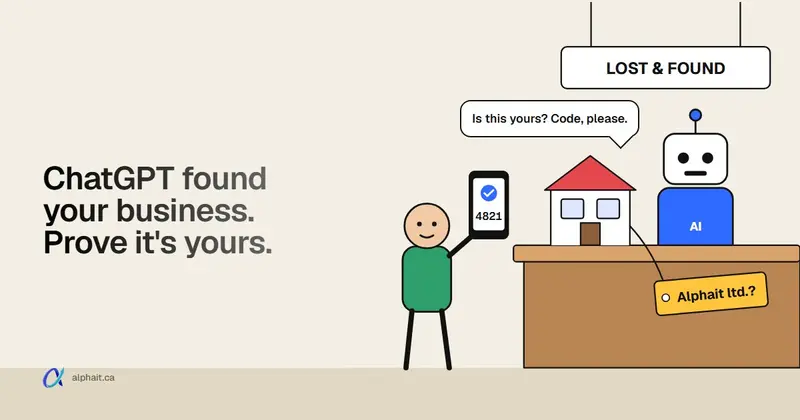
You can now claim your business on ChatGPT. OpenAI launched “Businesses in ChatGPT” in beta on November 10, 2026. You claim your listing in a tool called Business Hub, check your details, and see how often ChatGPT mentions you. Think of it as a Google Business Profile for ChatGPT.
We claimed AlphaIT on November 14 from Edmonton. It took about two minutes and we were never asked for ID. Below is every screen we saw, with notes on what works in Canada and what doesn’t yet.
What you get when you claim
OpenAI’s claim screen lists three things:
- See how your business shows up. A count of how often ChatGPT mentions you and how many people click through to your website.
- Show customers what you offer. Keep your details current and add products.
- Help customers make decisions. A “Business Agent” that answers customer questions inside ChatGPT, using information you control.
It’s free to claim. You don’t need an ads account.
One thing it doesn’t do is push you higher in ChatGPT’s answers. OpenAI says claiming doesn’t guarantee better placement, and ChatGPT keeps making its own recommendations. Claiming gets you correct details and some data, not a ranking boost.
Before you start
Have these ready:
- The right ChatGPT account. The claim attaches to whatever account you’re signed in with, and OpenAI emails that address about it. Use an account on your business email, not a personal one or one from another job. There’s no transfer button yet.
- Your business phone. If ChatGPT already has a listing for you, it can text or call the number on that listing.
- Access to your domain’s DNS, if you’d rather verify through your website.
Step-by-step: claiming our business
1. Open Business Hub and search
Go to OpenAI’s Businesses in ChatGPT page and click Claim your business. That opens Business Hub inside ChatGPT. Search for your business name or website.
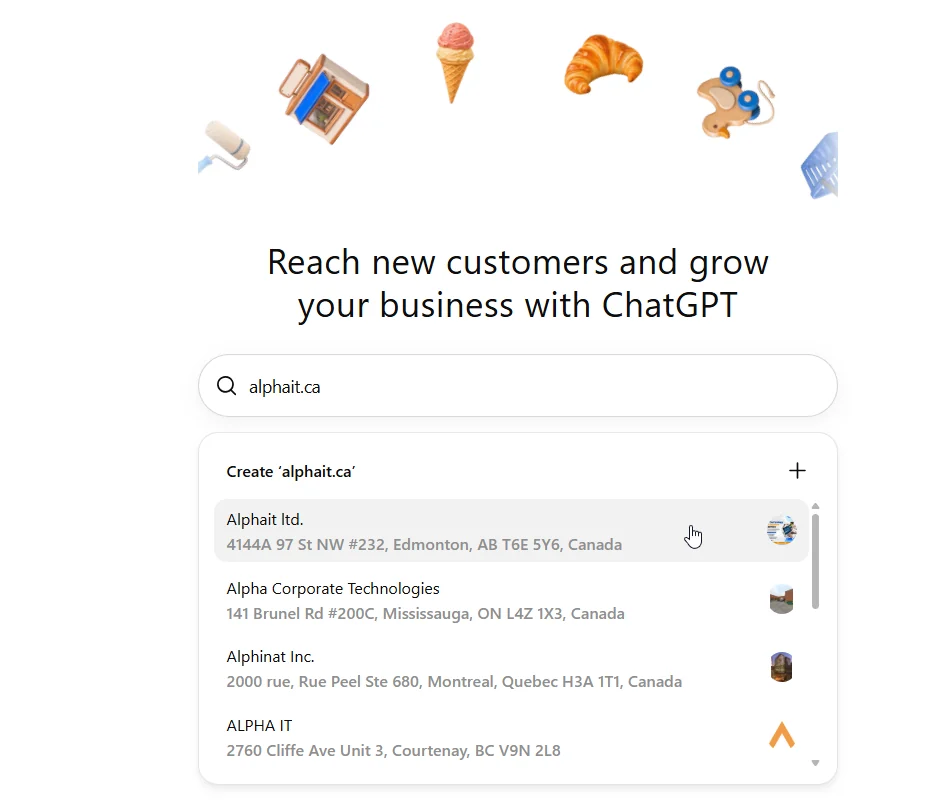
ChatGPT already knew about us. The listing had our address, though the name came through as “Alphait ltd.” instead of “AlphaIT Ltd.” Check that your name is spelled right before you pick it. Several businesses with similar names show up, so match the address too.
2. Confirm you want to claim it
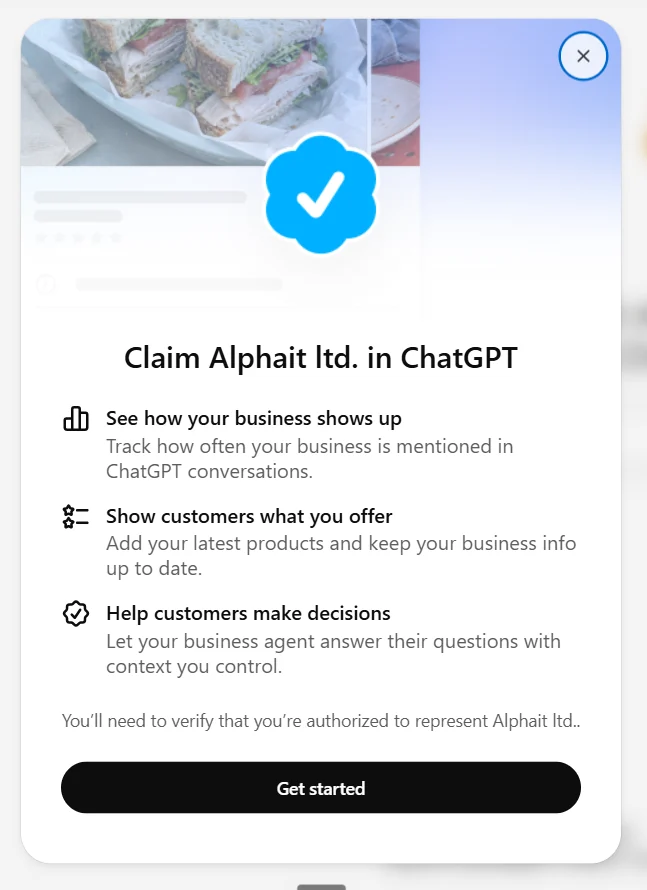
3. Check which account you’re using
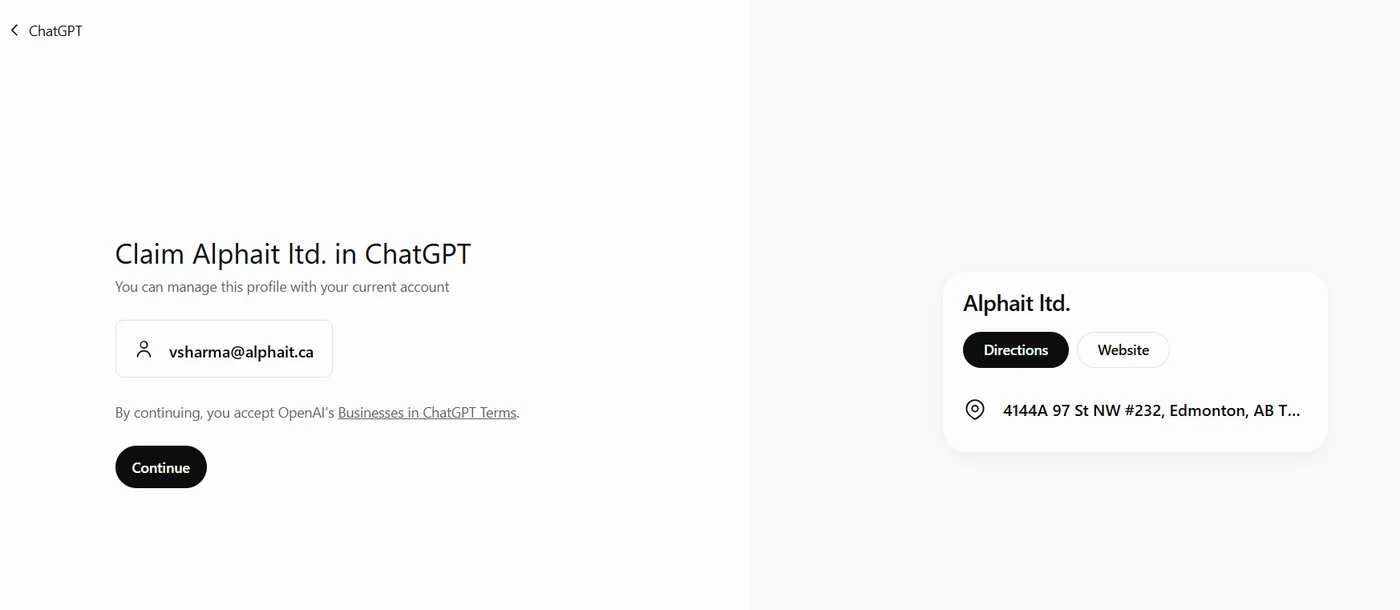
Clicking Continue means you accept the Businesses in ChatGPT terms.
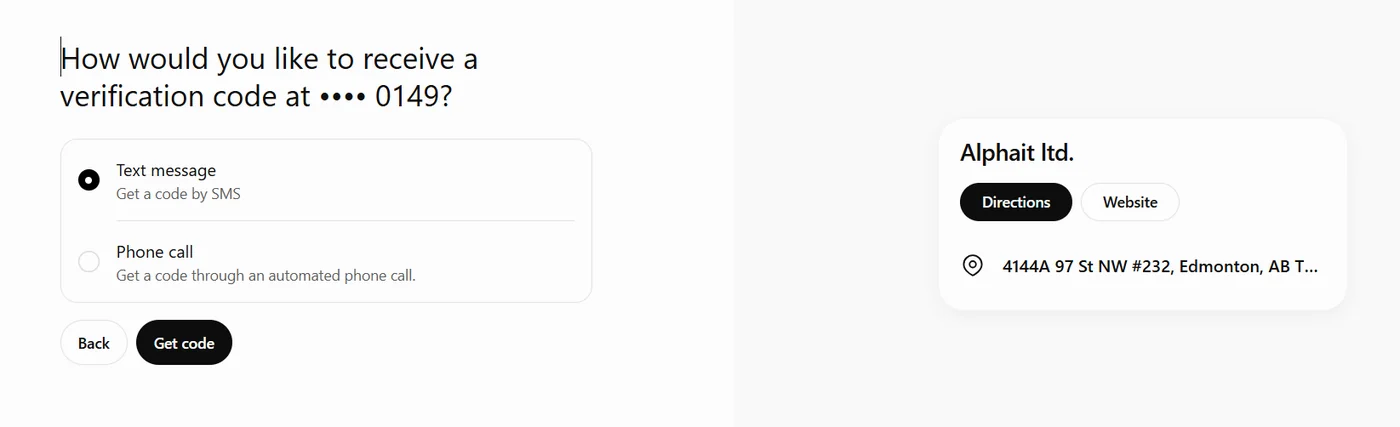
4. Choose how to verify
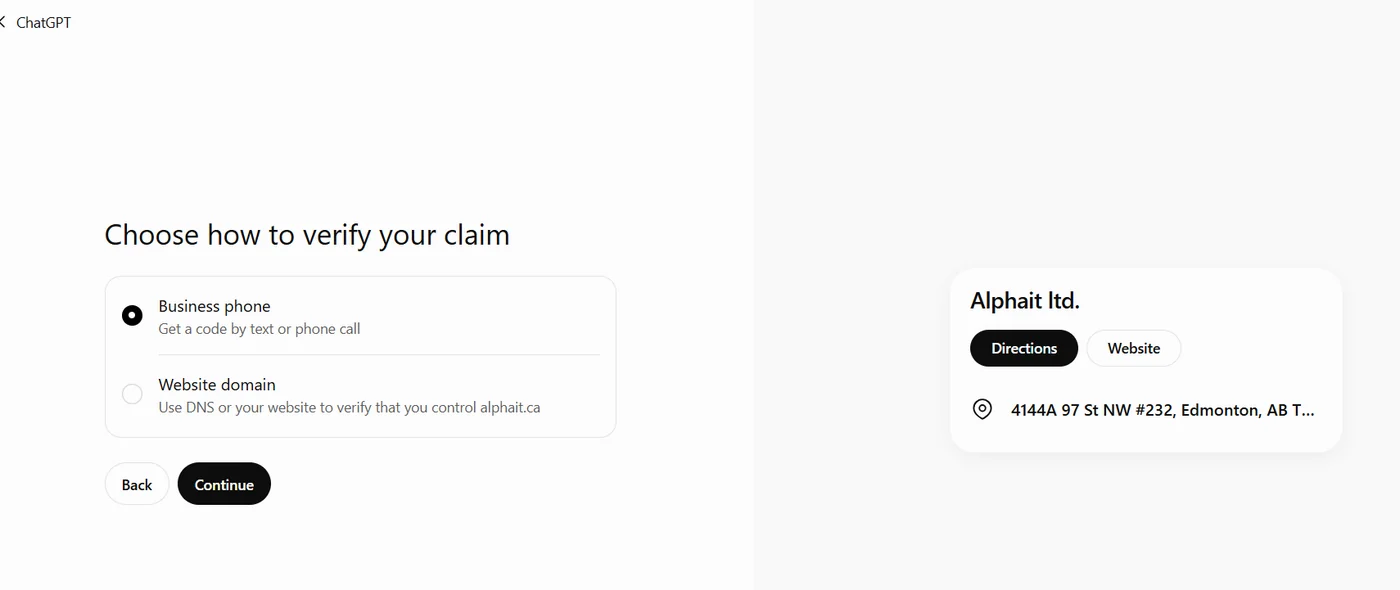
We chose Business phone, the fastest option. ChatGPT only shows the last four digits of the number on file. If that’s an old number nobody answers, use Website domain instead.
5. Get the code
6. Wait for the review
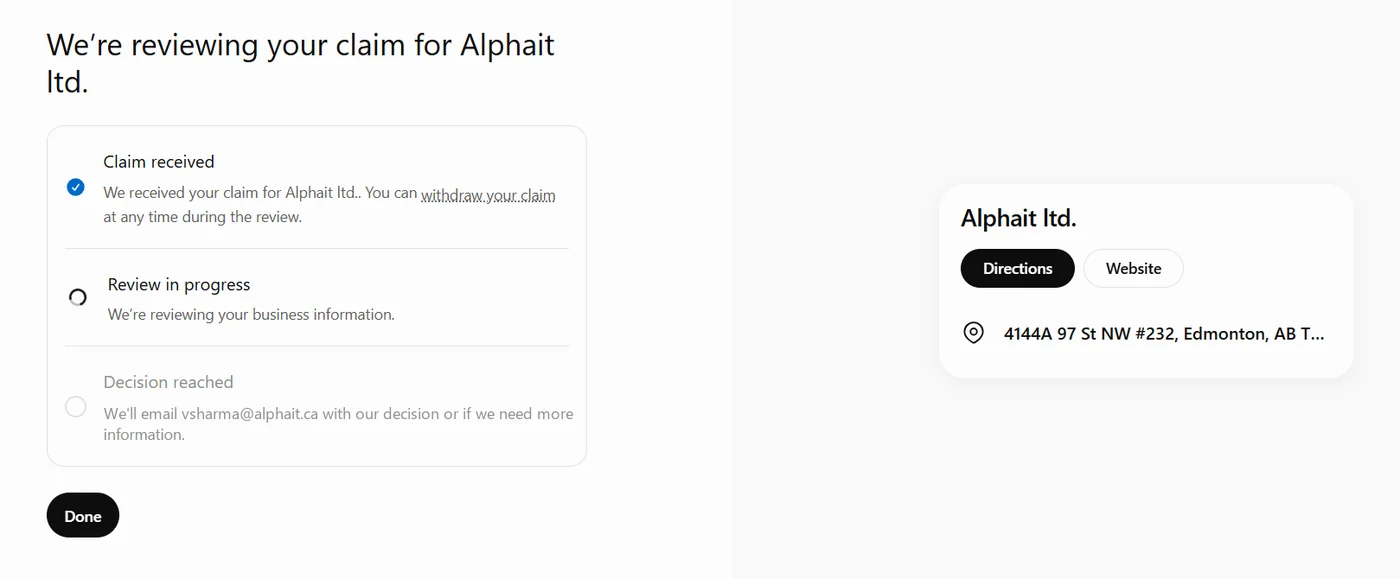
The screen says a decision comes by email. Ours was approved about a minute later.
7. You’re verified
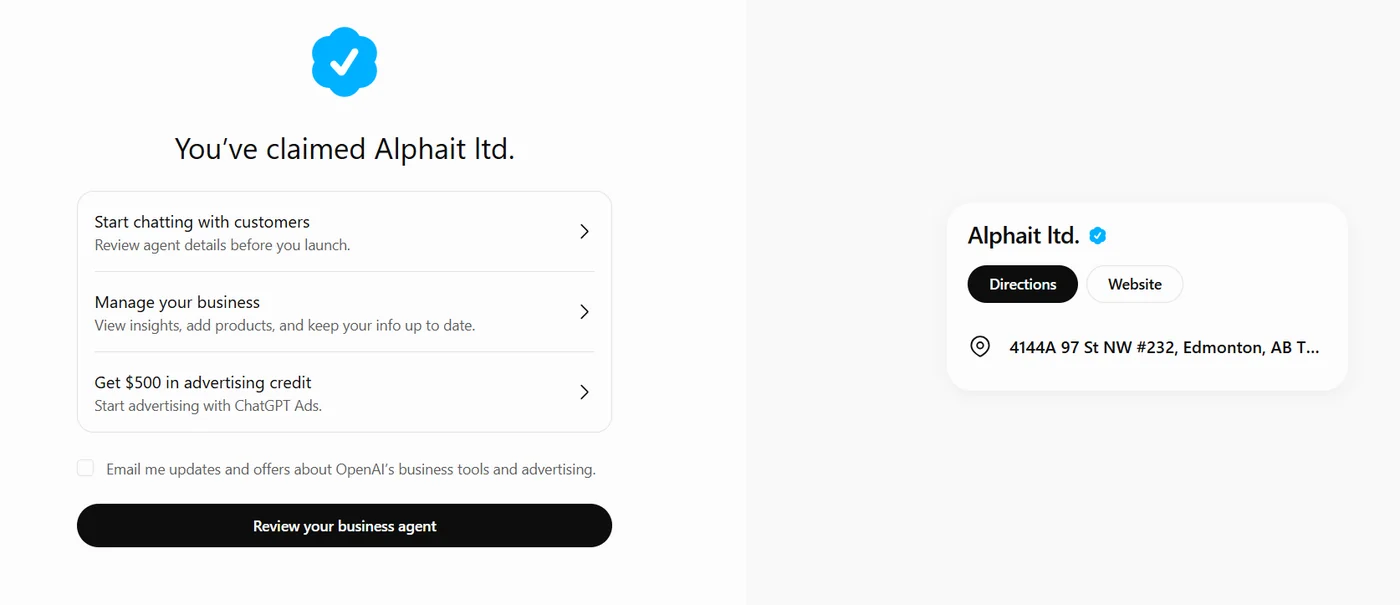
There’s an unticked box for OpenAI marketing emails. Leave it unless you want them.
What doesn’t work in Canada yet
Business Agents. The agent that chats with customers is limited to eligible U.S. online stores and online service businesses for now. Our Agent builder page said:
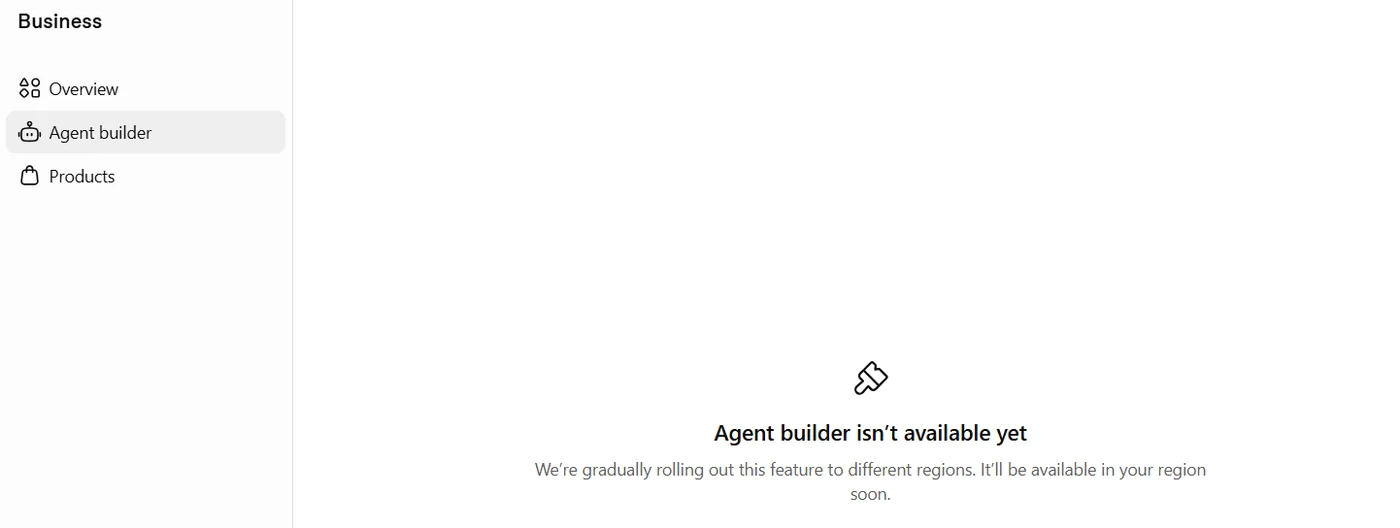
Local listings were claimable. Some early guides said only U.S. stores and restaurants could claim a local listing. Our Edmonton office listing worked fine on November 14, so Canadian service businesses should try.
ID checks vary. We claimed an existing listing by phone and weren’t asked for ID. People who created a new profile with their website report a government ID check through Persona, a third-party service. A few people outside the U.S. say that check failed or asked for tax numbers they didn’t have. Use your exact legal business name when it asks.
What the insights show
Once you’re verified, Manage your business shows:
- Mentions: how often ChatGPT referred to your business.
- Website clicks: people who clicked through to your site.
- Topics: the kinds of questions where you came up.
Early users report a 7- or 28-day view with about a two-day delay. OpenAI says a blank number can mean you’re below its reporting threshold, not that you got zero. You won’t see the questions people actually typed, and OpenAI says it doesn’t share anyone’s chats with businesses.
We’ll add our own numbers here once we have a month of data.
The $500 ad credit has a catch
After claiming, ChatGPT offers “Get $500 in advertising credit.” We clicked through to see what that means for a Canadian business.
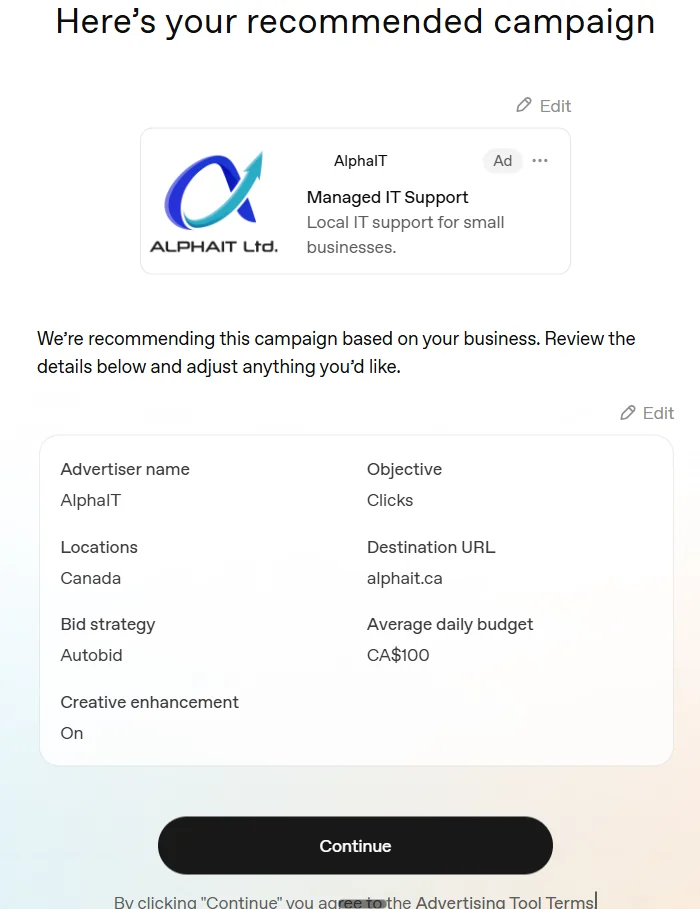
What we found:
- It suggests CA$100 a day by default. That’s about CA$3,000 a month. Change it before you continue.
- You have to spend first. For us the offer said: spend CA$500 by November 29, 2026, then get CA$500 in credit.
- Your card gets a temporary hold. Ours was $34.30 CAD, released within about 8 days depending on the bank.
- Some settings are permanent. Country, currency and time zone can’t be changed after you create the ad account. The legal business name needs a support request to change.
- Nothing runs until billing is set up. We stopped there, so no ads ran.
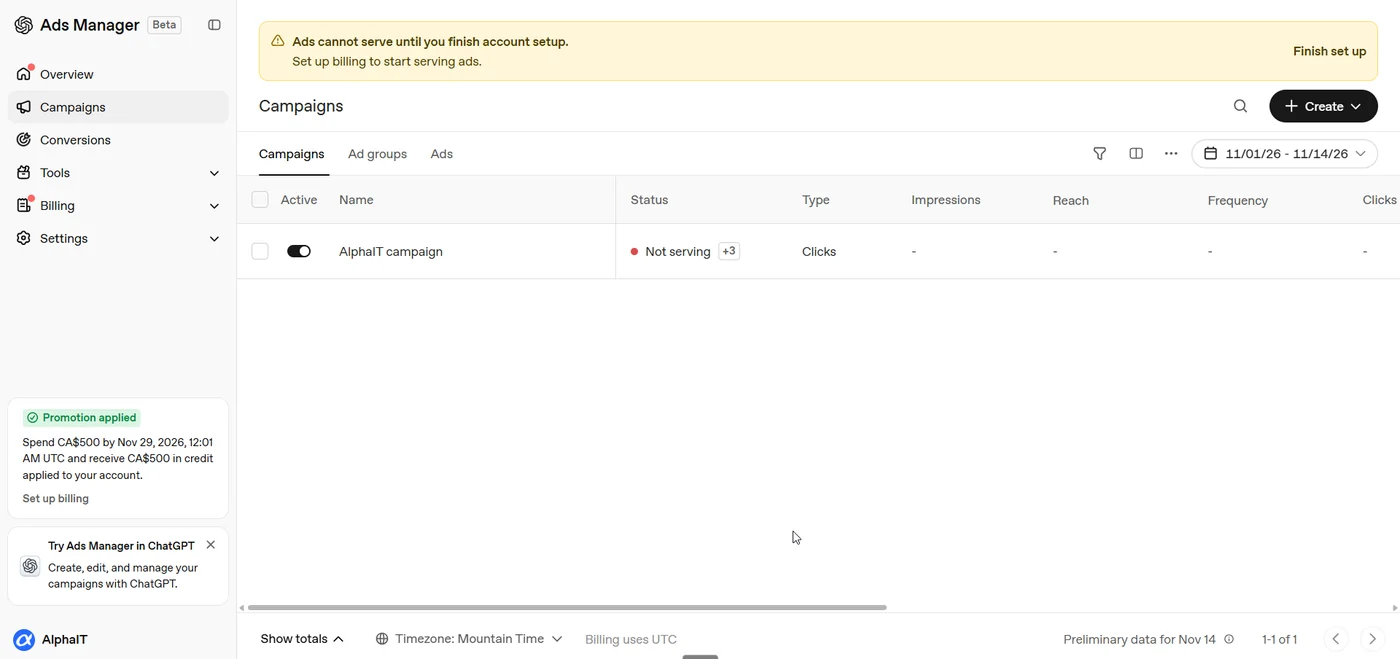
ChatGPT ads may be worth testing, but only with a budget you picked yourself. OpenAI says ads don’t change ChatGPT’s normal answers.
Watch for fake “verify your business” emails
Scammers jump on every new launch. Expect emails like “Your ChatGPT business listing will be removed, verify now.” OpenAI’s real decision email goes to the address you claimed with. Don’t click sign-in links in unexpected emails. Go to ChatGPT yourself. Not sure about one? Paste its headers into our free fake email checker.
How to actually get recommended by ChatGPT
Claiming fixes your details. Getting recommended takes the same work as ranking on Google:
- Same name, address and phone everywhere: Google Business Profile, Bing Places, Apple Maps and directories. AI tools compare these sources.
- Reviews that describe the job. “Fixed our clinic’s network” tells an AI tool more than “great service.”
- A website that answers questions plainly. Clear service pages and FAQs are easy for AI tools to quote. We explain this in what Google’s AI Mode means for small business websites.
- Get indexed by Bing too. Microsoft Copilot runs on Bing, and Bing Webmaster Tools is free.
- Let the AI crawlers in. ChatGPT search reads your site with a crawler called OAI-SearchBot. A firewall or CDN “block AI bots” setting can quietly shut it out. Our AI search optimization (AEO and GEO) page covers what we check.
Want to know where you stand? Run your site through our free SEO analyzer. If your Google listing needs work first, our Google Business Profile guide works for any local business.
Sources
- OpenAI: Introducing Businesses in ChatGPT
- OpenAI: Businesses in ChatGPT
- OpenAI Help Center: Setting up your business on ChatGPT
- OpenAI: Businesses in ChatGPT terms
- OpenAI Developer Community: Introducing Businesses in ChatGPT in beta (U.S.-only Business Agents, user reports of verification problems)
- Search Engine Journal: How to submit your website to ChatGPT Business Hub (website and DNS route, Persona ID check)
- Our own claim of AlphaIT Ltd. in Business Hub, November 14, 2026 (screenshots above)
Frequently asked questions
Is it free to claim my business on ChatGPT?
Yes. Claiming a profile in Business Hub is free and doesn’t need an ads account. OpenAI also offers paid ChatGPT ads, but you don’t need them to keep a verified profile.
Can Canadian businesses claim a ChatGPT listing?
Yes. We claimed our Edmonton business on November 14, 2026, verifying by a text to our business phone. Business Agents, the chat feature, aren’t available in Canada yet.
Does claiming my business make ChatGPT recommend me more?
Not directly. OpenAI says claiming doesn’t guarantee better placement, and ChatGPT still makes its own recommendations. It helps your details stay correct and shows how often you’re mentioned. Reviews, consistent listings and a clear website matter more.
How long does ChatGPT business verification take?
Ours was approved about a minute after we entered the phone code. OpenAI says reviews can take longer and it emails the decision to the account you claimed with.
What if my business isn't listed in ChatGPT?
Search for your website in Business Hub and choose Create. You’ll verify through your website or DNS, and you may be asked for a government ID check before the profile goes live.
Can I move my ChatGPT business profile to another account?
Not easily right now. Users report there’s no transfer option yet, so claim with an account on your business email from the start. You can invite other admins from the business dashboard.
Want help getting your business found on Google, Bing and ChatGPT? See our SEO services or contact us.