Vishal Sharma
On this page
- What did Google actually change?
- How many clicks are actually being lost?
- Which searches lose the most clicks?
- What should your service pages say now?
- Make your business facts easy to read
- Treat your Google Business Profile as your second homepage
- Get mentioned on other sites
- Measure leads, not just clicks
- What not to do
- Your one-page checklist
- Sources
- Frequently asked questions
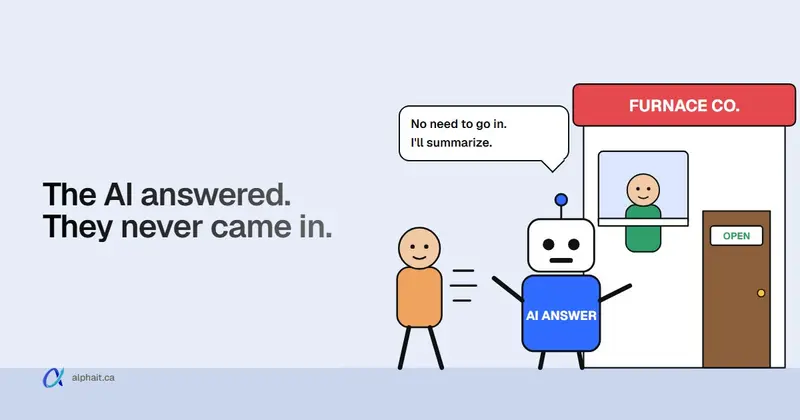
Google now lets people ask a follow-up right from an AI Overview and land in AI Mode, a chat-style search, on desktop and mobile worldwide. When an AI answer appears, people click fewer website links. A Pew Research study found clicks on a result in 8% of visits with an AI summary, versus 15% without one. In a 2026 field experiment, forcing people into AI Mode cut clicks to websites by 18.8 percentage points. But the loss isn’t even. “How do I…” questions lose the most. Searches where someone wants to hire a local business hold up better, because an answer can’t fix a furnace or file a tax return. So a local service business should do five things. Answer price, process and area questions on your service pages. Keep your business facts and Google Business Profile accurate. Earn reviews and mentions. Count calls and forms, not just clicks. And skip the “AI optimization” tricks.
Below is what Google has actually announced, what the research says, and what I’d change on a typical Edmonton service business site this month. I’ll flag where I’m reasoning rather than quoting data.
What did Google actually change?
Here’s the timeline from Google’s own posts. It’s been a gradual push, not one switch.
| Date | What Google announced |
|---|---|
| Jan 27, 2026 | Follow-up questions straight from an AI Overview, which open an AI Mode conversation (mobile first). Gemini 3 became the default model for AI Overviews. |
| May 19, 2026 | At I/O, the jump from AI Overviews into AI Mode went live on desktop and mobile worldwide. Google said AI Mode had passed one billion monthly users. It also announced a rebuilt, AI-powered search box and, for “select categories like home repair, beauty or pet care,” having Google call businesses for you. |
| Jun 3, 2026 | New Search Console reports showing how often your pages appear in AI features. Google says these reached all websites on Aug 31, 2026. |
| Oct 15, 2026 | More inline links in AI answers, placed higher. A test of a section at the top of some answers that points to “official” sites when there are only one or two places to get a task done. |
One thing Google stresses: AI Mode is not the default. A Google spokesperson told Press Gazette that “AI Mode is not the default experience in Search.” Regular results with blue links are still there. But every AI Overview now has a door into AI Mode, and people use it.
How many clicks are actually being lost?
Here’s what’s known, and from whom.
- Pew Research (2025). Pew tracked real Google searches by 900 US adults in March 2025. With an AI summary on the page, people clicked a regular result in 8% of visits. Without one, 15%. Links inside the summary got clicked in about 1% of visits.
- Penn/Northeastern field experiment (2026). Researchers including Christo Wilson (Northeastern) and Danaé Metaxa (Penn) put 1,100 US Google users into three groups for a week. One group got normal Google. One got Google with AI features hidden. One got forced into AI Mode. AI Mode reduced click-through by 18.8 percentage points compared with normal Google. People in that group also reported lower satisfaction. The paper is a preprint on arXiv (August 2026), so it hasn’t been peer reviewed yet.
- Google’s side. In August 2025, Google’s head of Search wrote that total organic clicks were “relatively stable year-over-year.” Google said third-party reports of big declines often use “flawed methodologies.” It didn’t publish the data behind that.
My read: both can be true. Google may send a similar total number of clicks while some kinds of pages lose a lot.
What’s not known: nobody has published solid numbers for Canadian searches, or for local service searches specifically. Both studies are US-only. Treat anyone quoting an exact “local click loss” figure with suspicion.
Which searches lose the most clicks?
Pew’s data gives a clear pattern. AI summaries showed up on 60% of searches starting with who, what, when or why. They showed on 53% of searches of 10 words or more. For one- or two-word searches, only 8%.
Now think about how your customers search.
- “How often should I service my furnace” is a question. It’s long. An AI answer covers it well. That click is mostly gone.
- “Furnace repair Edmonton” is short and local. Google usually shows the map pack and Business Profiles. The person needs a human with tools.
- “Furnace repair cost Edmonton” sits in the middle. The AI answer may give a range, then the searcher wants someone local to call.
This part is my reasoning, not a study. The research doesn’t break results down by local versus informational searches. But it lines up with Pew’s pattern and with what Google itself says: its AI features page tells businesses to keep Business Profile information current. For a local business, the profile is a big part of how you show up in AI answers.
So don’t panic about losing traffic to old “tips” posts. Worry about whether the searches that bring paying jobs still find you.
What should your service pages say now?
AI answers pull short passages from pages that answer clearly. People who do click through have often already read a summary. They want the details that decide the job. Give them that on each service page.
- Price. A real range or a “starts at” figure, and what changes it. “Most residential furnace repairs run $X to $Y. Parts and after-hours calls cost more.” If you truly can’t price it, explain how you quote.
- Process. What happens after they call. Same-day or next-week? Do you come out to quote? How long does the job take?
- Area. The neighbourhoods and towns you serve, in plain text. “Edmonton, St. Albert, Sherwood Park, Spruce Grove and Leduc.” Not a map image alone.
- Proof. Licences, insurance, years in business, warranty terms. Only what’s true and current.
- Questions customers actually ask. Pull them from your inbox and phone notes. Answer each in two or three sentences, near the top of the answer.
Write the answer first, then the detail. A page that opens with “Welcome to our family-owned company” gives an AI nothing to quote and gives a skimmer nothing to act on.
We covered the general basics (titles, headings, speed, links) in our step-by-step SEO guide for Canadian companies. I won’t repeat them here.
Make your business facts easy to read
AI answers and Google Maps both rely on plain facts. Get these identical everywhere:
- Business name, phone number, address (or service area, if you go to customers).
- Hours, including holiday hours. Update them before Christmas, not after.
- Services offered, using the words customers use.
Put them as visible text on your website: in the footer and on the contact page. Then add structured data (LocalBusiness or a more specific type like Plumber or HVACBusiness) that says the same thing. Google’s own guidance is to keep structured data consistent with the visible text on the page. Don’t mark up reviews, prices or hours that aren’t on the page. Google also says you don’t need any special AI-only schema or files to appear in AI Overviews or AI Mode.
Run your homepage and one service page through our free SEO analyzer. It’ll show missing titles, headings and structured data problems in a couple of minutes.
Treat your Google Business Profile as your second homepage
For many local searches, your profile is what people see first. With AI Mode in the mix, it matters more, not less. Google’s AI features guidance lists “keep Business Profile information current” as a best practice.
- Categories and services that match your service pages.
- Hours and service area that match your website exactly.
- Photos of real jobs, your team, your vans. Not stock images.
- Reviews. Ask every happy customer, right when the job is done. Reply to all of them, including the bad ones. Reviews that mention the service and area (“fixed our furnace in Terwillegar the same day”) help people decide.
- Answer the phone. Google has announced it can call businesses for searchers in some categories. It hasn’t said when, or whether, that comes to Canada. Either way, whoever picks up should be able to give a price range and the next opening.
For a deeper walkthrough of profile rules, categories and mistakes, see our Google Business Profile guide for dental clinics. Most of it applies to any local business.
Get mentioned on other sites
AI answers are built by running several related searches and pulling from many pages. Google calls this “query fan-out.” So it helps to show up in more places than your own site. This is reasoning from how Google describes the system, not a guaranteed ranking factor.
Practical places for an Edmonton business:
- Your industry association’s member directory.
- Supplier and manufacturer “find a dealer” or “certified installer” pages.
- Local news, community league newsletters, and sponsorship pages.
- The Better Business Bureau and the main directories in your trade.
- Honest “best of” lists from local sites. Don’t pay for fake ones.
Same name, phone and address on every one.
Measure leads, not just clicks
Clicks are going to look worse. That doesn’t tell you whether the phone is ringing. Here’s what to watch instead.
- Search Console’s AI report. Since June 2026 (all sites since August 31), Search Console has reports for generative AI features. They show impressions, which pages earned them, countries and devices. They don’t show clicks. AI Overview and AI Mode traffic is also still counted in the normal Performance report under the Web search type.
- Calls and forms. Track form submissions and clicks on your phone number as key events in Google Analytics. A tracked phone number on your website helps too.
- Business Profile performance. Calls, direction requests and website clicks from your profile.
- Ask. Add “How did you hear about us?” to your form and your phone script. “I asked Google’s AI” is now a real answer.
Watch the trend over three months, not one week. If AI impressions rise while leads hold steady, you’re fine, even with fewer clicks. Our Cheveuderm SEO case study shows what this reporting looks like for a real Edmonton clinic, with screenshots from Search Console and Analytics.
What not to do
Plenty of people are selling “GEO” (generative engine optimization) right now. Some of it is just good SEO with a new name. Some of it will hurt you.
- Don’t publish AI-spun pages at scale. Fifty “furnace repair in [suburb]” pages with the town name swapped is what Google calls scaled content abuse in its spam policies. It applies whether a person or an AI wrote them. One strong page per real service area beats fifty thin ones.
- Don’t buy “AI ranking” files or special markup. Google says plainly you don’t need new machine-readable files, AI text files or special schema to appear in AI Overviews or AI Mode.
- Don’t fake reviews or buy them. It breaks Google’s rules and can get reviews removed or your profile restricted.
- Don’t block Google to “protect” your content. Google has added a Search Console control to opt out of AI features. For a local business, opting out mostly means vanishing from answers your competitors still appear in.
- Don’t trust anyone who guarantees placement in AI answers. Nobody can.
Your one-page checklist
If you only do one thing this week, fix your hours, phone and service area so they match on your website and your Business Profile. Then work down the list.
| Task | Where | Time |
|---|---|---|
| Match name, phone, hours and service area | Website footer, contact page, Business Profile | 30 min |
| Add a price range and “what happens next” to each service page | Website | 1 to 2 hours per page |
| List the areas you serve as plain text | Service pages, Business Profile | 20 min |
| Add 5 real customer questions with short answers | Each main service page | 1 hour per page |
| Check structured data matches the visible page | Free SEO analyzer or Google’s Rich Results Test | 20 min |
| Ask every finished job for a review, and reply to all | Business Profile | Ongoing |
| Track calls and form fills as key events | Google Analytics | 1 hour |
| Add “How did you hear about us?” | Contact form, phone script | 10 min |
| Check the generative AI report monthly | Search Console | 15 min a month |
| Get listed on 3 trade or local sites | Associations, suppliers, BBB | 2 hours |
Also this week: if your office gets calls from someone claiming to be “IT support,” read our post on the fake help desk phone scam before they call back.
Sources
- Google Search Central: AI features and your website (requirements, best practices, structured data, Business Profile, Performance report, query fan-out)
- Google: AI Mode and AI Overviews updates (January 27, 2026)
- Google: Search announcements from I/O 2026 (May 19, 2026)
- Google: New opportunities, control and insights for website owners (June 3, 2026, updated August 31, 2026)
- Google Search Central blog: Introducing Search Generative AI performance reports in Search Console (June 3, 2026)
- Google: More ways to connect with the web from Search (October 15, 2026)
- Google: AI in Search is driving more queries and higher quality clicks (August 6, 2025)
- Wang, Gleason, Bart, Wilson and Metaxa: AI in Search Reduces Publisher Referrals Without Improving User Experience (arXiv preprint, August 18, 2026)
- Pew Research Center: Google users are less likely to click on links when an AI summary appears (July 22, 2025)
- Press Gazette: What Google’s AI Mode push means for publishers
- Google Search Central: Spam policies (scaled content abuse)
Frequently asked questions
Is Google AI Mode the default search now?
No. Google says AI Mode is not the default experience, and regular results with links still appear. But since 2026, anyone can ask a follow-up from an AI Overview and move straight into AI Mode, on desktop and mobile worldwide.
Can I see AI Mode traffic in Google Search Console?
Partly. Search Console has generative AI performance reports that show impressions in AI Overviews and AI Mode, by page, country and device. They don’t show clicks. Clicks from AI features are counted in the regular Performance report under the Web search type, mixed in with everything else.
Do I need an llms.txt file or special schema for AI Overviews?
Not for Google. Google’s documentation says there are no extra requirements to appear in AI Overviews or AI Mode, and no need for AI text files or special schema. Your page needs to be indexed and eligible for a snippet. Normal structured data still helps, as long as it matches what’s visible on the page.
Will AI Mode hurt my local business more than other businesses?
Probably less. Research shows AI summaries appear most on question-style and long searches, which is where clicks drop most. Short “service plus city” searches still lean on Business Profiles and maps. No study has measured local service searches on their own yet, so watch your own calls and form fills.
Should I opt my site out of Google's AI features?
For most local businesses, no. Opting out means your pages won’t appear in or help build AI Overviews and AI Mode answers. Your competitors still will. It makes more sense for publishers whose business is the content itself.
Want someone to check your service pages, structured data and Business Profile against this list? AlphaIT’s SEO team can do it, and our web design team can rebuild pages that don’t answer customer questions. Contact us.