Vishal Sharma
On this page
- What did KELA actually find?
- What does the lure look like?
- The one habit that beats this: never sign in from a link
- Turn on the business banking controls you already pay for
- Someone entered the company’s banking login on a fake page. Now what?
- How do you report a fake bank site in Canada?
- Sources
- Frequently asked questions
Threat intelligence firm KELA has tracked more than 300 phishing domains built on one setup since May 2026. As of October 25, 2026, 248 were live, copying 189 financial institutions. Many of the fake pages are business banking and treasury logins, with a Company ID box next to the user ID and password. KELA says all 189 brands are US institutions. No Canadian bank is named as a target. BMO’s name does appear once, which we explain below. The trick that got the campaign noticed is the “This account has been suspended” page. It isn’t the bait. It’s what the site shows on your second visit, so it looks dead to anyone who checks. For your office, the defence is simple. Never sign in to the bank from a link. Type the address or use a bookmark, and require two people to approve every payment.
You may have read that this campaign “sends fake account-suspended emails”. That’s not quite what KELA’s report says, so let’s get it right before we get practical.
What did KELA actually find?
KELA’s write-up is called “Not Actually Suspended: How a Bank-Phishing Network Fakes Its Own Takedown.” It was last updated November 9, 2026, with data current to October 25 and 26. The key facts:
| What | KELA’s finding |
|---|---|
| Size | 300+ domains on the same infrastructure since May 2026; 248 live on October 25 |
| Brands copied | 189 institutions, “all US financial institutions”, mostly mid-sized regional and commercial banks |
| Big names mentioned | JPMorgan, Citi, BMO, Santander, Fifth Third, Pinnacle, Valley National, First Financial |
| Growth | 214 live on October 17; 49 new and 15 taken down in the following week |
| Domain pattern | [keyword]-[bank].com, with keywords like secure, disable, protect, cancel, plus authorize, terminate, credentials, commercial |
| Newer pattern | help-desk, live-support, treasury-portal and “primary device” names |
| What the page asks for | User ID and password; business versions add a Company ID field |
| How victims arrive | Unknown. KELA hasn’t tied it to email, text or ads |
The “suspended” part is a hiding trick. The kit records every visitor’s IP address. Your first visit gets the bank login. Any repeat visit from the same address gets a page reading “This account has been suspended”, styled like a web host’s closed-account notice. Some domains show “Sorry, you have been blocked”, a blank page or a redirect to Google instead.
Why does that matter to you? Picture it. A staff member clicks, sees a login page, gets a bad feeling and closes it. They forward the link to IT. IT opens it from the same office internet connection and sees “account suspended”. Everyone relaxes, thinking the site is already shut down. It isn’t. A link that looks dead to you can still be live for the next person. Treat every report as real until the bank confirms otherwise.
Is any Canadian bank on the list?
Not according to KELA. The report says plainly that “all 189 impersonated brands are US financial institutions”. BMO is mentioned once, among “help-desk and live-chat look-alikes of JPMorgan, Citi, BMO and Santander”. BMO runs a large US bank too, and KELA counts every target as American. So that’s most likely the US login, but the report doesn’t say. KELA also found the same servers phishing UK, Dutch, Australian and New Zealand targets, such as HSBC, NatWest and ABN AMRO. Canada isn’t on that list either.
So why write about it for Edmonton offices? Because a kit like this is cheap to point at a new country. Canadian banks get copied all the time. The habits that beat this campaign beat the next one that copies RBC, TD or ATB.
What does the lure look like?
KELA doesn’t know how victims are reached. It does point out that the domain words read like bank alert subject lines: a transfer to authorize, a payment to cancel, an account to disable. Its own advice to banks is to warn business customers about exactly that. “A message asking them to cancel or authorize a transfer through a link matches the themes in this campaign’s domain names.”
For a finance clerk in Canada, the same play would look something like this:
- An email or text with a deadline. “Your business online banking access has been suspended.” “Unusual wire detected: cancel within 24 hours.” “Authorize pending payment.”
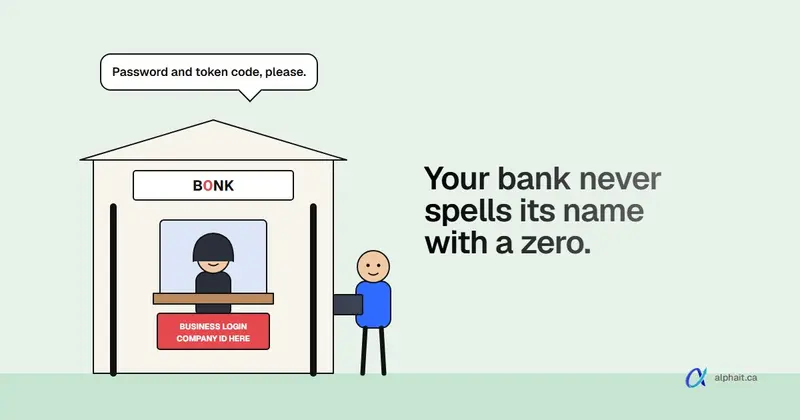
- A link to a domain with a hyphen and a scary word. Something shaped like
cancel-[yourbank].comorsecure-[yourbank]-treasury.com. Real banks use their own main domain, likerbcroyalbank.com,td.comorbmo.com, not new look-alikes. - A login page that looks perfect. Logo, colours, a reCAPTCHA. KELA saw some pages showing a reCAPTCHA before the form. A captcha proves nothing about who runs the site.
- A Company ID field. That’s the business banking giveaway. The fake is built for people who sign in on behalf of a company.
- Odd details if you look. KELA saw browser tabs titled like a Cloudflare “Attention required” check while the page showed bank branding. The pages also carried a US FDIC insurance banner. Canadian banks show CDIC membership, so an FDIC banner on your “Canadian” bank’s page is a strong hint something is off.
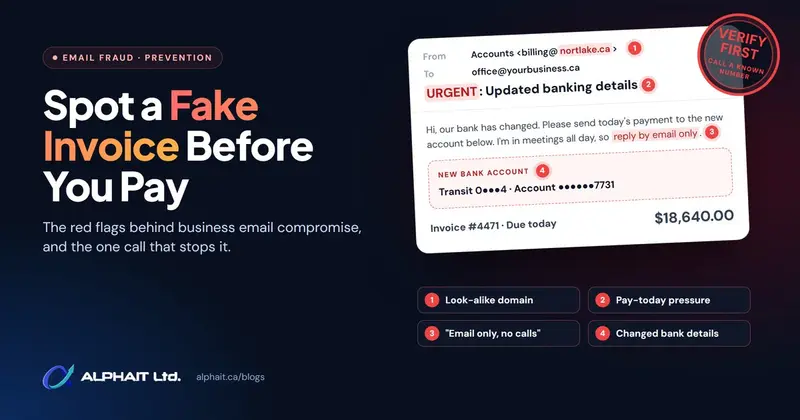
Not sure about an email before anyone clicks? Paste its headers into our free email header checker. It shows where the message really came from. If it’s a payment request rather than a login lure, our post on spotting a fake invoice before you pay covers that side.
The one habit that beats this: never sign in from a link
If you only do one thing this week, do this. Make it office policy, in writing.
- Bookmark each business banking login. Add it on every computer that touches the bank. Get the address by typing the bank’s main site yourself, then clicking through to business sign-in. Put the bookmark on the bookmarks bar.
- Only ever sign in from the bookmark or the bank’s own app. Not from an email, a text, a search result or an ad. No exceptions for “urgent”.
- When a message says there’s a problem, open the bookmark in a new tab. If the account really is locked or a payment really needs attention, you’ll see it there. If everything looks normal, the message was fake.
- Use a password manager. It fills your password only on the site where you saved it. On a look-alike domain, it stays quiet. That silence is your warning.
- Make reporting safe. The worst outcome is someone who typed their password and keeps quiet out of embarrassment. Say out loud that nobody gets in trouble for reporting.
Filtering helps too. Good email security catches a lot of these links before staff see them. But no filter sees a text message or a search ad. The bookmark habit covers all of them.
Turn on the business banking controls you already pay for
Stolen credentials hurt much less when one login can’t move money alone. Most Canadian business banking platforms have these controls. They’re often off, or set loosely, because they add a step. Here’s what to look for. Menu names differ by bank, so ask your business banking advisor if you can’t find them.
| Control | What it does | Why it matters here |
|---|---|---|
| Dual approval | One user creates a payment, a second user approves it | A phished login can set up a payment but can’t send it |
| Dual administration | Adding users, changing permissions or limits needs two admins | Stops an attacker from making themselves an approver |
| Payment and payee limits | Caps per payment, per day, or per user | Limits the damage from one bad session |
| New payee controls | Adding or editing a payee needs approval | Fraud usually starts with a new payee |
| Token or app-based sign-in | A physical token or bank app code on top of the password | A password alone won’t get in |
| Alerts | Email or text when a user signs in, a payee is added, or a payment is pending | You see the attack while it’s still pending |
Two banks’ own pages confirm some of this in plain words. TD’s Business Central page describes Dual Administrator (“one to create the request and one to approve the request”), says wires pending approval “require two Users to approve”, and introduces TD Authenticate, which adds “a digital token” at sign-in. BMO’s Online Banking for Business page says you can “set payment limits and multiple levels of payment approvals”. It also offers alerts for user activity, pending payments and approvals. For RBC, CIBC, Scotiabank, ATB and Servus, check with your advisor what your plan includes.
Two honest trade-offs. Dual approval means the second approver must be reachable on payroll day, so name a backup. And a token or app code is not phishing-proof. A fake page can ask for the code too and use it within seconds. KELA didn’t report these pages collecting codes, but plan as if the next kit will. That’s why dual approval matters more than the token. (The Microsoft 365 version of that problem, where a fake page steals the whole signed-in session, is covered in our MFA bypass post.)
Someone entered the company’s banking login on a fake page. Now what?
Minutes count. Work down this list in order.
- Call the bank right away. Use the number on the back of your card, your statement or the bank’s site you typed yourself. Never use a number from the suspicious message. Tell them a business banking login was entered on a phishing site. Ask them to lock that user and to check for new payees, pending payments and changed limits.
- Have the bank recall or stop anything that went out. The faster you call, the better the chance.
- Change the password from the real site, once the bank says it’s safe. If the same password was used anywhere else, change it there too.
- Tell the bank if a token code was entered on the fake page. They may want to reset or reissue the token.
- Review every user and approver in the business banking admin area. Remove anyone you don’t recognize. Then follow the rest of the bank’s fraud steps.
- Check the computer. Most of these pages only steal what you type, but a link can also deliver malware. Have IT scan the machine before anyone banks on it again.
- Report it (next section). Keep the email or text, with its headers, as evidence.
For the first hour after any phishing click, not just banking, our phishing emergency guide walks you through it step by step.
How do you report a fake bank site in Canada?
Report it to the bank whose name is on it, then to the Canadian Anti-Fraud Centre (CAFC). These are the reporting addresses and numbers we confirmed on each bank’s own website in November 2026. Phone numbers change, so check them against your card or statement.
| Bank | Forward phishing to | If you shared login details |
|---|---|---|
| RBC | phishing@rbc.com (fake sites: subject “Fake RBC website”, paste the full URL) |
RBC Express 1-800-769-2535; online banking 1-800-769-2555 |
| TD | phishing@td.com |
1-866-222-3456 |
| BMO | phishing@bmo.com (forward as an attachment; texts as a screenshot) |
1-877-225-5266 |
| Scotiabank | phishing@scotiabank.com (don’t change the subject line) |
1-866-625-0561 |
| CIBC | fraud@cibc.com (only for reporting fraudulent emails and texts) |
Business banking fraud 1-800-663-4575; commercial 1-800-500-6316 |
| ATB Financial | fraud@atb.com (forward as an attachment) |
1-800-332-8383 |
| Servus Credit Union | No public phishing mailbox found on servus.ca | Member Contact Centre 1-877-378-8728 |
A few notes from the banks’ own pages. RBC’s mailbox is automated and won’t reply, so call for anything about your account. Scotiabank says to call right away if you responded to a suspicious email and think you gave out confidential information.
Then report it to the CAFC at reportcyberandfraud.canada.ca or 1-888-495-8501 (Monday to Friday, 10 am to 4:45 pm Eastern). The CAFC asks people to report “whether you are a victim or not”, and to contact local police as soon as possible if they are a victim. The CAFC’s phishing page also warns that a sender address can look real and still be spoofed.
Reporting even when nobody fell for it has a point. Every report gives the bank another domain to take down. And because of KELA’s “suspended” trick, the bank may need to check it from a fresh connection. Mention in your report that the page may look dead on a second visit.
One more risk to keep on your radar: phone scams. Fraudsters calling as “your bank’s fraud team” or “IT” use the same urgency. We covered that in the help desk phone scam post.
Sources
- KELA: Not Actually Suspended: How a Bank-Phishing Network Fakes Its Own Takedown (updated November 9, 2026: domain counts, US targets, naming pattern, cloaking, recommendations)
- The Hacker News weekly recap, November 2026 (where the story was first summarized)
- Canadian Anti-Fraud Centre: Phishing
- Canadian Anti-Fraud Centre: Report fraud and cybercrime
- RBC: How to contact us (cyber security)
- TD: Fraud protection
- BMO: Report fraud
- Scotiabank: How can I report fraudulent or suspicious emails?
- CIBC: Report fraud
- ATB Financial: Phishing and email scams
- Servus Credit Union: Contact us
- TD: Business Central
- BMO: Online Banking for Business
Frequently asked questions
Are Canadian banks targeted in the KELA "suspended" phishing campaign?
KELA says all 189 impersonated brands are US financial institutions, and it names no Canadian bank as a target. BMO’s name appears once, among help-desk look-alikes, most likely of its US operation. The same infrastructure also hits UK, Dutch, Australian and New Zealand banks. Canadian businesses should still use the same defences, since kits like this are easy to point at new banks.
Why does a phishing link show "This account has been suspended"?
In this campaign it’s a disguise. The kit remembers each visitor’s IP address. The first visit shows a bank login, and any repeat visit shows a fake hosting “account suspended” notice. That makes a live phishing site look already shut down to the person who reports it or the IT staff who check it.
How can I tell a fake business banking login page from the real one?
Look at the address bar first. Look-alike domains often mix a bank name with words like secure, cancel, disable or treasury and a hyphen. Real banks use their own main domain. The safest test is not to check at all. Close the message and sign in from your bookmark or the bank’s app. If something really needs attention, it will show there.
What should I do if I entered my business banking password on a fake site?
Call your bank right away on the number from your card, statement or the bank’s real website. Ask them to lock the user and check for new payees and pending payments. Change the password from the real site, tell the bank if you also entered a token code, and review all users and approvers. Then report it to the bank and to the Canadian Anti-Fraud Centre.
Does dual approval stop phishing in business banking?
It doesn’t stop the phishing, but it stops one stolen login from sending money. With dual approval, one person creates a payment and a different person approves it. An attacker with one set of credentials can set up a payment but can’t release it. Pair it with payee approval and alerts so you see the attempt.
Want help setting up bookmarks, payment controls and a phishing reporting habit your finance team will actually use? AlphaIT’s cybersecurity team can review your setup and train your staff. Contact us.