Vishal Sharma
On this page
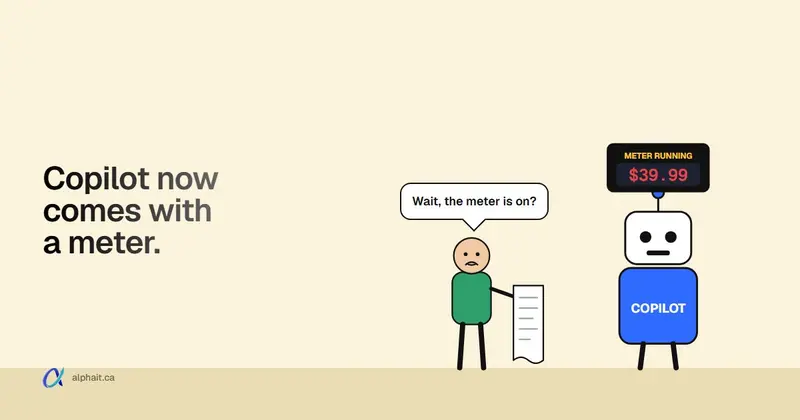
Two separate Copilot changes are being reported as one, and the dates got mixed up along the way. Here’s what Microsoft has actually published. From December 1, 2026, new Microsoft 365 Copilot and Copilot Business offers can be bought without a qualifying Microsoft 365 base subscription. They’re priced the same as today’s offers. Existing Copilot subscriptions don’t change, apart from an “(add-on)” label in the name. The second change is the one that touches your bill. New Copilot Business seats bought through a reseller (CSP) will come with usage-based billing switched on by default, with a default limit of 4,000 Copilot Credits per user per month. That was planned for December 1. On November 3, 2026, Microsoft moved it to its fiscal Q3 2027, which is January to March 2027. No exact day has been announced.
Both changes come from Microsoft’s own Partner Center announcements, which are written for resellers. Most of what you’ve read elsewhere is commentary on those posts. Where a figure or date only shows up in commentary, I’ll say so.
What exactly changes on December 1?
Microsoft’s October 14, 2026 Partner Center announcement lays it out. Here it is in plain terms.
| What | Before | From December 1, 2026 |
|---|---|---|
| Buying a new Copilot or Copilot Business seat | Needs a qualifying base licence (Business Basic, Standard, Premium and others) | New offers, no base licence needed to buy |
| Price of the new offers | n/a | Same as the current offers |
| Name of your existing seats | “Microsoft 365 Copilot Business” | “Microsoft 365 Copilot Business (add-on)” (renamed from October 16) |
| Existing add-on seats | Normal | End of sale in CSP on Dec 1. You can still renew and change seat counts |
| Product and SKU IDs, renewal terms, auto-renew | Unchanged | Unchanged. No migration, no reassigning licences |
Two details are easy to miss.
First, “no base subscription needed” is about buying, not about what works. Microsoft says Copilot experiences still depend on the Microsoft 365 apps and services each user is licensed for. A person with Copilot but no Outlook or Teams licence has no Copilot in Outlook or Teams. For a typical office already on Business Standard or Premium, this change does very little.
Second, Microsoft’s own Copilot licence options page still describes Copilot Business as an add-on that needs an eligible Business licence. It also says it’s an annual commitment for up to 300 users. It was last updated November 4, before the switch. Expect it to change after December 1. Until then, the Partner Center post is the source for the new rule.
Who it helps: mostly businesses that run Business Central or another line-of-business app and aren’t on Microsoft 365. Microsoft is launching Business Central plus Copilot Business bundles on January 1, 2027 for exactly that group. If your team already lives in Outlook, Teams and SharePoint, you’ll barely notice.
The bigger one: usage billing on by default
This is the change worth planning for. Microsoft’s November 2026 Partner Center announcement (dated November 3) says:
- Applies to: new purchases of Microsoft 365 Copilot Business through CSP, including standalone seats and bundles.
- What happens: Microsoft creates the Azure resources needed and turns on pay-as-you-go usage billing automatically.
- Default limit: 4,000 Copilot Credits per user per month, across all eligible services, for all users in the organization. Admins can adjust it.
- The catch: a new purchase also turns on usage billing for the existing Copilot Business licences in the same tenant.
- When: “during Microsoft’s FY27 Q3 (January-March 2027), instead of December 1, 2026, as previously announced.”
That third point matters. Say you have five Copilot Business seats today and add one in February. Under Microsoft’s wording, your whole tenant moves to usage billing on by default, not just the new seat.
What this means for your monthly bill
Your Copilot seat price doesn’t change. Usage billing is a second meter on top of it. It only charges for AI features Microsoft has moved to Copilot Credits. Per Microsoft Learn, that list now includes Copilot Cowork, advanced work in SharePoint and OneDrive, Copilot Code, Teams Phone Agent, Copilot video creation in Clipchamp, some models in Copilot Chat and Office, Copilot Studio and more. Microsoft says it will keep adding services.
Microsoft’s Copilot Credits licensing guide lists pay-as-you-go at $0.01 per Copilot Credit, in US dollars, billed in arrears at the end of the month.
So here’s the ceiling, worked out from Microsoft’s own numbers:
| Copilot Business users | Default cap (credits per month) | Most it could add per month, at USD $0.01 |
|---|---|---|
| 1 | 4,000 | USD $40 |
| 5 | 20,000 | USD $200 |
| 10 | 40,000 | USD $400 |
| 25 | 100,000 | USD $1,000 |
That’s a maximum, not a forecast. You’re billed only for what people actually use. Someone who only uses Copilot in Word and Outlook may never touch a metered feature. But one keen user running long Cowork tasks can burn through credits fast. That’s why the per-user limit exists.
About the “$10 per user” figure. Some articles say the default limit is $10 per user per month. I couldn’t find that in any Microsoft source. Microsoft’s announcement says 4,000 credits, which works out to USD $40 at the published rate. Go with Microsoft’s number.
About currency. Microsoft publishes the credit price in US dollars. How your reseller converts and invoices that in Canadian dollars depends on their billing. Ask them.
Does this affect you?
- You already have Copilot Business seats and buy nothing new: no change to your seats. Watch your reseller’s notices once the default-on rollout starts in early 2027.
- You’ll buy new Copilot Business seats through a reseller after the rollout starts: expect usage billing on, with the 4,000-credit default, for the new seats and your existing ones.
- You’re buying before the rollout: the delay means default-on billing shouldn’t apply yet. Microsoft hasn’t given an exact start date, so ask your reseller what their system will do on your order date.
- You buy Copilot directly from Microsoft, not through a reseller: the default-on announcement covers CSP purchases. In the admin center, usage billing is something you set up yourself under Copilot › Cost Management.
- You only use free Copilot Chat: none of this applies. Copilot Chat did get new fair-use limits in November. We covered those in November’s Microsoft 365 changes.
How to check or set Copilot spending limits
All of this lives in the Microsoft 365 admin center under Copilot › Cost Management. These steps come from Microsoft Learn’s setup and management guides. Note that the CSP default-on experience isn’t live yet, so your screens may differ when it arrives.
Who can do what:
- Global administrator or Billing administrator: set up usage billing, create policies, choose the billing method.
- AI administrator or License administrator: edit existing policies, limits and alerts, but can’t create new policies.
- AI Reader or Global Reader: view spending reports only. Give this to your bookkeeper.
To check what’s already set:
- Sign in to the Microsoft 365 admin center.
- Go to Copilot › Cost Management.
- The Overview tab shows credit use and any policies or users close to their limits.
- The Configuration tab lists every spending policy. Select one to see its scope, services, billing method, limits and alerts.
If you see a Get Started button instead of policies, usage billing isn’t set up in your tenant yet.
To change a limit or add alerts:
- In Copilot › Cost Management, open the Configuration tab.
- Select the spending policy.
- In the fly-out, edit Spending limits and Alerts, and Email alert settings.
- Select Save changes.
The settings I’d set on day one:
- A monthly limit on the whole policy. Choose Limit monthly spending rather than Don’t limit monthly spending. This is your hard ceiling for the month.
- A per-user monthly limit. Microsoft’s guidance currently asks for at least 2,000 credits per user per month when you set one. That’s USD $20 at the published rate.
- An admin alert at a threshold you’d want to hear about, such as 50% of the policy limit. Microsoft says alert emails then repeat daily until the month resets.
- Turn off Auto-apply new services if you want to approve each new metered feature first. It’s on by default, so new Microsoft services join your policy automatically.
- Use a security group to limit who’s covered. Policies can target specific groups instead of all users.
When a user hits their limit, Microsoft says they lose access to the metered services until credits reset on the first of the month. Their regular Copilot keeps working.
Can you just switch it off? Microsoft says limits “can be adjusted in Partner Center and/or Microsoft Admin Center.” It also says disabling usage billing “might limit access to AI experiences.” Several blogs say you can turn it off by setting the limit to zero. I couldn’t confirm that in Microsoft’s docs, and the 2,000-credit minimum for per-user limits suggests it may not be that simple. If you want it off, ask your reseller to confirm in writing how they’ll do it.
Questions to ask your reseller before buying seats
Copy these into an email. A good reseller will answer each in a sentence or two.
- Which Copilot Business offer are you quoting: the new offer or the “(add-on)” one?
- On my order date, will usage-based billing be on by default? What exact date does your system switch?
- If it’s on, what per-user and total monthly limits will you set? Can we start with a lower total cap?
- Will buying new seats turn on usage billing for our existing Copilot seats too? (Microsoft says yes.)
- How will Copilot Credit charges appear on our invoice? In CAD or USD, and at what exchange rate?
- Who gets the spending alerts, us or you? Can our office manager get them too?
- Is a promotional price or trial being applied, and when does it end? Microsoft lists CSP Copilot Business promos running to December 31, 2026.
- Annual or monthly commitment? Microsoft Learn describes Copilot Business as an annual commitment, so ask before you pay a monthly rate.
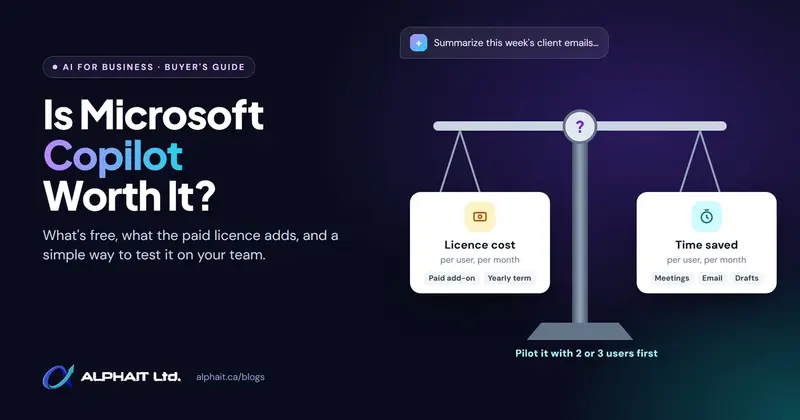
Not sure Copilot is worth it at all? Start with our honest look at whether Copilot pays off, which has the current Canadian prices. Comparing it with other tools first? Our ChatGPT vs Copilot vs Gemini test puts them side by side. And if staff will be building their own agents, read up on the agent settings to check too. Agents can run up usage charges as well.
What I’d do this month
If you’re planning to buy Copilot Business seats, buying in December won’t change your price. The no-base-licence change makes no difference if you’re already on Microsoft 365. What it does change is timing on the billing side. A purchase before the early-2027 rollout should avoid default-on usage billing for now. But Microsoft hasn’t fixed a date, and I wouldn’t rush a purchase to dodge a meter you can cap anyway.
Whatever you do, open Copilot › Cost Management once. Know who has access and what the limits are. Then put a calendar reminder in for January to check it again. Since Microsoft moved this date twice already, don’t treat “Q3” as final.
If you’re also cleaning up apps before the holidays, our post on the Microsoft 365 companion apps retiring December 16 is a quick win.
What we couldn’t confirm
- The exact start date of default-on usage billing. Microsoft only says January to March 2027.
- Whether setting the limit to zero turns usage billing off. Reported by third parties, not found in Microsoft’s docs.
- The “$10 per user” default. Reported, but Microsoft says 4,000 credits (USD $40 at $0.01).
- Canadian-dollar credit pricing. Microsoft publishes USD. Your reseller decides how it shows on a CAD invoice.
- Exact prices for the new no-base offers. Microsoft says they’re priced the same as current offers. Prices on Microsoft’s site load dynamically, so confirm the CAD price on your quote.
Sources
- Microsoft Partner Center: October 2026 announcements, “Copilot offers and name updates” (October 14, 2026: no base subscription from Dec 1, “(add-on)” naming, end of sale, existing subscriptions unchanged; CSP promos to Dec 31)
- Microsoft Partner Center: November 2026 announcements, “Updates to usage-based billing for new Microsoft 365 Copilot Business licenses” (November 3, 2026: default-on billing moved to FY27 Q3, 4,000-credit default, existing licences included; also Business Central bundles)
- Microsoft Learn: Usage-based billing and cost management for Copilot Credits
- Microsoft Learn: Set up usage-based billing for Copilot Credits
- Microsoft Learn: Managing AI experiences enabled by usage-based billing
- Microsoft Learn: License options for Microsoft Copilot
- Microsoft Licensing: Copilot Credits guide (pay-as-you-go at USD $0.01 per credit, billed in arrears)
- neoteo: Microsoft delays planned Copilot Business CSP usage billing to FY27 Q3 (secondary report of the November 3 delay)
Frequently asked questions
Do I still need Microsoft 365 to buy Copilot after December 1, 2026?
Not to buy it. From December 1, new Microsoft 365 Copilot and Copilot Business offers can be purchased without a qualifying base subscription. But Copilot only works inside the apps each user is licensed for. Without Outlook, Teams or Word, there’s no Copilot in them.
Will my existing Copilot Business seats change on December 1?
Only the name. Existing seats get “(add-on)” added to the name. Microsoft says pricing, renewal terms, product IDs and service stay the same, and no migration is needed. You can keep renewing and adjusting seat counts.
When does usage-based billing turn on by default for Copilot Business?
Microsoft originally said December 1, 2026 for new Copilot Business purchases through CSP resellers. On November 3, 2026, it moved this to its fiscal Q3 2027, which is January to March 2027. No exact date has been announced.
How much can Copilot usage billing add to my bill?
The default limit is 4,000 Copilot Credits per user per month. Microsoft lists pay-as-you-go at USD $0.01 per credit, so that’s up to USD $40 per user per month. You’re charged only for actual use of metered features like Copilot Cowork, and you can set lower limits.
Where do I set Copilot spending limits?
In the Microsoft 365 admin center, go to Copilot, then Cost Management, then the Configuration tab. Select a spending policy to edit its monthly limit, per-user limit and alerts. You need Global, Billing, AI or License administrator rights to make changes.
Want someone to check your Copilot licences, cost settings and reseller quote before you buy? AlphaIT’s Microsoft 365 team can review it with you, and our AI solutions service helps you plan where Copilot is actually worth paying for. Contact us.