Vishal Sharma
On this page
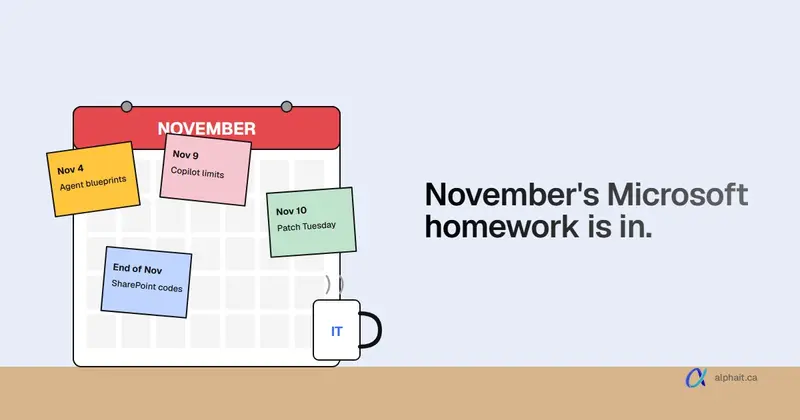
The headline this month: the November 2026 Windows security update lands Tuesday, November 10. Windows 11 26H2 now backs up user settings to Microsoft by default on work PCs, unless you’ve set a policy. And Windows recovery can now reuse saved Wi-Fi.
Microsoft 365 is busier:
- Unlicensed Copilot Chat users get usage limits from November 9.
- Outlook on the web starts blocking .msix attachments.
- Teams adds malicious QR code warnings and starts testing AI phishing detection for first-time external chats.
- Targeted release assignments get locked ahead of its retirement in January 2027.
Most of this needs no action. Three items do: patch, check your Targeted release users, and decide if you’re fine with settings backup being on.
We checked everything below against Microsoft’s own sources on November 7, 2026. Rollout dates move, so each item lists its Message Center (MC) number.
November 2026 at a glance
| Change | Affects | Date | Action needed? |
|---|---|---|---|
| Windows November security update | All Windows PCs | Nov 10 | Yes |
| Optional preview KB5127936 (WinRE Wi-Fi, cloud rebuild) | Windows 11 25H2, 26H2 | Released Oct 28 | No |
| Settings backup on by default | Entra-joined Windows 11 26H2 PCs | Since 26H2 (Sept 29) | Yes, a decision |
| Copilot Chat limits for unlicensed users | Staff without a Copilot licence | From Nov 9 | No (tell staff) |
| .msix blocked in Outlook on the web and new Outlook | Exchange Online | Early to mid November | Only if you use .msix |
| Teams malicious QR code warnings | All Teams users | Early to mid November | No |
| Teams AI phishing detection (external first contact) | Targeted release now, everyone in December | Nov (Targeted), Dec (GA) | No |
| Targeted release enrollment locked | Tenants using Targeted release | November | Yes, review |
| Windows 10 ESU year 2 | Windows 10 PCs still in use | Now | Yes if you have any |
| SharePoint/OneDrive one-time passcode retirement | External sharing | Ends late November | Yes if you share outside |
| SMS and voice MFA retirement announced | Users who rely on text codes | Starts Feb 1, 2027 | Plan now |
Windows
The November Patch Tuesday update (November 10)
What changed: the monthly security update ships Tuesday, November 10, 2026. It’s the last one for Windows 11 23H2 Enterprise and Education. Also, Windows 11 24H2 Home and Pro already stopped getting updates in October. A Pro PC still on 24H2 won’t get this one.
Who it affects: every Windows PC.
What to do: install it within the week and restart. Microsoft’s MC1540093 asks admins to close that gap faster. Why? AI helps attackers turn patches into exploits sooner. Then check Settings › System › About on each PC. If it says 24H2 and the edition is Pro, move it to 25H2 or 26H2. If nobody owns patching in your office, that’s the core of what managed IT support is for.
Optional preview KB5127936: WinRE Wi-Fi and cloud rebuild
What changed: KB5127936 is the optional October preview. It came out October 28 (builds 26200.9818 for 25H2 and 26300.9818 for 26H2). It adds two recovery features:
- WinRE Wi-Fi: the recovery screen can now reuse the PC’s saved Wi-Fi profiles, including certificate-based networks. A broken laptop can get online to fix itself, with no one typing a Wi-Fi password. It’s on by default, and Microsoft says admins can turn it off. (We haven’t found the exact policy name in Microsoft’s docs yet.)
- Cloud rebuild: reinstalls Windows from a Windows Update image with drivers. No USB stick needed, and you can choose to wipe the drive. Admins can start it remotely through the Recovery CSP.
Who it affects: Windows 11 25H2 and 26H2.
What to do: nothing. Previews are optional, and these changes usually arrive in the next security update. One known issue is still open. Since the September update, some USB Audio Class 1.0 devices (older USB headsets and speakers) can show “This device cannot start (Code 10)”. If a USB headset died recently, that’s likely why. Microsoft hasn’t fixed it yet.
Windows settings backup is on by default in 26H2
What changed: from Windows 11 26H2, Windows settings backup (formerly Windows Backup for Organizations) is on by default. Every eight days it backs up each user’s settings, preferences and list of installed Microsoft Store apps to your Microsoft tenant. A new PC can then pick them up. Microsoft’s editor’s note says this went live on September 29, 2026.
Who it affects: PCs that meet all of these:
- Microsoft Entra joined or hybrid joined
- running 26H2
- outside EU DMA countries (Canada is included)
- backup policy set to Not Configured
If you’ve set the policy to Enabled or Disabled, Microsoft keeps your setting. Restore stays off until an admin turns it on.
What to do: decide. For most small offices, we’d leave backup on and turn on restore too. It makes setting up a new laptop faster. But it’s not a file backup. Documents still need OneDrive and a real backup, as we explain in does Microsoft 365 back up your data.
- To turn backup off: Administrative Templates › Windows Components › Sync your settings › Enable Windows Backup = Disabled (Intune Settings catalog or Group Policy).
- To turn restore on in Intune: Devices › Enrollment › Windows Backup and Restore › Show restore page = On.
Windows 10 ESU year 2
Windows 10 PCs only get security updates if they’re enrolled in Extended Security Updates. The first year is over. We cover the costs, who qualifies and the cheaper way out in Windows 10 ESU year 2 for Alberta businesses.
Alberta and B.C. clocks
Reminder: if a PC still shows the wrong time after November 1, use our Alberta and B.C. time zone Windows update script.
Microsoft 365 and Copilot
Copilot Chat limits for unlicensed users (from November 9)
What changed: people without a Microsoft 365 Copilot licence get fair-use limits on more Copilot Chat features from November 9 (MC1536163). The limits vary through the day. Users see when they can retry. Admins can’t see or change the limits.
Who it affects: staff using the free Copilot Chat in commercial tenants, on web, desktop and mobile.
What to do: nothing technical. Tell staff that “try again later” in Copilot Chat is a limit, not an outage. If someone hits it every day, they’d probably use a paid licence. Our take on whether that’s worth the money is in is Microsoft Copilot worth it.
Staff can create AI agent blueprints by default
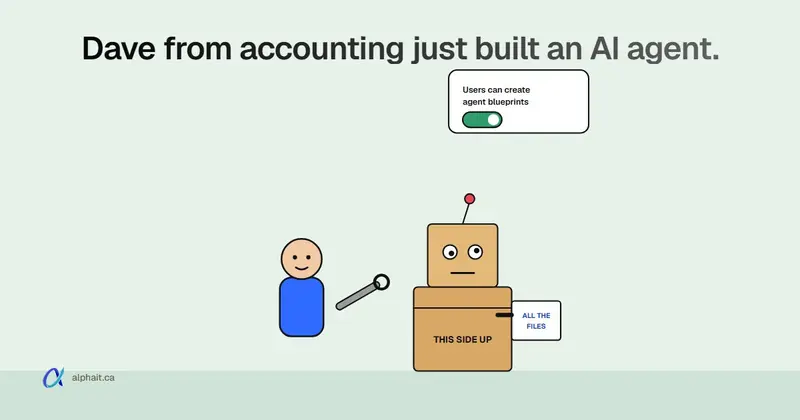
From November 4, ordinary users can create agent blueprints in Microsoft Entra (MC1506733). The rollout runs through late November. An admin can switch this off under Entra ID › Users › User settings › Users can create agent blueprints. What that means, and how it fits with Copilot’s Agent Builder, is in Microsoft 365 users can create AI agents: should you turn it off.
Targeted release is being retired (enrollment locked in November)
What changed: Microsoft is retiring Targeted release in January 2027 (MC1490899). Three options replace it:
- Frontier (preview)
- Standard
- Deferred (about 30 days after Standard)
In November 2026, admins can no longer add, remove or change Targeted release assignments. A new release preferences page also arrives in the admin center. People already on Targeted release keep getting features through it until January.
Who it affects: tenants with anyone on Targeted release.
What to do: in the Microsoft 365 admin center, go to Settings › Org settings › Organization profile › Release preferences. Note who’s on Targeted release. Microsoft’s post doesn’t say those users move over by themselves. When the new page shows up, we’d put one or two IT-minded people on Frontier and everyone else on Standard.
SharePoint and OneDrive one-time passcodes
Guests who open files with an emailed SharePoint passcode are moving to Microsoft Entra B2B guest accounts. Microsoft’s latest update (MC1243549) says this finishes by the end of November 2026. What breaks for outside people, and how to fix it, is in SharePoint and OneDrive one-time passcode retired.
SMS and voice sign-in codes
Microsoft has confirmed (MC1426371, and a follow-up, MC1540327, on November 5) that Microsoft-provided SMS and voice MFA retires on February 1, 2027 for most users. For Global Admins and external users it’s July 1, 2027. After that, anyone with only text or voice codes gets a passkey prompt they can’t skip. What to switch to is in Microsoft SMS sign-in codes and passkeys.
Outlook and Exchange
.msix and .msixbundle attachments blocked in Outlook on the web
What changed: Microsoft is adding .msix and .msixbundle to the blocked file types in default and custom OWA mailbox policies (MC1488841). In Outlook on the web and the new Outlook for Windows, users won’t be able to open or download them. Rollout runs early to mid November 2026.
Who it affects: everyone on Exchange Online. Almost nobody in a small office should be emailing app installers anyway.
What to do: nothing, unless a vendor sends you software that way. Microsoft’s fix is to add the types to AllowedFileTypes on that user’s OwaMailboxPolicy. We’d ask the vendor for a download link instead.
Teams
Malicious QR code warnings
What changed: Teams now reads QR codes in pasted images in chats, meeting chats and channels. It shows a warning if the link is harmful (MC1526651). This covers internal and external senders. QR images from external senders were already blurred by default. General availability runs early to mid November 2026.
Who it affects: every Teams user. It’s on by default and follows your existing Malicious URL protection setting (Teams admin center › Settings & policies › Messaging Safety).
What to do: tell staff two things. A blurred QR code is a precaution, not proof it’s bad. A warning means don’t scan it with their phone. QR phishing works because the phone sits outside your company’s protections.
AI phishing detection for first-time external chats
What changed: Teams will use AI to read the context of a chat. It flags phishing, impersonation and social engineering from external people contacting a user for the first time, even with no link or file (MC1519866). Targeted release starts early November. Everyone gets it early to mid December 2026. At first it may run silently while Microsoft tests it. Then users start seeing warnings. Microsoft says message content isn’t kept for model training.
Who it affects: anyone who accepts external Teams chats. Fake “IT support” and “Microsoft Security” chats are a common way in.
What to do: nothing to configure. Remind staff that real IT support doesn’t cold-message them from an outside organization. If you never chat with outside companies, restrict external access in the Teams admin center. Don’t just rely on warnings.
What we’re watching for December
- Teams custom blocked file types (MC1509801): admins will be able to edit which file extensions Teams blocks under Weaponizable File Protection, or keep Microsoft’s list. Microsoft moved this from November to early to mid December 2026. Customize the list and you stop getting Microsoft’s automatic updates to it. We’d keep the default unless you have a reason.
- Teams phishing detection reaches all tenants in early to mid December.
- Targeted release retires in January 2027. Set the new release preferences page before then.
- January 2027 Windows update: ReFS hardening for removable drives moves to enforcement. Windows Server 2016 and Windows 10 Enterprise LTSC 2021 get their last updates on January 12, 2027. Still running a 2016 server in a closet? Start planning now.
Sources
- Windows release health: Windows message center (Patch Tuesday, end of updates for 23H2 and 24H2, KB5127936, settings backup, January 2027 dates)
- Microsoft Support: KB5127936 release notes
- Microsoft Learn: Windows settings backup and restore
- Windows IT Pro Blog: Windows settings backup becoming a new resilience baseline
- MC1540093: Strengthen protection with timely Windows security updates
- MC1536163 and MC1536158: Limits in Copilot Chat
- MC1490899: Microsoft 365 Targeted Release retirement
- MC1243549: Retirement of SharePoint One-Time Passcode
- MC1506733: Users can create agent blueprints
- MC1426371: SMS and voice MFA retirement
- MC1540327: Prepare users who can’t use passkeys for SMS and voice retirement
- MC1488841: Update to default blocked file types in OwaMailboxPolicy
- MC1526651: Teams malicious QR code detection in messages
- MC1519866: Teams phishing detection for messaging
- MC1509801: Teams customizable Weaponizable File Protection extension list
Frequently asked questions
When is Patch Tuesday in November 2026?
Tuesday, November 10, 2026. It’s the last security update for Windows 11 version 23H2 Enterprise and Education. Windows 11 24H2 Home and Pro stopped getting updates in October 2026. Pro PCs on 24H2 need to move to 25H2 or 26H2.
Is Windows settings backup on by default in Windows 11 26H2?
Yes, on eligible work PCs. That means Microsoft Entra joined or hybrid joined devices on 26H2 or later, outside EU DMA countries, where the backup policy hasn’t been set. It backs up settings and the Microsoft Store app list, not files. Restore stays off until an admin enables it. Setting the “Enable Windows Backup” policy to Disabled turns backup off.
What are the new Copilot Chat limits for unlicensed users?
From November 9, 2026, people without a Microsoft 365 Copilot licence get fair-use limits on more Copilot Chat features, not just image generation. The limits change through the day and Microsoft doesn’t publish the numbers. Admins can’t view or change them. Users see a message telling them when to try again.
What happens to Targeted release in Microsoft 365?
It retires in January 2027. Frontier, Standard and Deferred release options replace it. From November 2026 you can’t change Targeted release assignments, but existing users keep getting features through it until then. Check who is on it under Settings › Org settings › Organization profile › Release preferences.
Want someone to read the Message Center for you and only flag what matters? AlphaIT’s Microsoft 365 and managed IT services cover patching, tenant settings and these monthly changes. Contact us.