Vishal Sharma
On this page
- What actually happened on November 16?
- Why didn’t the big brands’ security stop it?
- Step 1: Find every outside script on your site
- Step 2: Delete what nobody uses
- Step 3: Lock down who can change scripts
- Step 4: Keep plugins and themes updated
- Step 5: Add a Content Security Policy (and be realistic about it)
- Step 6: Keep card fields off your own page
- What to do if you think your site was hit
- Sources
- Frequently asked questions
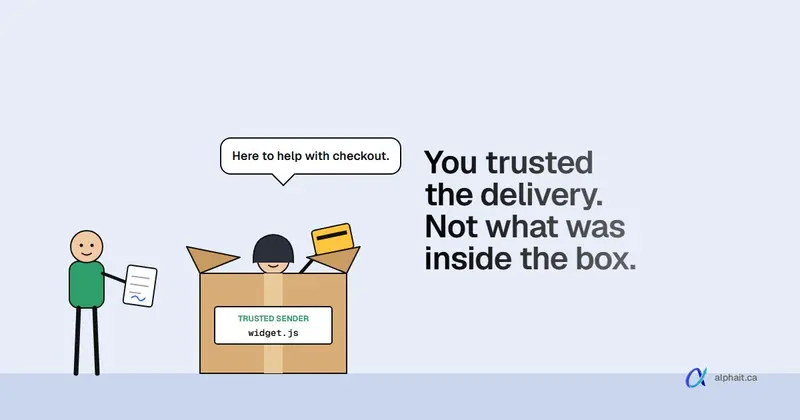
On November 16, 2026, an attacker abused a flaw in Optimizely Web Experimentation, a website testing tool used by big brands. They wrote malicious JavaScript into customers’ “Project JavaScript”. Optimizely’s own CDN then served it to visitors of 178 organisations, including Zoom, the BBC, CNN, Salesforce, GitLab, IKEA, HSBC, Equifax and Air France-KLM. The code skimmed card numbers typed into those sites’ own forms, swapped crypto wallet addresses, stole cookies and screenshots, and pushed iOS exploit kits to iPhones and iPads. None of the victims’ own servers had to be breached. The code came in through a tool they trusted.
You may have seen “138 sites were taken down” in a group chat or a LinkedIn post. That’s wrong twice. It was 178 organisations, per Scott Helme’s count at Report URI. And they weren’t taken down. The sites stayed up and looked normal while they served malware. That’s the worse version, and it’s the one that applies to you.
Your website probably doesn’t run Optimizely. But it almost certainly runs someone else’s code: a chat widget, the Meta pixel, a Google tag, a booking calendar, a review badge, a dozen WordPress plugins. Each one is a door into your visitors’ browsers. Below is what happened, and a checklist you can work through this week.
What actually happened on November 16?
Here’s the short timeline from Report URI’s write-up and Optimizely’s status page.
| What | Detail |
|---|---|
| The way in | Optimizely says an unauthorised party exploited a flaw in its signup flow to impersonate users. It says it was not a credentials breach. |
| Where the code went | The “Project JavaScript” field in customer projects. That code loads on every page where the Optimizely snippet runs. |
| How it was delivered | From Optimizely’s own CDN, so browsers and security tools treated it as normal. |
| Scale | Report URI checked 1,611 Optimizely snippets. 188 snippets, belonging to 178 organisations, were infected. Helme says the real number is likely higher. |
| What it did | Crypto address swapping, card skimming (added partway through the day), cookie and screenshot theft, and the Coruna and DarkSword iOS exploit kits. |
| Clean-up | Report URI says all infected files were clean by late on November 16 (UTC). Optimizely says it closed the hole, removed the injected code and secured affected accounts. |
Optimizely says fewer than 5% of its customers were affected and no other Optimizely product was hit. Attacker wallets received a few thousand dollars in crypto that day, per Report URI and Help Net Security. The card and cookie theft is harder to measure.
One detail matters for anyone taking card payments online. The skimmer grabbed card numbers, expiry dates and CVV codes typed into a site’s own payment form. It could not reach card fields run inside a payment provider’s hosted frame. We’ll come back to that.
It also wasn’t only Optimizely. Hudson Rock and another researcher traced poisoned scripts to three other web services, starting November 13. They say that doesn’t prove one attacker. It does show the pattern: hit a script supplier, reach thousands of sites at once.
Why didn’t the big brands’ security stop it?
Most of them were relying on the wrong thing. Report URI looked at the Content Security Policy (CSP) on the affected sites. A CSP is a rule list your site sends to the browser: “only run scripts from these places, only send data to these places.”
- 68 organisations had no CSP at all.
- In 50, the policy let the malware run and send stolen data out.
- In 17 more, the malware ran but the policy blocked the data from leaving.
- Only 24 (15%) had a policy strict enough to block it.
The lesson for small sites is in the details. Allowlisting Optimizely’s domain didn’t help, because the malware came from Optimizely’s domain. And unsafe-eval, a setting Optimizely’s own docs tell customers to allow, let a backup inline copy of the code run on HSBC, even though HSBC’s policy had blocked the main file.
A CSP that trusts everything from your vendors doesn’t protect you from your vendors. It’s still worth having, just not as step one.
Step 1: Find every outside script on your site
You can’t protect what you haven’t listed. This takes 20 minutes and no technical skill beyond following steps. Use Chrome or Edge on a computer.
- Open your home page and press F12 (or right-click, then Inspect). This opens DevTools.
- Click the Network tab, tick Disable cache, then reload the page.
- Click the JS filter. You now see every script the page loaded. Hover over a name to see the full address, or right-click a column heading and turn on Domain.
- Write down every domain that isn’t yours. Typical ones:
googletagmanager.com,connect.facebook.net,widget.intercom.io, a booking tool, a review widget, a cookie banner, a font or map service. - Repeat on your contact page, booking page and checkout page. Plugins often load scripts only where they’re used.
- Press Ctrl+U to view the page source and search (Ctrl+F) for
<script. This catches code pasted straight into the page, like a tracking snippet someone added two agencies ago. - If you use Google Tag Manager, open it and list every tag in the container. GTM can load scripts that won’t show in your page source, only in the Network tab.
On WordPress, also open Plugins › Installed Plugins and add every active plugin to the list. On Squarespace, check Code Injection in settings. On Wix, check Custom Code in settings. These are the places where snippets get pasted and forgotten.
Put the list in a simple spreadsheet: script, what it does, who added it, who owns the account, and whether anyone still uses it.
Step 2: Delete what nobody uses
This is the step I’d do first if you only have an hour. Every script you remove is one less supplier who can hurt your visitors.
Common leftovers we see on small business sites:
- a Hotjar or heatmap script from a project that ended years ago;
- a Meta pixel for an ad account nobody logs in to;
- two analytics tags doing the same job;
- a chat widget for a trial that lapsed;
- plugins that are deactivated but not deleted (delete them, since inactive code can still be exploited);
- an old A/B testing tool. Yes, like Optimizely.
If nobody can tell you what a script does or who owns the account, that’s your answer. Remove it on a test copy of the site first, check the forms still work, then remove it live.
Step 3: Lock down who can change scripts
In this attack the code was changed inside the tool, not on the websites. Your equivalent risk is someone getting into your Google Tag Manager, WordPress admin, or Squarespace or Wix account and adding a script. That person instantly controls what every visitor runs.
- Google Tag Manager: go to Admin › User Management. Remove ex-staff and old agencies. Give Publish rights to one or two people, not everyone.
- WordPress: go to Users and filter by Administrator. Most sites need one or two. Downgrade the rest to Editor.
- Turn on MFA everywhere that can change the site: Google account, hosting, domain registrar, WordPress (via a 2FA plugin), Squarespace, Wix. Our MFA setup guide for Microsoft 365 covers the same habit for email.
- Offboard properly. When a staff member or agency leaves, their website and tag manager access goes too. It’s on our employee offboarding checklist for a reason.
Step 4: Keep plugins and themes updated
Outdated plugins are still the most common way small WordPress sites get malicious script injected. In Plugins › Installed Plugins, turn on Enable auto-updates for plugins from reputable developers. Check monthly for anything that’s been abandoned (no update in a year or more) and replace it. Your hosting’s PHP version matters too, as we covered in last month’s PHP vulnerabilities post.
Step 5: Add a Content Security Policy (and be realistic about it)
A CSP is a header your web server sends with every page. The browser reads it and refuses to run scripts, or send data, anywhere not on the list. If a supplier gets hacked and starts loading code from a new domain, or sending your visitors’ data to one, a good CSP stops it.
Here’s how I’d approach it as an owner:
- Start in report-only mode. The header
Content-Security-Policy-Report-Onlytells the browser to log what would be blocked without breaking anything. Run it for a couple of weeks and review the reports. - Base it on your Step 1 list. Only the domains you actually need.
- Avoid
unsafe-evalwherever you can. It’s what let the backup copy run at HSBC. - Avoid
unsafe-inlinefor scripts where possible, too. It allows any code pasted into the page. - Restrict where data can go (
connect-src). That’s what saved 17 of the affected organisations from losing data even though the malware ran. - Then switch to enforcing.
A short, illustrative example. Yours will need its own domains:
Content-Security-Policy: default-src 'self'; script-src 'self' https://www.googletagmanager.com; connect-src 'self' https://www.google-analytics.com; frame-src https://js.stripe.comNow the honest part. A strict CSP is hard on WordPress page builders. Elementor, Divi and most themes rely on inline scripts, and many plugins inject their own. You’ll often end up needing unsafe-inline at first, which weakens the policy. A partial CSP that controls connect-src and blocks unknown domains is still far better than none. Hosted builders like Squarespace and Wix give you much less control over headers, so check what your plan allows. On those platforms, Steps 1, 2 and 6 do most of the work.
For what it’s worth, alphait.ca runs a strict CSP and loads very few outside scripts. It took deliberate choices to get there.
Step 6: Keep card fields off your own page
This is the one control that beat the Optimizely skimmer outright. It read card details typed into sites’ own forms. Card fields inside a payment provider’s hosted frame were out of its reach.
For a small business, the safe options are:
- A hosted payment page. The customer is sent to the provider’s page to pay. Examples: Stripe Checkout, Square online checkout links, Moneris Checkout in its hosted mode.
- Embedded card fields served from the provider in an iframe, such as Stripe’s Payment Element. The fields look like part of your page but run on the provider’s domain.
Avoid any plugin or form that collects the card number in a field on your own page and passes it along. If you’re not sure which you have, use Step 1: open your checkout page in DevTools, click into the card number box, and check whether it’s inside an iframe from the provider’s domain.
What PCI DSS 4.0 says about payment-page scripts
If you take cards, your bank or processor holds you to PCI DSS. Version 4.x added two requirements aimed at exactly this attack. The PCI Security Standards Council says Requirements 6.4.3 and 11.6.1 focus on making sure payment page scripts are “properly authorized”, “checked for integrity, and monitored for tampering.” In plain terms, 6.4.3 means you know and approve every script on the payment page. 11.6.1 means you’d notice if the page or its security headers changed without you.
Most small merchants using a fully hosted payment page fill out SAQ A. In January 2025 the Council removed 6.4.3 and 11.6.1 from SAQ A. In their place, merchants must “confirm their site is not susceptible to attacks from scripts that could affect the merchant’s e-commerce system(s).” So the work didn’t go away. Steps 1 to 5 above are how you answer that honestly. Ask your processor which SAQ applies to you.
What to do if you think your site was hit
Signs: a customer reports fraud soon after buying from you, your processor flags a “common point of purchase”, or Step 1 turns up a script domain nobody recognises.
- Don’t delete anything yet. Take screenshots of the Network tab and save the page source. You’ll need them.
- Remove or disable the suspect script in GTM, the plugin list or code injection. Publish the change.
- Change passwords and turn on MFA for hosting, WordPress, GTM and the site builder. Sign out all sessions.
- Call your payment processor if card data may be involved. They’ll tell you what investigation they need.
- Check whether personal information was exposed. If so, Alberta’s PIPA may require you to notify. See our Alberta PIPA breach reporting guide. Tell your cyber insurer early, since most policies require prompt notice. Our cyber insurance security checklist covers what they’ll ask.
- Report it to the Canadian Centre for Cyber Security and, if there’s fraud, to the CAFC at 1-888-495-8501.
- Find out how it got in before you call it fixed. An outdated plugin or a shared admin login will let it straight back in. If it came from a supplier, keep their incident notice on file.
Sources
- Help Net Security: Optimizely vulnerability exploited to inject malicious JavaScript (Nov 17, 2026: victims, payload, CSP figures)
- Report URI (Scott Helme): World’s largest brands infected with malware via Optimizely (178 organisations, 188 of 1,611 snippets, CSP breakdown,
unsafe-evaland HSBC) - Optimizely status page: incident updates, Nov 17 and 18, 2026
- Hudson Rock: malicious scripts traced across four web services
- PCI SSC: Payment Page Security and Preventing E-Skimming information supplement (March 10, 2025)
- PCI SSC: Important updates for merchants validating to SAQ A
- MDN: Content Security Policy
Frequently asked questions
How many websites were affected by the Optimizely attack?
Report URI found malicious code in 188 Optimizely snippets belonging to 178 organisations on November 16, 2026, out of 1,611 snippets it checked. Scott Helme says the true number is likely higher. The “138 sites taken down” figure going around is wrong: the sites stayed online while serving the malware.
Was my website affected if I don't use Optimizely?
Not by this incident. Only sites running Optimizely Web Experimentation with an affected project served the code. But the same kind of attack can come through any third-party script your site loads, so it’s worth auditing yours.
What is a Content Security Policy in plain English?
It’s a list your website sends to each visitor’s browser saying which places scripts may load from and where data may be sent. The browser blocks anything else. Start in report-only mode so you can see what would break before you enforce it.
Does using Stripe or Square make my site safe from card skimmers?
It helps a lot if the card fields are on Stripe’s or Square’s hosted page or inside their iframe. The Optimizely skimmer couldn’t read those. You still need to control the scripts on your own pages, since a script can change where your “Pay” button sends people.
Do small businesses have to follow PCI DSS 6.4.3 and 11.6.1?
If you’re on SAQ D or SAQ A-EP, yes. If you use a fully hosted payment page and qualify for SAQ A, those two requirements were removed in January 2025, but you must confirm your site isn’t open to script attacks that could affect payments. Ask your processor which questionnaire applies.
Want someone to run the script inventory and tighten admin access on your site for you? AlphaIT’s cybersecurity team can do it, and our web design team builds sites with fewer outside scripts from the start. Start with a free IT assessment or contact us.