Vishal Sharma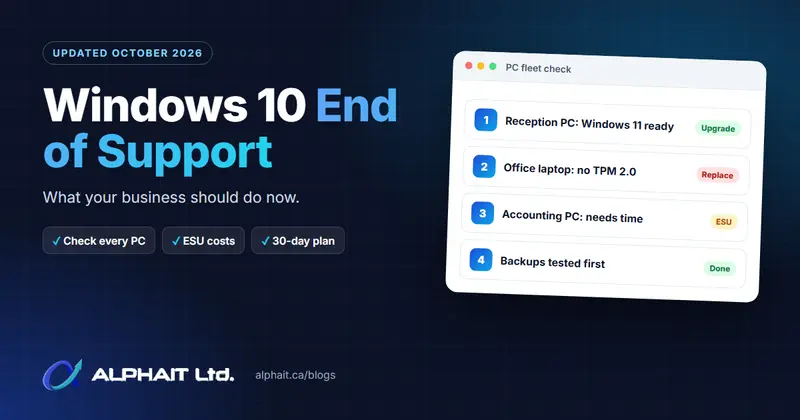
On this page
- Key takeaways
- What stopped on October 14, 2025, and what still gets updates
- The real risks of running unsupported Windows 10 now
- Your four options
- How to check every PC in your office
- Decision table
- A practical 30-day plan
- What to do with old PCs
- Frequently asked questions
- Not sure where your office stands?
Windows 10 end of support was October 14, 2025. Since then, Windows 10 PCs that are not enrolled in Extended Security Updates (ESU) have not received any Windows security fixes. If your Edmonton office still has Windows 10 machines, this guide explains what still works, what the risks are, and how to clear the last of them out in about a month.
Updated October 2026: Windows 10 support has ended. This guide explains what that means now.
Key takeaways
- Microsoft stopped security updates, feature updates and technical support for Windows 10 on October 14, 2025. The PCs still turn on, but new Windows flaws are no longer fixed unless the PC is enrolled in ESU.
- Some Microsoft apps still get updates on Windows 10 22H2: Microsoft 365 Apps get security updates until October 10, 2028, and Microsoft Edge gets updates until at least October 2028. That does not patch Windows itself.
- Business ESU costs $61 USD per device for Year One, and Microsoft says the price doubles each year, for a maximum of three years. Buying later means paying for the years you missed.
- The upgrade from Windows 10 Pro to Windows 11 Pro is free on eligible PCs. PCs without TPM 2.0, Secure Boot or a supported processor need to be replaced or covered by ESU for a short time.
- Check every PC, back up, upgrade or replace, and wipe old drives before recycling.
What stopped on October 14, 2025, and what still gets updates
Short answer: Windows itself stopped getting fixes. A few Microsoft apps running on Windows 10 still do, for now.
Microsoft’s Windows lifecycle FAQ says that after end of support, Windows 10 “will no longer receive quality updates, new or updated features, security updates, or technical support.” Version 22H2 was the final version of Windows 10 Home, Pro, Enterprise and Education. Long-Term Servicing Channel (LTSC) editions follow their own separate lifecycles.
Here is what is still being updated on Windows 10, according to Microsoft:
| Product on Windows 10 | Status in late 2026 | Until |
|---|---|---|
| Windows 10 security and quality updates | Stopped, unless the PC is enrolled in paid ESU | Ended October 14, 2025 |
| Windows 10 ESU (organizations) | Critical and important security updates only | Up to three years after end of support |
| Microsoft 365 Apps (Word, Excel, Outlook and others) | Feature updates until Version 2608, then security updates only | October 10, 2028 |
| OneDrive desktop app on Windows 10 22H2 | Still updated | October 10, 2028 |
| Microsoft Edge and WebView2 on Windows 10 22H2 | Still updated, ESU not required | At least October 2028 |
Two catches. Microsoft says if a Microsoft 365 problem only happens on Windows 10, support will ask you to move to Windows 11. And Office 2016 and Office 2019 reached end of support on October 14, 2025 on every operating system.
The real risks of running unsupported Windows 10 now
Security
When attackers find a new flaw in Windows 10, it stays open on PCs without ESU. The Canadian Centre for Cyber Security puts it plainly in its top 10 IT security actions: using unsupported operating systems “increases your risk of exposure to exploitation because there is no mechanism available to mitigate vulnerabilities.” Updated antivirus and an updated browser help, but they do not fix holes in the operating system underneath.
One unpatched PC on the office network can be a way in to your shared files and business accounts. Our cybersecurity services page explains how we help close those gaps.
Privacy obligations in Alberta
Alberta’s Personal Information Protection Act (PIPA), overseen by the Office of the Information and Privacy Commissioner of Alberta, says in section 34 that an organization “must protect personal information that is in its custody or under its control by making reasonable security arrangements.” Clinics covered by the Health Information Act have their own safeguard duties. Neither law names Windows versions, but knowingly unpatched PCs holding client or patient records are hard to defend as a reasonable safeguard.
Cyber insurance and client questionnaires
Cyber insurance applications and client security questionnaires often ask whether you run supported, patched operating systems. Fixing your Windows 10 PCs before the next renewal is simpler than explaining them afterward.
Your four options
1. Upgrade eligible PCs to Windows 11 for free
Microsoft states that upgrading from Windows 10 Home or Pro to the same edition of Windows 11 is free. The PC must meet the Windows 11 hardware requirements and run Windows 10 version 2004 or later.
2. Replace PCs that cannot run Windows 11
Windows 11 needs, at minimum, a compatible 64-bit processor with two or more cores, 4 GB of memory, 64 GB of storage, UEFI firmware that is Secure Boot capable, and TPM version 2.0. If a PC’s processor is not supported, no setting will fix it. Plan to replace it.
3. Buy ESU as a temporary bridge
ESU keeps critical and important Windows 10 security updates flowing while you finish the move. Microsoft’s ESU page says organizations can buy it through the Microsoft Volume Licensing Program “at $61 USD per device for Year One,” and “the price doubles every consecutive year, for a maximum of three years.” Prices are in US dollars as Microsoft states them, before tax and before any reseller pricing.
Key rules from Microsoft:
- Year One started in November 2025. ESU is cumulative, so if you join in Year Two you also pay for Year One.
- It is sold by the year only, with a minimum purchase of one licence.
- PCs must run Windows 10 version 22H2 with the required updates installed.
- Activation uses a Multiple Activation Key (MAK) from the Microsoft 365 admin center, installed on each PC with an admin command (slmgr).
- ESU includes security updates only. No new features, no non-security fixes, and no general technical support.
Microsoft’s separate consumer ESU program (until October 12, 2027) excludes PCs joined to a domain or Microsoft Entra, or enrolled in device management, so it does not fit most managed business PCs.
Use ESU for a specific machine that cannot be replaced yet, such as a PC running equipment software not yet supported on Windows 11. It is a bridge, not a plan.
4. Move users to a Windows 365 Cloud PC
Windows 365 gives each user a Windows 11 desktop that runs in Microsoft’s cloud. Microsoft says Windows 10 PCs used to connect to a Windows 365 Cloud PC are entitled to ESU for up to three years with an active Windows 365 licence, and ESU is included at no extra cost for Windows 10 virtual machines in Windows 365 and Azure Virtual Desktop. It is a monthly subscription, so compare it against buying a PC.
How to check every PC in your office
Do this on each Windows 10 machine and record the PC name, user, result and plan in a spreadsheet.
- Run PC Health Check. Download it from aka.ms/GetPCHealthCheckApp, open it, and select Check now. It tells you whether the PC can run Windows 11 and, if not, why.
- Confirm the TPM. Press Windows key + R, type tpm.msc and select OK. Under TPM Manufacturer Information, the Specification Version should show 2.0. If you see “Compatible TPM cannot be found,” TPM may simply be turned off in the firmware.
- Confirm Secure Boot and UEFI. Press Windows key + R, type msinfo32 and press Enter. In System Summary, check that BIOS Mode shows UEFI and look at Secure Boot State.
- Check the Windows version. Press Windows key + R, type winver. ESU needs version 22H2.
- Note your critical software. List any accounting, practice management or equipment software and confirm with each vendor that it supports Windows 11.
If TPM or Secure Boot is just switched off, it can often be turned on in the UEFI settings. Follow the PC maker’s instructions, because a wrong firmware change can stop a PC from starting.
Decision table
| What you find | Recommended action |
|---|---|
| PC Health Check says the PC meets requirements | Back up, then upgrade to Windows 11 for free |
| Fails only because TPM or Secure Boot is turned off | Turn it on in UEFI settings, re-check, then upgrade |
| Processor not supported, or under 4 GB of memory | Replace the PC |
| Cannot replace yet (budget, or software not Windows 11 ready) | Buy ESU for that PC and set a firm replacement date |
| Remote or short-term staff who need Windows 11 quickly | Consider a Windows 365 Cloud PC |
| PC is no longer needed | Back up, wipe the drive, recycle it |
A practical 30-day plan
Week 1: Inventory
- List every Windows PC, including the one in the back room running a single program.
- Run the checks above and ask software vendors about Windows 11 support.
Week 2: Back up and decide
- Back up each PC before any change, and test that you can restore files. Our guide on how to test your backups walks through it.
- Make sure files in Documents and Desktop are saved to OneDrive or a server, not only on the local drive.
- Order replacement PCs. Decide whether any machine truly needs ESU.
Week 3: Upgrade
- Upgrade eligible PCs a few at a time, after hours, then test printing, scanning, email and key apps.
- Confirm Microsoft 365 Apps are on a current version. Our Microsoft 365 services page covers licensing and setup.
Week 4: Replace, bridge and retire
- Set up new PCs and move users’ files and settings.
- Activate ESU on any remaining Windows 10 PC and record its replacement date.
- Wipe and recycle retired machines (see below).
- Re-run your inventory to confirm no unsupported Windows 10 PC is left.
If you would rather hand this off, our managed IT support team can handle the inventory, upgrades and replacements.
What to do with old PCs
Wipe the data properly
Deleting files or emptying the recycle bin is not enough. The Canadian Centre for Cyber Security’s guidance on sanitizing electronic devices notes that “data is still recoverable when deleted or moved to the trash or recycle bin.” It describes overwriting for hard drives, crypto-erase for encrypted drives and SSDs, and a trusted destruction facility for highly sensitive information. Back up first and sign the PC out of your accounts.
Recycle it in Alberta
The Alberta Recycling Management Authority runs the provincial electronics recycling program. It accepts computers, laptops, monitors, printers and more, and its website has a depot finder to locate a drop-off site near you. Wipe drives first: the recycler’s job is the materials, not your data.
Frequently asked questions
Will my Windows 10 PCs stop working?
No. Microsoft confirms they continue to function. They just no longer get Windows security fixes unless enrolled in ESU.
Is the Windows 11 upgrade really free for a business?
Yes, on eligible hardware, for example Windows 10 Pro to Windows 11 Pro. The real cost is the time to back up, upgrade and test, plus new PCs for machines that do not qualify.
How much does Windows 10 ESU for business cost?
Microsoft lists $61 USD per device for Year One, doubling each consecutive year for up to three years. Joining late means paying for earlier years too.
Does Microsoft 365 still work on Windows 10?
Yes. Microsoft 365 Apps get security updates on Windows 10 until October 10, 2028, but Microsoft says those devices should move to Windows 11.
Can I bypass the TPM requirement to install Windows 11?
We do not recommend it for business PCs. Microsoft’s Windows 11 requirements page says devices must meet the minimum hardware requirements, including TPM 2.0 and Secure Boot, to install or upgrade. Those features are part of how Windows 11 protects the PC, so replacing the hardware is the safer path.
Not sure where your office stands?
If you are unsure how many Windows 10 PCs you have or what to do with them, take our free 3-minute IT check, or call AlphaIT at 780-318-0149 to talk it through with our Edmonton team.