Vishal Sharma
On this page
- What did Bell actually confirm?
- Why does stolen contact data matter if no passwords leaked?
- The one rule: hang up and call the number on your bill
- Lock down your telecom account (Bell, Telus or anyone)
- Warn the front desk and accounts payable today
- What does “agentic” mean here?
- Something already happened? Here’s what to do
- Sources
- Frequently asked questions
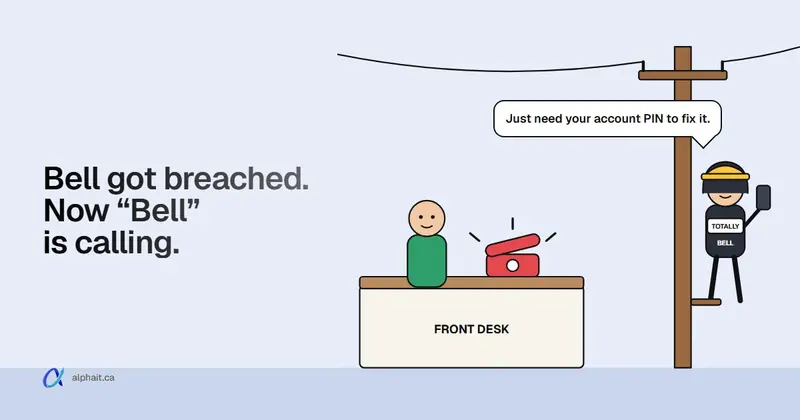
Bell says that on November 17, 2026, an “agentic threat actor” got into some of its internal systems. One was a system used to order and provision circuits. Bell’s enterprise customers got breach notices first. On November 23, Bell confirmed that residential and business customers of Bell, Bell Aliant, Bell MTS, Virgin Plus and Lucky Mobile were also affected. The data can include names, addresses, phone numbers, email addresses, account numbers, product details, business names, and the date and amount of your last payment. Bell says no credit card or bank account information was taken. Its enterprise notice says no credentials were taken either. Your passwords are not the problem. The problem is that a scammer can now call or email you sounding exactly like Bell.
So this post is mostly about the scam calls and emails that come next. They’re the same moves a fraudster would use after any telecom breach. Many Alberta offices are on Telus, not Bell. If that’s you, the steps still apply.
What did Bell actually confirm?
Here’s what’s on the record as of November 24. I’ve left out anything I couldn’t find in Bell’s own words or in reputable reporting.
| Detail | What Bell or the reporting says |
|---|---|
| When | November 17, 2026 |
| Who did it | An “agentic threat actor”. Bell says it doesn’t know who. Nobody has claimed it. |
| Systems | “Some of our systems”, including one for ordering and provisioning circuits. BleepingComputer reports it was a pre-production copy of Bell’s Maximo system. |
| Enterprise data | Business contact details (names, job titles, work emails, phone numbers, business addresses), ticket titles, some IP addresses of network equipment |
| Residential and business account data | Name, mailing address, phone numbers, email, account number, product information, business name, date and amount of last payment |
| Not taken | Credit card and bank account numbers. The enterprise notice also says no credentials, file attachments or highly sensitive personal information. |
| Services | Bell says there was no impact to customer services |
| Who was told | Enterprise customers got notices, plus indicators of compromise to hunt for. So did the Canadian Centre for Cyber Security. Residential customers were emailed over the weekend and on Monday, November 23. Bell has called in the RCMP’s cybercrime unit. |
| How many | Not disclosed |
Bell has also set up a page at bell.ca/cybernotice and says it will update it.
One more thing caused confusion. Bell MTS email in Manitoba had lockouts and password resets around the same time. Bell calls that a “separate and unrelated” attack on the third party that runs Bell MTS email. Some email accounts may have been accessed there, and Bell says it will contact those customers. If you’re in Edmonton on Bell or Telus, that one almost certainly isn’t yours.
Why does stolen contact data matter if no passwords leaked?
Because it’s the script for a believable phone call.
Think about what a fake “Bell business support” caller can now say. They know your name and title. They know your account number. They know which products you have. They know what you paid last month, to the cent. Some enterprise customers’ ticket titles were taken too, so the caller may even mention a real job from your file. Most people take that level of detail as proof they’re talking to the real company.
Here’s what we expect to see, based on how these scams usually go:
- “Your circuit upgrade is ready, we just need to confirm a few things.” The caller asks for the account PIN, a one-time code, or a remote session “to test the line”.
- Billing and payment change emails. “We’ve moved to a new payment processor. Please update your banking details for next month.” The last-payment amount in the email will be correct.
- Overdue notices with a link. “Service will be suspended Friday. Pay now.” The link goes to a fake payment page.
- Fake fraud alerts. “We noticed a SIM swap request on your account. Read us the code we just texted you to cancel it.” That code is the very thing that lets them finish the swap.
- Port-out and SIM swap attempts. With enough account detail, a fraudster may try to move your main business number, or the owner’s cell, to their own SIM. Whoever holds the number gets the texted sign-in codes for your bank and Microsoft 365.
The bigger the business, the more targets. The enterprise data had names and job titles. So whoever does IT, accounts payable or the front desk is a likely first call.
Phone scam tactics themselves aren’t new. We covered the playbook in our posts on fake IT help desk calls and deepfake boss calls asking for payments. The difference here is the caller has real data to back up the story.
The one rule: hang up and call the number on your bill
If you only do one thing this week, do this. Tell staff that any call, text or email “from Bell” (or Telus, or Rogers) that asks for something gets the same answer:
“Thanks. I’ll call you back on the number on our bill.”
Then they hang up and call the support number printed on a real invoice or in the real online account. Never a number from the email, the text or the caller.
Bell’s own notice says it will never contact you to ask for bank account information, passwords or PINs. Telcos do call business customers for real reasons. But a real rep won’t mind you calling back.
A few things staff should never do on a call they didn’t start:
- Read out an account PIN, password or one-time code.
- Approve a remote access session.
- Confirm or “update” banking details.
- Click a link sent “while we’re on the phone”.
The same habit goes for passwords in general. Never read one aloud to someone who phoned you. If someone genuinely needs a credential, see how to share passwords securely for the safe ways to do it.
Lock down your telecom account (Bell, Telus or anyone)
This takes about 20 minutes. Do it whether or not you got a notice.
- Find out who’s on the account. Call your provider’s business support on the number from your bill. Ask who the authorized contacts are. Remove anyone who has left, like a former office manager or an old IT vendor. If you have a managed IT provider, they can keep this list current for you.
- Set or change the account PIN or passcode. Ask whether your account has a PIN or verbal password that callers must give. If not, add one. If it’s old or many people know it, change it. Telus Business has an account PIN, and admins reset it in My TELUS. Don’t use something guessable like 1234 or the street number.
- Ask about port-out protection. Ask whether they can add a note or lock so numbers can’t be ported or SIM-swapped without the PIN and a callback to the owner. What each carrier offers varies. Ask them to tell you plainly what’s on your account.
- Turn on MFA for the online portal. Bell says MFA is now required for MyBell. Telus offers 2-step verification for My TELUS. Use an authenticator app, not texts, where you can.
- Write it down. Who the authorized contacts are, where the PIN lives, the real support number. Put it in your business password manager, not on a sticky note.
A useful trade-off to know about: the stricter the PIN and callback rules, the more hassle when you genuinely need a change in a hurry. We think that’s worth it. A port-out of your main line costs you far more than a slow upgrade.
Warn the front desk and accounts payable today
The people who answer the phone and pay the bills are the ones these scams aim at. Send them a short note. Here’s one you can copy:
Heads-up: Bell customer data breach Bell had a data breach on Nov 17. Scammers may call, text or email pretending to be Bell (or another phone company). They may know our account number and what we last paid.
- Don’t give out account PINs, passwords or codes to anyone who calls us.
- Don’t change any banking or payment details from an email or call.
- If “Bell” calls asking for anything, say you’ll call back. Use the number on our bill.
- Tell [name] about any call like this, even if you hung up.
Then follow up with accounts payable on these:
- Banking-change requests. Any email saying a vendor (Bell included) has new banking details gets verified by phone, on a number you already had. We go through the full check in how to spot a fake invoice before you pay.
- Amounts that look slightly off. A “Bell” invoice for a new amount, or a new “processing fee”.
- Pay only through the channels you already use. Pre-authorized debit, your bank’s bill pay, or the real portal. Never a link in an email.
Want staff to practise first? Our free Spot the Scam quiz includes a payment-change request like the ones above.
What does “agentic” mean here?
Bell hasn’t explained it. “Agentic” usually means AI software that can take steps on its own, like scanning, logging in and copying data, with little human input. The Globe and Mail notes Bell’s choice of word suggests AI was involved. BleepingComputer reads it the same way. But that’s their reading, not something Bell spelled out.
For a small office, it doesn’t change much. Automated tools let attackers try more things, faster, against more companies. The data they took still ends up used the old-fashioned way: by a person, or a convincing bot, on the phone or in your inbox. The defence is still process. Call back. Don’t read out codes. Verify payment changes.
Something already happened? Here’s what to do
If someone on your team gave out a PIN or code, or clicked a “Bell” link and typed something in:
- Call your telecom right away, on the number from your bill. Tell them what was shared. Ask them to change the PIN and freeze port-outs and SIM changes.
- Check your phones. If a cell suddenly shows “No service” or “SOS only”, the number may have been moved. Treat that as an emergency.
- Change any password that was typed into a link. Then check MFA settings on that account. If it was a Microsoft 365 password, our phishing link emergency steps walk through the first hour.
- Call your bank if banking details were changed or a payment went out.
- Report it to the Canadian Anti-Fraud Centre at reportcyberandfraud.canada.ca or 1-888-495-8501. Call Edmonton Police on the non-emergency line too.
Even if nothing was lost, a report helps. The CAFC tracks these campaigns, and a fake-Bell call that went nowhere still counts.
Sources
- BleepingComputer: Bell Canada says ‘agentic’ hacker stole enterprise customer data (November 20, 2026: Bell’s statement, Maximo system, enterprise data fields, no credentials, IOCs shared with customers and the Cyber Centre)
- Bell: Important Cyber Security Update (bell.ca/cybernotice) (data fields, RCMP, what Bell will never ask for)
- The Canadian Press via BNN Bloomberg: Bell investigating agentic cyberattack that exposed customer information last week (November 23, 2026: brands affected, residential and business notices, Bell MTS email incident)
- The Globe and Mail: Bell Canada residential internet, mobile customers affected by cybersecurity incident
- The Globe and Mail: Bell says enterprise customer data was stolen in ‘agentic’ cybersecurity incident
- Bell: Multi-factor authentication for MyBell
- Telus Business: Reset your account PIN
- Telus Business: 2-step verification
- Canadian Anti-Fraud Centre: Report fraud
Frequently asked questions
Was my business affected by the Bell breach?
Bell is emailing affected customers directly. Enterprise customers were notified first, then residential and business customers on November 22 and 23. If you’re not sure, check bell.ca/cybernotice or call Bell on the number from your bill. Don’t use a link or number from an email about the breach.
Were passwords or credit card numbers stolen in the Bell breach?
Bell says no credit card numbers or bank account information were affected. Its notice to enterprise customers says credentials weren’t taken either. The data does include names, contact details, account numbers and the date and amount of your last payment. That’s enough to make a scam call sound real.
How do I know if a call from Bell is real?
You often can’t tell from the call itself, because caller ID can be faked and the caller may know your account details. Hang up and call the number printed on your bill or shown in your online account. Bell says it will never ask for bank account information, passwords or PINs.
I'm with Telus, not Bell. Do I need to do anything?
Telus wasn’t part of this breach. But the same steps protect you from any telecom scam. Check who’s authorized on your account, set a strong account PIN, turn on 2-step verification for My TELUS and tell staff to call back on the number from the bill.
Where do I report a fake Bell call or email?
Report it to the Canadian Anti-Fraud Centre at reportcyberandfraud.canada.ca or 1-888-495-8501, even if you didn’t lose money. If money or account access was lost, also call your bank, your telecom provider and your local police.
Want help checking who can make changes on your phone and internet accounts, or a callback rule your front desk will actually follow? AlphaIT’s cybersecurity team can set it up with you. Contact us.