Vishal Sharma
On this page
Three boxes that live in a lot of small office closets need attention this week. SonicWall firewalls with SAML sign-in turned on for SSL VPN need SonicOS 7.3.4-7013 or later (Gen 7) or 8.2.3-8015 (Gen 8). CISA lists that flaw, CVE-2026-19868, as exploited. Synology NAS units on old DSM are being hit by ransomware, and Synology says the attackers use a bug it fixed in December 2024. QNAP NAS units running Plex Media Server 1.43.2 or older are being broken into through a bug chain called “Plex2Shell”. The fix is Plex 1.43.3.10861 or later. If Plex was reachable from the internet, QNAP says to treat the NAS as possibly compromised.
None of these takes long to check. Pick the ones you own, log in, read one version number, and compare it to the table below.
Last week we covered a different batch of exploited gear (Barracuda email gateways and Check Point firewalls) in our earlier November checklist. This post doesn’t repeat it.
The ten-minute version
| You own | You’re affected if | Fixed version | Can’t update today? |
|---|---|---|---|
| SonicWall Gen 7 firewall | SonicOS 7.3.3-7015 or older and SAML used for SSL VPN logins | 7.3.4-7013 or later | Turn off SSL VPN on the WAN |
| SonicWall Gen 8 firewall | SonicOS 8.2.2-8015 or older and SAML used for SSL VPN logins | 8.2.3-8015 or later | Turn off SSL VPN on the WAN |
| Synology NAS | DSM older than the December 2024 fixes (and older than the September 2026 fixes, see below) | Latest DSM for your model | Take DSM off the internet, turn off QuickConnect |
| QNAP NAS with Plex | Plex Media Server 1.43.2 or older | Plex 1.43.3.10861 or later | Turn off Plex Remote Access, remove the port 32400 forward |
If you only do one thing this week, find out whether any of these boxes can be reached from the internet. Exposure is what turns an old version into a break-in.
SonicWall: who is affected by CVE-2026-19868?
SonicWall published advisory SNWLID-2026-0014 on November 6, 2026. It fixes seven flaws. One of them, CVE-2026-19868, is in the SSL VPN service of SonicOS. CISA added it to its Known Exploited Vulnerabilities catalog the same day. CISA’s entry describes it as a flaw that “may allow a user with valid credentials for an alternate authentication method to bypass SAML authentication controls”, including SAML-enforced MFA.
In plain words: you set up VPN logins to go through Microsoft Entra, Okta or another identity provider so everyone gets an MFA prompt. With this bug, someone who has a working password for a different login method on the firewall can get in without that MFA check.
Who is not exposed:
- Firewalls that don’t use SSL VPN at all.
- SSL VPN setups that don’t use SAML (plain local or LDAP logins). Those still need patching for the other six flaws, but this one doesn’t apply.
The attacker needs a valid password. That’s why reused or old passwords on VPN accounts make this worse. SonicWall says it investigated “a report indicating potential exploitation”. It hasn’t published attack details.
How do I check my SonicOS version?
SonicWall’s own steps for SonicOS 7: sign in to the firewall’s management page, click Home, open Dashboard | System, and read Firmware Version in the General section.
Compare it to the table above. Gen 7 needs 7.3.4-7013 or later. Gen 8 needs 8.2.3-8015 or later. Download firmware from MySonicWall and follow SonicWall’s upgrade article. Take a settings backup first and do it after hours. A firewall reboot drops everyone’s internet for a few minutes.
What if you can’t update yet?
SonicWall lists no workaround for this flaw. Patching is the fix. If you need a few days, the safe stopgap is to turn SSL VPN off where the internet can reach it. SonicWall’s knowledge base gives the Gen 7 path: Network › SSL VPN › Server Settings, switch off SSL VPN for the zone (start with WAN), then click Accept. It warns that this ends all active VPN sessions right away, so tell remote staff first.
After patching, look at recent VPN logins. Any session that has no matching sign-in and MFA record in your identity provider’s logs deserves a password reset and a closer look. That’s the kind of quiet MFA skip we also cover in how attackers get past MFA in Microsoft 365.
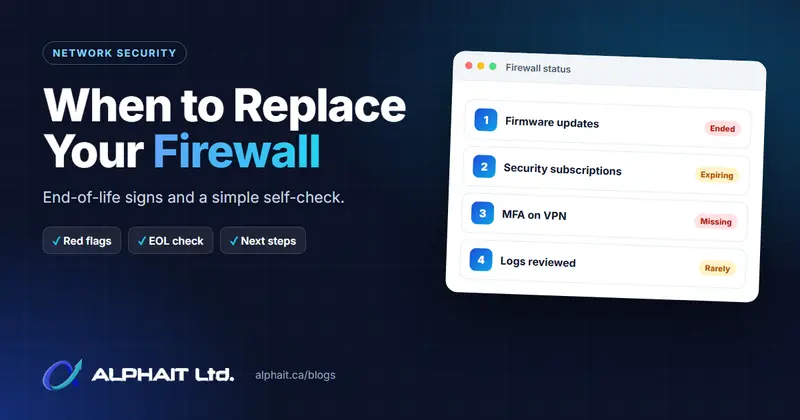
Still on a Gen 6 SonicWall (TZ 300, NSA 2600 and similar)? SonicWall’s advisory says Gen 6 is end of support and gets no firmware at all. That’s a replacement conversation, not a patch. Our guide on when to replace a firewall covers the decision.
Synology NAS: ransomware on old DSM
On October 29, 2026, Synology put out a press release warning that attackers are going after NAS units on outdated DSM. They use a vulnerability Synology patched in December 2024, encrypt the data and demand a ransom. Synology points to advisory Synology-SA-24:20. It “strongly urges all users running vulnerable versions to update DSM immediately”, and recommends turning on automatic updates. The release names the ransomware C3RB3R. Synology’s release doesn’t say which CVE in SA-24:20 is being used, so we won’t guess.
The minimum fixed builds from SA-24:20:
| DSM branch | Fixed in (SA-24:20) |
|---|---|
| DSM 7.2.2 | 7.2.2-72806-1 or above |
| DSM 7.2.1 | 7.2.1-69057-6 or above |
| DSM 7.2 | 7.2-64570-4 or above |
| DSM 7.1 | 7.1.1-42962-7 or above |
| DSM 6.2 | 6.2.4-25556-8 or above |
Don’t stop at the 2024 fix
Synology also published Synology-SA-26:13 on September 18, 2026. It’s rated Critical and covers eight DSM bugs. Two of them (CVE-2026-13684 and CVE-2026-13639, both CVSS 9.8) let a remote attacker read or write files without logging in. Two more (CVE-2026-13673 and CVE-2026-6205, CVSS 8.8 and 8.1) need a logged-in user. Synology’s advisory doesn’t mention exploitation. Fixed builds:
| DSM branch | Fixed in (SA-26:13) |
|---|---|
| DSM 7.4 | 7.4-90075 or above |
| DSM 7.3 | 7.3.2-86009-4 or above |
| DSM 7.2.2 | 7.2.2-72806-9 or above |
| DSM 7.2.1 | 7.2.1-69057-12 or above |
Notice that a NAS sitting on 7.2.2-72806-1 is past the ransomware fix but still open to the September bugs. Some reports tie the ransomware to these newer CVEs. Synology hasn’t confirmed that. Either way the answer is the same: install the latest DSM your model supports. DSM 7.1 and 6.2 aren’t listed in SA-26:13 at all, so a box stuck on those branches is running on borrowed time.
How do I check the DSM version?
Synology’s knowledge base gives two places: Control Panel › Info Center › General, or Control Panel › Update & Restore › DSM Update. The second page also tells you if an update is waiting. Before updating, make sure a copy of the data exists somewhere other than that NAS (more on that below). Under Update Settings on the same page you can turn on automatic updates, which is what Synology recommends.
What to switch off if you can’t update yet
- QuickConnect: Control Panel › External Access › QuickConnect, then clear Enable QuickConnect. Staff who use it to reach files from home will lose that until you turn it back on.
- Port forwards to DSM: on your router or firewall, remove any forward to the NAS on ports 5000 or 5001 (the DSM web ports), and turn off router auto-configuration or UPnP for the NAS.
- If people need files remotely, use your firewall’s VPN instead of an open DSM login page.
QNAP NAS: Plex2Shell through Plex Media Server
This one isn’t a QNAP bug. It’s four flaws in Plex Media Server 1.43.2 and earlier (CVE-2026-96652, -96654, -96655 and -96656), together called Plex2Shell. QNAP’s security notice of November 6, 2026 says that, chained, they let an attacker run code on the NAS without logging in, with Plex’s permissions. QNAP says some users reported their Plex install “appears to have been compromised”. It says QTS and QuTS hero themselves aren’t affected and that its support team hasn’t seen data loss.
Why does an office NAS have Plex on it? Usually someone installed it to share training videos or because the box came from home. If nobody uses it, uninstall it.
Check and update Plex on QNAP
From QNAP’s Plex2Shell FAQ:
- Open App Center › My Apps and read the Plex Media Server version. You can also see it in Plex Web › Settings › General.
- Update from App Center › My Apps › Plex Media Server › Update. You need 1.43.3.10861 or later. QNAP says not to wait for later releases.
Was Plex reachable from the internet?
This is the question that decides how much work you have. QNAP says to treat the NAS as possibly compromised if, while on 1.43.2 or older, any of these were true:
- Remote Access was on in Plex Web › Settings › Remote Access;
- your router forwarded port 32400;
- UPnP was on with Plex Remote Access enabled;
- myQNAPcloud auto router configuration exposed Plex.
If so, updating isn’t enough. It closes the door but doesn’t remove anything already inside. QNAP’s FAQ walks through a clean reinstall: save the Plex Logs folder, remove Plex in App Center, empty the Codecs folder, reinstall 1.43.3 or later. Then sign out all devices on the Plex account before changing its password, and change the NAS admin and user passwords. Warning signs QNAP lists include unknown processes started by Plex, odd .so or .dll files in Codecs, and high CPU while nothing is playing.
Can’t update today? Turn off Plex Remote Access, remove the 32400 port forward and switch off UPnP on the router.
A NAS is not a backup
Ransomware on a NAS hurts most when the NAS is the backup. If the only copy of your files sits on one box in the closet, an attacker who encrypts that box has everything. A real setup keeps at least one copy off the NAS and out of reach of its admin account: cloud backup with version history, or a rotated offline drive.
Then test it. A restore you’ve never tried is a hope, not a plan. Our guide to testing backups shows how to do a single-file and full restore test in an afternoon. If you’d rather hand it off, that’s what our backup and disaster recovery service does.
Stop putting admin pages on the internet
All three of these share one pattern. A management page or service that only staff need was reachable by anyone. The fix that outlasts any single patch:
- No admin logins open to the internet. Not the firewall, not DSM, not QTS. Reach them from the office or over VPN.
- Turn off UPnP on the office router so apps can’t open ports by themselves.
- Turn on auto-updates where the vendor offers them (DSM, SonicOS Firmware Auto Update, QNAP App Center), and check monthly that they actually ran.
- Keep a list of every box with a login: model, version, who owns it. You can’t patch what you forgot you had.
Our firewall and network security team can scan your public IP and tell you exactly what’s showing. For offices that want someone watching all of this every month, that’s part of managed IT support.
Sources
- CISA Known Exploited Vulnerabilities catalog: CVE-2026-19868 (added November 6, 2026; due November 20, 2026)
- SonicWall PSIRT advisory SNWLID-2026-0014
- SonicWall: SonicOS 7.3.4 and 8.2.3 security advisory for Gen 7 and Gen 8 firewalls
- SonicWall KB: How to check the current firewall firmware version
- SonicWall KB: How to disable SSLVPN on a SonicWall firewall
- Help Net Security: Exploited SonicWall SSL-VPN flaw lets attackers bypass SAML-enforced MFA
- Synology press release on ransomware targeting outdated DSM (October 29, 2026)
- Synology-SA-24:20 (DSM)
- Synology-SA-26:13 (DSM)
- Synology KB: How do I check the DSM version?
- Synology KB: QuickConnect
- QNAP security notice: Plex Media Server vulnerabilities (Plex2Shell)
- QNAP: Plex2Shell check and remediation FAQ for QNAP NAS users
Frequently asked questions
Is my SonicWall affected by CVE-2026-19868 if I don't use SAML?
No, not by this flaw. It only applies when SAML is enabled for SSL VPN logins. The same SonicOS update fixes six other flaws, though, so Gen 7 and Gen 8 firewalls should still move to 7.3.4-7013 or 8.2.3-8015 or later.
Which DSM version is safe on a Synology NAS?
The latest build for your model. At minimum, that means past both the December 2024 fixes in Synology-SA-24:20 and the September 2026 fixes in Synology-SA-26:13, for example DSM 7.2.2-72806-9 or 7.3.2-86009-4. Check in Control Panel, Info Center, General.
Does Plex2Shell affect QNAP's own operating system?
No. QNAP says the flaws are only in Plex Media Server 1.43.2 and earlier, and QTS and QuTS hero aren’t affected. But Plex runs on the NAS and can reach your shared folders, so a hacked Plex is still a hacked NAS.
Is it safe to leave QuickConnect or Plex Remote Access on after updating?
It’s safer than before, but every service you expose is one more thing to keep patched. If staff rarely need remote access, turn it off and use a VPN through your firewall instead. If they need it daily, at least turn on automatic updates and two-step verification.
Is a NAS enough as a backup?
No. If ransomware or a hardware failure takes the NAS, you lose the only copy. Keep at least one copy somewhere the NAS admin account can’t reach, like versioned cloud backup or an offline drive, and test a restore regularly.
Not sure what’s in your closet, or whether any of it is facing the internet? AlphaIT’s firewall and network security team can check versions, close exposed ports and patch it after hours. Contact us.