Vishal Sharma
On this page
- The four keys, side by side
- Is the cheap key really as safe?
- What does FIPS mean, and who needs it?
- Which key for which person?
- USB-A, USB-C or NFC?
- The backup-key rule
- What happens if a key is lost?
- Emergency access accounts need keys too
- Setup checklist for Microsoft 365
- What I’d do with a budget of a few hundred dollars
- Sources
- Frequently asked questions
For most staff in a small office, buy the Yubico Security Key C NFC (or the USB-A Security Key NFC). It costs about half of a YubiKey 5. For signing in to Microsoft 365 with a passkey, it’s just as phishing-resistant. Step up to the YubiKey 5C NFC or 5 NFC only when someone needs more than passkeys. Think authenticator codes stored on the key, smart card logon to Windows, or PGP. Buy the FIPS model only if a contract or regulator names FIPS 140-3. And whatever you pick, buy two per person and register both.
We have no affiliate deal with Yubico and don’t earn anything if you buy one. Other brands of FIDO2 key work too. Yubico just comes up most often when clients ask.
The four keys, side by side
Here’s what each model does, from Yubico’s product pages and its YubiKey technical manual.
| Security Key C NFC | YubiKey 5 NFC | YubiKey 5C NFC | YubiKey 5C NFC FIPS (140-3) | |
|---|---|---|---|---|
| Plug | USB-C | USB-A | USB-C | USB-C |
| Tap on a phone (NFC) | Yes | Yes | Yes | Yes (Android, not iPhone, see below) |
| Passkeys (FIDO2/WebAuthn) | Yes | Yes | Yes | Yes |
| FIDO U2F (older 2-step sites) | Yes | Yes | Yes | Yes |
| Passkey slots | 100 | 100 | 100 | 100 |
| Yubico OTP and challenge-response | No | Yes | Yes | Yes |
| Authenticator codes (OATH TOTP/HOTP) | No | Yes | Yes | Yes |
| Smart card (PIV) | No | Yes | Yes | Yes |
| OpenPGP | No | Yes | Yes | Yes |
| FIPS 140-3 validated | No | No | No | Yes |
| Yubico store price, late Nov 2026 | US$29 | US$58 | US$58 | US$88 |
A few notes on that table:
- The Security Key series is “FIDO only.” That’s Yubico’s own wording. It does passkeys and U2F, and nothing else.
- 100 passkey slots applies to current firmware (5.7.4 on the YubiKey 5). A passkey slot is used each time you save a passkey to the key for a different account. Most people use a handful.
- Prices are what Yubico’s online store showed on November 25, 2026, in US dollars. Canadian retailers sell these too, in Canadian dollars, and their prices move around. Shop around and compare against the US price plus exchange and shipping.
- There’s also a USB-A Security Key NFC at the same US$29 if your PCs only have the older, rectangular ports.
Is the cheap key really as safe?
For Microsoft 365 sign-in, yes. Both series store the same kind of passkey. Microsoft’s built-in Phishing-resistant MFA authentication strength lists “FIDO2 security key” with no split between models. A US$29 key and a US$88 key pass the same check.
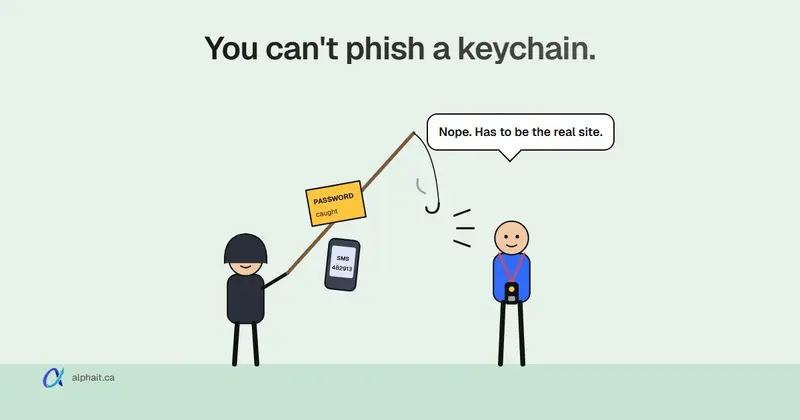
What makes any FIDO2 key phishing-resistant is simple. The key only answers the real Microsoft sign-in address. A look-alike page gets nothing back. That’s the attack we covered in how session hijacking gets past normal MFA in Microsoft 365. If you’re still deciding between passkeys and text codes at all, start with our guide to moving off SMS sign-in codes.
What the extra US$29 buys you is other jobs the key can do:
- Authenticator codes on the key. The Yubico Authenticator app can store up to 64 TOTP/HOTP accounts on a YubiKey 5. Handy for a shared vendor portal that only offers 6-digit codes.
- Smart card (PIV). Needed if you want staff to log on to a domain-joined Windows PC with the key. This needs an on-premises Active Directory with AD Certificate Services set up to issue smart card certificates, plus Yubico’s minidriver. Most small offices on Microsoft 365 alone won’t use this.
- OpenPGP and Yubico OTP. Developers and a few older systems. Rare in a typical office.
If nobody on the team can name a use for those, don’t pay for them.
What does FIPS mean, and who needs it?
FIPS 140-3 is a government standard for how crypto hardware is built and tested. The testing program (CMVP) is run jointly by the US National Institute of Standards and Technology and the Canadian Centre for Cyber Security. A FIPS key isn’t “more phishing-proof.” It’s been independently tested and certified, which matters for paperwork.
The facts, checked against NIST’s listing:
- The YubiKey 5 FIPS Series on firmware 5.7.4 holds CMVP certificate #5291.
- It’s validated at Overall Level 2, Physical Security Level 3.
- NIST lists the validation date as May 22, 2026, with a sunset date of May 21, 2031. (One Yubico migration guide says May 26. NIST’s own record says May 22.)
- The older FIPS 140-2 keys are on NIST’s sunset list. Yubico says existing 140-2 deployments can keep running, but new deployments should use 140-3. Yubico still sells both, so check the label says 140-3 before you order.
Who actually needs one? Federal government work, some defence and US government supply chains, and clients whose contracts say “FIPS 140 validated authenticators.” If you’re a dental office or a 10-person accounting firm, nobody is asking. Buy the regular key.
One real trade-off: Microsoft’s compatibility notes say NFC with FIPS 140-3 keys isn’t supported on iOS by Apple. If your FIPS users need to tap a key on an iPhone, test that first. A USB-C key plugged into a newer iPhone is a different path from NFC, so try both before you buy in bulk.
Which key for which person?
This is the table I’d use for a typical Edmonton office of 5 to 50 people.
| Role | Key to buy | How many | Why |
|---|---|---|---|
| Regular staff | Security Key C NFC (or USB-A version) | 2 each | Passkeys are all they need. Cheapest phishing-resistant option. |
| Finance, payroll, HR | Security Key C NFC, or YubiKey 5C NFC if they use code-only bank or vendor portals | 2 each | These are the people fraudsters target. Codes on the key help with old portals. |
| IT admins and Global Admins | YubiKey 5C NFC (or 5 NFC for USB-A PCs) | 2 each | More options for admin tools; PIV can cover tools that don’t prompt for FIDO2. |
| Emergency (break-glass) accounts | Any FIDO2 key, kept off anyone’s keyring | 1 per account | Microsoft recommends FIDO2 for these. Details below. |
| Staff on regulated or government contracts | YubiKey 5C NFC FIPS (140-3) | 2 each | Only when the contract asks for FIPS. |
That admin note about PIV comes from Microsoft. Some PowerShell modules don’t prompt for FIDO2. Microsoft suggests putting certificates on the key and using certificate-based authentication for those admin accounts in the meantime. That needs a YubiKey 5, not the Security Key.
USB-A, USB-C or NFC?
Pick the plug for the computer people use most. Then NFC covers the phone.
- USB-C if your laptops are from the last few years. Most are.
- USB-A if your front desk or shop-floor PCs are older towers. Don’t make people carry adapters. They lose them.
- Mixed office? Buy each person their main key in the plug they use daily. Their backup can be the other plug.
NFC on phones. Microsoft lists passkey sign-in with FIDO2 keys as supported in Chrome, Edge and Safari on iOS, and in Chrome and Edge on Android. Tap the key on the back of the phone when asked. A few limits from the same page:
- iPhone: needs iOS 14.3 or later. And new security key registration doesn’t work in iOS browsers, so register keys on a computer, then use them on the phone.
- Android native apps (like the Office apps) need Android 13 or later for security keys. Outlook, Teams and OneDrive on Android aren’t listed as supporting passkeys without a broker app, so have staff install Microsoft Authenticator or Company Portal.
- Older Android phones with a YubiKey: Microsoft notes sign-in might fail if Yubico OTP is switched on. Turning OTP off fixes it. The Security Key series doesn’t have OTP, so this one doesn’t apply to it.
- Bluetooth keys aren’t supported on iOS or Android. NFC and USB only.
The backup-key rule
Buy two keys per person and register both on the same day. One lives on the keyring. The other goes somewhere safe at home or in a locked drawer at the office.
Why both on day one? A passkey is created on that one key. You can’t copy it to a second key later. If the only key is lost, the person can’t sign in until IT resets them. Two registered keys turn a lost key into a five-minute fix instead of a lost morning.
If budget is tight, the backup can be a passkey in Microsoft Authenticator on the person’s phone instead. Microsoft supports it as a device-bound passkey, and it costs nothing extra. Just know it also counts as one device: lose the phone and you’ve lost that one too.
What happens if a key is lost?
Treat it like a lost house key. Cheap to replace, but act today.
- The person tells IT right away. Make it clear nobody gets in trouble for this.
- Remove the lost key from their account. In the Microsoft Entra admin center, find the user, open Authentication methods, and delete the Passkey (device-bound) entry for that key. Name keys clearly (“Blue key - keyring”) so you delete the right one.
- They sign in with their backup key and carry on.
- No backup? Issue a Temporary Access Pass so they can sign in once and register a new key. Microsoft points admins to Temporary Access Pass for exactly this.
- Order a replacement and register it, so they’re back to two.
A lost key on its own isn’t a breach. Whoever finds it still needs the key’s PIN, and the key locks after too many wrong tries. That’s why every key gets a PIN at setup.
Emergency access accounts need keys too
Microsoft’s guidance is clear. Have at least two emergency access (“break-glass”) accounts. Make them cloud-only on your .onmicrosoft.com domain, with Global Administrator. Microsoft recommends Passkey (FIDO2) as the sign-in method, because these accounts must still meet mandatory MFA.
More from the same page:
- Use a different method from your everyday admin accounts. If admins use Authenticator, put a FIDO2 key on the break-glass accounts.
- Don’t tie them to any one person or their phone.
- Store the keys in secure, fireproof safes in separate locations.
- Exclude them from Conditional Access policies that block or restrict sign-in.
- Alert on every sign-in and test them at least every 90 days.
So for break-glass, you buy two more keys. The cheap Security Key is fine here.
Setup checklist for Microsoft 365
Passkeys are included in every Entra ID edition, Free included. Our SMS-to-passkeys guide has the full admin walkthrough. Here’s the short version for keys:
- Make sure basic MFA is on first. If it isn’t, follow how to set up MFA in Microsoft 365.
- Enable passkeys. Entra admin center > Entra ID > Security > Authentication methods > Policies > Passkey (FIDO2). On Configure, set Allow self-service set up to Yes. Under Enable and Target, add your pilot group or all users.
- Leave attestation and key restrictions off unless you want to allow only specific key models. If you turn on key restrictions later, keys not on the list stop working for sign-in.
- Each person registers both keys at Security info: Add sign-in method > Passkey > Next, then choose Security key. They must have done MFA in the last five minutes. They plug in or tap the key and set a PIN. Name each key.
- Set up the two break-glass accounts with their own keys and lock them away.
- Require keys for admins. With Entra ID P1 (included in Business Premium), create a Conditional Access policy for admin roles. Under Grant, choose Require authentication strength > Phishing-resistant MFA strength. Exclude the break-glass accounts. Start in Report-only, check the results, then switch it On. Microsoft warns that turning this on before admins register a key can lock you out.
- Add finance and payroll next, then everyone else.
One timing note. If staff report odd sign-in prompts this week, check our post on the November 2026 Windows update sign-in issues before blaming the keys.
What I’d do with a budget of a few hundred dollars
For a 10-person office: 20 Security Keys for staff (two each), two YubiKey 5C NFCs for whoever runs IT, and two more Security Keys for the break-glass accounts. At Yubico’s US prices that’s 22 × US$29 plus 2 × US$58, before tax and shipping. Then switch on the admin policy above.
If that’s still too much, start with admins, finance and break-glass. Everyone else can use passkeys in Microsoft Authenticator for now. That’s free, and it’s still phishing-resistant for most sign-ins. Not sure a key is the right tool at all? Our comparison of every MFA method ranks them all, from text codes to Windows Hello.
Sources
- Yubico store: Security Key series and YubiKey 5 series prices (US dollars, viewed November 25, 2026)
- Yubico: Security Key C NFC product page
- Yubico: YubiKey 5C NFC product page
- Yubico: YubiKey 5 NFC product page
- Yubico: YubiKey 5C NFC FIPS (140-3) product page
- Yubico technical manual: Introduction to the YubiKey series
- Yubico technical manual: firmware 5.7 specifics
- Yubico technical manual: YubiKey 5 FIPS series
- NIST CMVP certificate #5291 (YubiKey 5 Cryptographic Module)
- NIST: Cryptographic Module Validation Program
- Yubico support: setting up smart card login for user self-enrollment
- Microsoft Learn: How to enable passkeys (FIDO2) in Microsoft Entra ID
- Microsoft Learn: Register a passkey with a FIDO2 security key
- Microsoft Learn: Passkey (FIDO2) authentication matrix with Microsoft Entra ID
- Microsoft Learn: Conditional Access authentication strengths
- Microsoft Learn: Require phishing-resistant MFA for administrator roles
- Microsoft Learn: Manage emergency access admin accounts
Frequently asked questions
Is the Yubico Security Key good enough for Microsoft 365?
Yes. It stores FIDO2 passkeys, which is what Microsoft 365 uses for security key sign-in. Microsoft’s phishing-resistant MFA strength accepts any FIDO2 security key. You only need a YubiKey 5 for extras like authenticator codes on the key, smart card logon or PGP.
Should I get a USB-A or USB-C YubiKey?
Match the computer each person uses most. Newer laptops mostly have USB-C, older desktops often only USB-A. Pick an NFC model either way, so the same key can tap on a phone.
Do I need a FIPS YubiKey?
Only if a contract, regulator or client requires FIPS 140 validated authenticators. The YubiKey 5 FIPS series on firmware 5.7.4 is FIPS 140-3 validated under NIST certificate #5291. For a typical small business, the regular key protects sign-ins just as well.
What if an employee loses their security key?
Delete that key from their account in the Entra admin center under Authentication methods. They sign in with their backup key, or you issue a Temporary Access Pass so they can register a new one. A finder can’t use the key without its PIN.
Can I use the same key for Microsoft 365 and other accounts?
Yes. One key can hold passkeys for many sites, up to 100 on current Yubico firmware. Many banks, password managers and Google accounts accept security keys too. A key is a good way to lock down the vault itself; see our password manager comparison for small business.
Want help choosing keys, registering them and setting up admin policies without locking anyone out? AlphaIT’s Microsoft 365 team and cybersecurity services can set it up for your office. Contact us.