Vishal Sharma
On this page
Microsoft has confirmed that the November 10, 2026 Windows security updates can break sign-in through some third-party apps and devices. The ones it names are authentication proxy servers, single sign-on (SSO) solutions and application packaging tools that use NTLM. The cause is a security fix for CVE-2026-118737, a remote code execution flaw in the Windows RPC Runtime. That fix makes Windows PCs offer NTLM signing by default, and some products don’t handle it properly. There’s no permanent fix yet. Microsoft’s temporary workaround is a registry value called ClientAllowUnsignedNtlm, set to 1. It weakens a security protection, so treat it as a short-term patch, not a cure. Don’t uninstall the November update.
Microsoft added this as a “Known issue” to its NTLM signing article, KB5135557, on November 20. BleepingComputer and BetaNews reported it on November 25. As of this afternoon, it isn’t listed on the Windows 11 25H2 release health page. If you’re checking the dashboard and finding nothing, that’s why. The details live in the KB article.
This is a different problem from the update that wouldn’t install earlier this month. If your PCs showed errors like 0x800f0989, see our post on the November Windows update install errors. That one is already fixed.
What exactly broke?
NTLM is an old Windows sign-in method. It’s still used all over small-office networks, often without anyone knowing. Kerberos is the newer method inside a Windows domain. Microsoft says Kerberos is not affected.
Here’s the short version of the change. Since November 10, Windows PCs ask for message signing on every NTLM sign-in that isn’t anonymous. Signing makes it much harder for an attacker to grab a sign-in and replay it somewhere else.
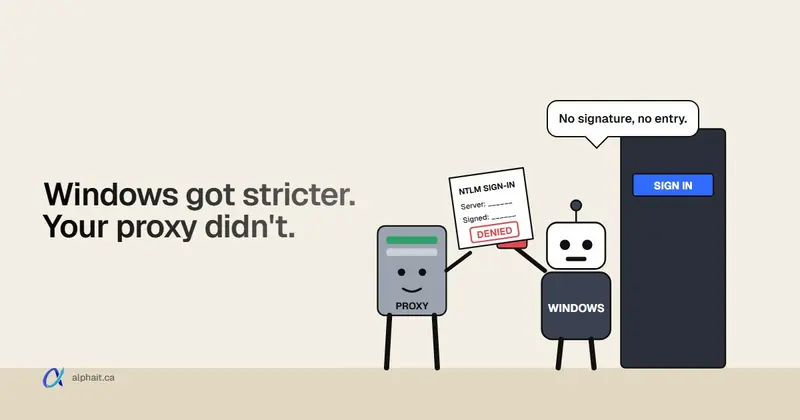
Some products sit in the middle of that sign-in, like a proxy or an SSO gateway. Microsoft says some of them don’t implement NTLM correctly. They send a “challenge” message that claims to include details about the server but leaves that part empty. When signing is in use, Windows now insists on two of those details: the server’s computer name and its domain name. If either is missing, Windows rejects the sign-in with STATUS_LOGON_FAILURE.
So the bug is really in the third-party product. Windows just stopped looking the other way. Fair enough, but it doesn’t help the person who can’t log in on a Wednesday morning.
Which Windows versions are involved?
Microsoft’s KB5135557 lists these:
| Type | Versions |
|---|---|
| Windows 11 | 26H2, 26H1, 25H2, 24H2, 23H2 (all editions) |
| Windows 10 | Enterprise LTSC 2021 |
| Windows Server | 2025, 2022, 2019, 2016 (all editions) |
The change comes with the November 10, 2026 updates and anything later. For most Windows 11 PCs, that’s KB5132061.
Who is likely affected, and who probably isn’t?
Microsoft names three kinds of product. Here’s what each tends to look like in a small office:
- Authentication proxy servers. A web proxy or filtering appliance that asks staff to sign in with their Windows account before they reach the internet.
- SSO solutions. Anything that lets staff sign in once with their Windows login and then get into other apps without typing a password again. Think of an on-premises SSO gateway, or a line-of-business app that uses your Windows login.
- Application packaging tools. Software IT uses to bundle and push apps to PCs. Most small offices won’t have one, but your IT provider might.
You’re more likely to be affected if you have an on-premises Windows Server or domain, plus one of the products above sitting between the PC and the server.
You’re probably not affected if you’re a cloud-only office. That means staff sign in to Microsoft 365 in the browser or Outlook, and there’s no server, proxy appliance or SSO box on site. Microsoft hasn’t said this in those words. It’s our read, based on the products it names and the fact that Kerberos isn’t affected.
What about printers, scanners and NAS boxes? Microsoft hasn’t named them for this issue. Older devices that use NTLM are the ones to watch next spring, though (more on that below).
What does it look like when it happens?
Microsoft’s wording is simple: “authentication through affected apps and devices might fail.” It doesn’t describe a specific error screen, and the message you see will depend on the product.
In plain terms, watch for this pattern. Sign-in through one particular app, proxy or gateway started failing right after the November update. Everything else on the PC works. Microsoft 365, email and websites that don’t go through that product are fine.
Your IT person can confirm it two ways, both from Microsoft’s article:
- Check Event ID 4021 in the NTLM log. In Event Viewer, it’s under Applications and Services Logs > Microsoft > Windows > NTLM > Operational. A “Not Found” value in the Target Information field (shown as “Target Machine: Not Found”) might point to an affected device. These events may need NTLM auditing turned on. KB5135557 explains the auditing setup.
- Take a network trace of the failed sign-in. Look for an NTLMSSP_CHALLENGE message with an empty Target Info List.
If you’d rather check the log from PowerShell, this command only reads events. It changes nothing.
Get-WinEvent -LogName "Microsoft-Windows-NTLM/Operational" -FilterXPath "*[System[(EventID=4021)]]" -MaxEvents 20 | Format-List TimeCreated, MessageIt shows the 20 most recent 4021 events with their full text. Look for “Not Found” next to the target machine. If it says no events were found, either nothing is logged or auditing is off.
What to do right now
If you only do one thing this week, do this: leave the update installed and call the vendor of the product that broke. Here’s the full order I’d follow.
1. Don’t uninstall the November update
I know it’s tempting. Removing it would bring the sign-in back. It would also strip out every other November security fix, including the fix for CVE-2026-118737 itself. The same Patch Tuesday also fixed an Outlook flaw attackers were already using to steal NTLM password hashes. Rolling back to fix one app trades a nuisance for a real hole.
2. Confirm it’s this issue
Make sure the failure lines up with the update date and runs through a proxy, SSO tool or packaging tool. Check Event 4021 as above. If sign-in is failing everywhere, including Microsoft 365, you’re looking at something else.
3. Ask the vendor two questions
Microsoft’s preferred fix is on the vendor’s side. Ask them:
- Does your product support Kerberos? If it does, switching to Kerberos avoids the NTLM problem altogether.
- Do you have an update that works with Microsoft’s November NTLM signing change? Microsoft points vendors to the NTLM spec (MS-NLMP, section 3.1.5.1.2). Mention it in your ticket so it gets to the right engineer.
4. Only then, apply Microsoft’s temporary workaround
If there’s no Kerberos option and no vendor update yet, Microsoft’s workaround is this registry value:
| Setting | Detail |
|---|---|
| Key | HKEY_LOCAL_MACHINE\SYSTEM\CurrentControlSet\Control\Lsa\MSV1_0 |
| Value name | ClientAllowUnsignedNtlm |
| Type | REG_DWORD |
0 (default) |
The PC offers signing on all non-anonymous NTLM connections |
1 |
The PC does not offer signing. Microsoft says this is for temporary compatibility only |
Please have IT do this, not a staff member following a blog post. A few reasons:
- It switches off a protection. That PC goes back to unsigned NTLM sign-ins, which are easier to relay. That’s exactly the kind of attack the November fix was built to stop.
- Microsoft may remove the setting in a future update. Your fix could quietly stop working.
- Microsoft doesn’t say whether a restart is needed after setting it. Plan for one.
- Limit it to the PCs that need it. If only the front desk uses the broken app, set it there, not on every machine.
- Write it down. Note which PCs got it, the date, and the vendor ticket number. Set a reminder to undo it once the vendor ships a fix.
If you just want to see whether a PC already has the value, this is read-only:
reg query "HKLM\SYSTEM\CurrentControlSet\Control\Lsa\MSV1_0" /v ClientAllowUnsignedNtlmIf it says the value can’t be found, the PC is on the default (signing offered).
5. Mark May 2027 on the calendar
This workaround has a shelf life. Microsoft’s plan has two phases. Phase 1 is now: PCs offer signing, and servers still accept connections without it. Phase 2, in May 2027, is when Windows servers start requiring signing by default. At that point, a PC set to ClientAllowUnsignedNtlm = 1 can be rejected by your own Windows servers. Get the vendor fix in before then.
Why does NTLM keep causing trouble?
Because it’s old, and it’s everywhere. NTLM dates back to the 1990s. Microsoft has been moving people to Kerberos for years. Still, lots of software, appliances and file-sharing setups fall back to NTLM quietly when Kerberos isn’t available.
Attackers love that. A stolen NTLM sign-in can be cracked or relayed to another server. We walked through a live example in our post on this month’s Outlook zero-day and the NTLM signing change. That post also covers which server logs to watch before phase 2. Each time Microsoft tightens NTLM, something old on somebody’s network breaks. This month it’s proxies and SSO tools. Next spring it may be the copier that scans to a shared folder.
The long-term answer is to need NTLM less. That means Kerberos inside the network, and modern sign-in with phishing-resistant MFA for the cloud. If you’re weighing hardware keys for that, here’s our YubiKey comparison for small businesses.
A quick checklist for a small Edmonton office
- Do we have an on-premises Windows Server or domain? If not, this probably isn’t you.
- Do we use a sign-in proxy, an SSO gateway or an app packaging tool? List them.
- Did any of those start failing on or after November 10?
- Is the November update still installed on every PC and server? Keep it that way.
- Vendor ticket open, asking about Kerberos and an NTLM signing fix?
- If the registry workaround was used: which PCs, what date, when to undo it?
- Reminder set for early 2027 to check NTLM logs before phase 2.
If you have a server and nobody owns these checks, that’s the real gap. Our managed IT support covers patching and follow-up like this from $70/month. If the server itself is old or held together with workarounds, have a look at our server and virtualization services.
Sources
- Microsoft Support: NTLM signing security improvements in Windows (KB5135557) (known issue, workaround, registry values, Event 4021, phases, affected versions)
- Microsoft Learn: Windows 11, version 25H2 known issues and notifications (checked November 25, 2026; issue not listed)
- Microsoft Security Response Center: CVE-2026-118737
- BleepingComputer: Microsoft confirms authentication issues after November updates (November 25, 2026)
- BetaNews: Microsoft confirms November security updates cause authentication issues for some (November 25, 2026)
Frequently asked questions
Why did NTLM sign-in stop working after the November 2026 Windows update?
The November 10, 2026 updates make Windows PCs offer NTLM message signing by default, as part of the fix for CVE-2026-118737. Some third-party proxies, SSO tools and packaging apps send an incomplete NTLM challenge. Windows now rejects that with STATUS_LOGON_FAILURE. Microsoft says the products don’t implement NTLM correctly.
Should I uninstall the November 2026 Windows update to fix sign-in?
No. Removing it also removes the rest of November’s security fixes. Microsoft’s guidance is to check for Kerberos support or a vendor update first. If neither exists, IT can apply the temporary ClientAllowUnsignedNtlm registry workaround on the affected PCs only.
What does ClientAllowUnsignedNtlm do?
It’s a REG_DWORD under HKLM\SYSTEM\CurrentControlSet\Control\Lsa\MSV1_0. At 0, the default, the PC offers NTLM signing. At 1, it doesn’t. Microsoft calls 1 a temporary compatibility setting that may be removed later. It lowers protection against NTLM relay attacks, so undo it once the vendor fixes their product.
Does this affect Microsoft 365 sign-in?
Microsoft doesn’t list Microsoft 365 among the affected products. The issue involves NTLM through third-party proxies, SSO and packaging tools, and Kerberos isn’t affected. A cloud-only office with no on-premises server or proxy is unlikely to see it. That’s our reading, not a Microsoft statement.
Is this the same as the KB5132061 install error?
No. The install errors (0x800f0989, 0x800f0993, 0x80070306) stopped the update from installing, and Microsoft has fixed them. This issue happens after the update installs successfully and changes how NTLM sign-in works.
Not sure whether your proxy, SSO tool or server is caught up in this, or want the workaround applied and tracked properly? AlphaIT’s managed IT support team can check your setup and deal with the vendor for you. Contact us.