Vishal Sharma
On this page
Outlook isn’t broken on your computer. Microsoft 365 had a large outage on Thursday, November 12, 2026. Mailbox problems started late in the morning, Alberta time. By 12:26 p.m. Microsoft had opened a wider incident covering Outlook, Teams, SharePoint, Copilot and Defender. Microsoft says the cause was servers that went unexpectedly offline, not a surge in traffic. At Microsoft’s last update we saw (about 4 p.m. Alberta time), it was not fixed yet. Don’t reset passwords or rebuild Outlook. Check Microsoft’s status page, then wait it out.
We’ll update this post as Microsoft posts more.
What is down
Microsoft is tracking two incidents. You’ll see them in your Microsoft 365 admin center:
- EX1550543 (Exchange Online): “Users may be unable to connect to their mailboxes in Exchange Online through multiple connection methods.” That covers Outlook on the web, the Outlook desktop app, phones using Exchange ActiveSync, and apps that use the REST API.
- MO1550821 (Microsoft 365): customers may be unable to connect to several services. Microsoft listed Exchange Online, Microsoft Teams, SharePoint Online, Microsoft 365 Copilot and Microsoft Defender XDR. Later updates added Purview, Intune, Defender for Office 365, Planner and To Do.
It isn’t only Microsoft’s own apps. Security Affairs reported that OpenAI warned its Microsoft connectors might fail to connect. Anthropic reported a problem with its Microsoft 365 connector caused by an upstream provider. So if ChatGPT or Claude can’t read your inbox today, that’s the same outage.
Downdetector showed about 130,000 Outlook reports at the peak, according to CNBC. Reports came from everywhere, not just the US. Microsoft first said the problem was in the Americas, then said users in any region could be affected.
Timeline in Alberta time
Microsoft posts times in Eastern or UTC. Alberta is now on UTC-6 all year, so subtract one hour from Eastern.
| Alberta time (Nov 12) | What happened |
|---|---|
| 8:45 to 9:53 a.m. | A separate Teams incident (TM1550488) delays chat messages in North and South America. Microsoft marks it resolved. |
| 10:17 a.m. | Exchange Online incident EX1550543 starts: mailbox connection problems in the Americas. |
| About noon | Microsoft says impact may reach any region and blames “elevated load across multiple regions.” |
| 12:26 p.m. | The wider Microsoft 365 incident, MO1550821, starts. |
| 12:30 to 1 p.m. | Microsoft redirects Outlook traffic around the world and restarts affected servers. |
| 1:06 p.m. | Microsoft pauses deployments and configuration changes as a precaution. |
| 1:18 p.m. | Microsoft says the load comes from servers being unavailable, not more traffic. |
| 2:56 p.m. | A new way of checking server health brings some servers back into service. |
| About 4 p.m. | Microsoft says its fixes “have not provided the anticipated relief” and that a core process on affected servers is overwhelmed. It isolates part of the system to test a fix. |
Some of these entries are paraphrased from status trackers that copied Microsoft’s updates. Your admin center has Microsoft’s exact wording.
Why it went down
This is what Microsoft has said so far, in plain terms:
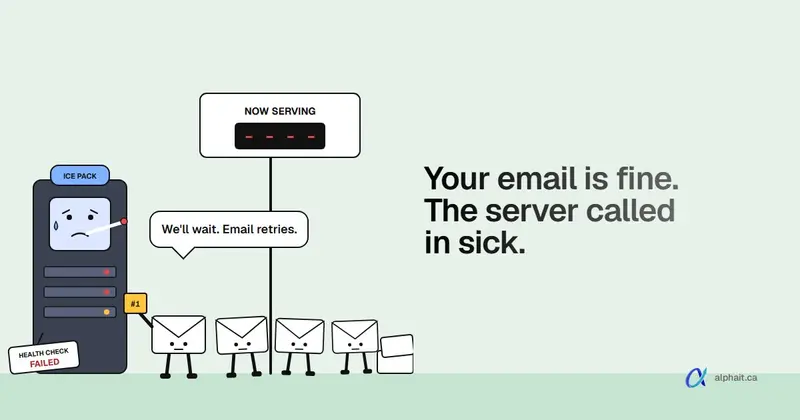
- Some Exchange servers stopped responding. They failed Microsoft’s own automated health checks, so they were taken out of service.
- The remaining servers took the load. With fewer servers handling the same mail traffic, they slowed down and started refusing connections. That’s the “elevated load” Microsoft mentioned first. Microsoft was clear that it wasn’t caused by extra traffic.
- Restarts didn’t fully fix it. Microsoft found that a core process on the affected servers was getting overwhelmed. It also looked at rolling back a small number of recent configuration changes to speed things up.
Microsoft hasn’t published a root cause yet. It usually releases a post-incident report to admins after a major event. Nothing Microsoft has said points to a cyberattack. Treat any claim otherwise as a rumour until Microsoft says so.
How to check if it’s Microsoft or just you
Before anyone in your office starts fixing their own PC, check these in order:
- Microsoft 365 admin center: go to admin.microsoft.com › Health › Service health and look for EX1550543 and MO1550821. This is the most accurate source, and it’s where Microsoft posts updates first.
- The public status page: status.cloud.microsoft works even when you can’t sign in to the admin center.
- Microsoft’s status account on X: @MSFT365Status posts short updates during big incidents.
- Try another way in. Microsoft said different connection methods can fail differently. If the Outlook desktop app won’t connect, try Outlook on the web or your phone, or the reverse.
If the admin center shows the incident and your symptoms match, stop troubleshooting. Nothing on your end will fix a Microsoft server problem.
What to do while it’s down
Do:
- Keep working in Outlook offline. In the desktop app’s default Cached Exchange Mode, mail that already downloaded stays readable. You can still search it and draft replies.
- Let your Outbox hold outgoing mail. Messages you send now wait in the Outbox and go out once Outlook reconnects. Don’t send the same email five times.
- Pick up the phone for anything urgent. Call the client or supplier and tell them email is delayed.
- Post a short notice. A line on your website or Google Business Profile (“Email is delayed today because of a Microsoft outage. Please call us”) saves a lot of confusion.
- Use a backup channel for staff. If Teams is down too, use a group text or a phone tree for today.
Don’t:
- Don’t reset passwords because Outlook keeps asking you to sign in. The prompts are a symptom of the outage. Resetting adds a second problem.
- Don’t delete and rebuild Outlook profiles. A new profile has to download the whole mailbox again once service returns, which is slow for big mailboxes.
- Don’t reinstall Office or call a “Microsoft support” number from a pop-up. Microsoft doesn’t call you about outages. A caller claiming to fix today’s outage is a scammer. We covered this trick in our post on the help desk phone scam.
Is incoming email lost?
Probably not. Email servers are built to retry. When a mail server can’t deliver a message, the standard for email (RFC 5321) says it should keep trying, and that the give-up time “generally needs to be at least 4-5 days.” Most of the mail people send you today should arrive late, not disappear.
Two exceptions to watch:
- Some senders will get delay notices. Their mail server may tell them “message delayed, still trying.” They may resend or call. That’s normal.
- Microsoft hasn’t said anything about lost mail. If an important message never shows up by tomorrow, ask the sender to resend it rather than assuming it’s gone.
Watch for outage phishing
Big outages are good news for scammers. Over the next few days, expect fake emails like “Your mailbox was suspended during the outage, sign in to restore it” or “Re-verify your Microsoft account.” Microsoft won’t ask you to sign in through an email link to fix an outage.
Remind your team today. Our holiday scams post has a one-page list you can forward, and MFA on every account stops most stolen passwords from turning into a break-in.
What this outage should change in your office
Outages like this are rare, but they happen to every cloud provider. Three things are worth doing once things calm down:
- Write down your “email is down” plan. Who tells staff? Who updates the website? Which clients get a phone call? Ten minutes now saves an hour of panic next time.
- Know what your downtime costs. Our free downtime cost calculator puts a dollar figure on an afternoon without email, which helps you decide how much backup planning is worth.
- Back up your mailboxes. An outage like this doesn’t delete data, but Microsoft’s own tools aren’t a full backup. We explain the gap in does Microsoft 365 back up your data?
If downtime cost you real money, read Microsoft’s service level agreement for your plan, or ask your Microsoft partner whether a service credit applies.
Sources
- BleepingComputer: Massive Microsoft 365 outage disrupts Outlook, Teams, Copilot worldwide (MO1550821, affected services, start time, Microsoft’s cause and mitigation steps, TM1550488)
- CNBC: Widespread Microsoft outage takes down Outlook and other 365 services (Downdetector figures, Microsoft statements, health check fix)
- StatusStack: Microsoft 365 and Exchange Online connectivity issues, November 12, 2026 (EX1550543 timeline, connection methods, later updates)
- Security Affairs: Microsoft cloud outage hits Outlook, Teams, Copilot and AI services (OpenAI and Anthropic connector impact)
- Microsoft 365 status page
- RFC 5321, section 4.5.4.1: Sending strategy (email retry and give-up time)
- Microsoft: Service Level Agreements for Online Services
Frequently asked questions
Is Outlook down right now?
Outlook and Microsoft 365 had a major outage on November 12, 2026, tracked by Microsoft as EX1550543 and MO1550821. At Microsoft’s last update we saw, about 4 p.m. Alberta time, it was not fully fixed. For the current status, check Service health in the Microsoft 365 admin center or status.cloud.microsoft.
What caused the Microsoft 365 outage on November 12?
Microsoft said a number of Exchange servers became unexpectedly unavailable after failing automated health checks. The remaining servers came under heavy load and refused connections. Microsoft said the load was not caused by extra traffic, and later found a core process on the affected servers was overwhelmed. A final root cause hadn’t been published.
Will I lose emails sent to me during the outage?
Most likely not. Sending mail servers retry failed deliveries, and the email standard suggests they keep trying for at least four to five days. Expect delayed mail rather than lost mail. If an important message hasn’t arrived by the next day, ask the sender to resend it.
Should I reset my password or reinstall Outlook?
No. Repeated sign-in prompts and “trying to connect” messages are symptoms of Microsoft’s outage, not a problem with your account or computer. Resetting passwords or rebuilding Outlook profiles adds work and can slow recovery once service returns.
Was the Microsoft outage a cyberattack?
Microsoft has described it as servers going offline and becoming overloaded, and has not said anything about an attack. Treat claims of a hack as rumours until Microsoft’s post-incident report says otherwise, and watch for phishing emails that use the outage as an excuse.
Want someone watching Microsoft 365 for you, so your team knows what to do the moment something breaks? See our Microsoft 365 support and managed IT services, or contact us.