Vishal Sharma
On this page
- Meet the example office
- The budget, line by line
- Microsoft 365: the biggest line most offices can trim
- Computers: replace, update or pay for ESU
- Network, server and backups
- What you can cut, and what you can’t
- 2027 dates that move money
- Support: pay per job or a monthly plan?
- How to fill in your own numbers
- Sources
- Frequently asked questions
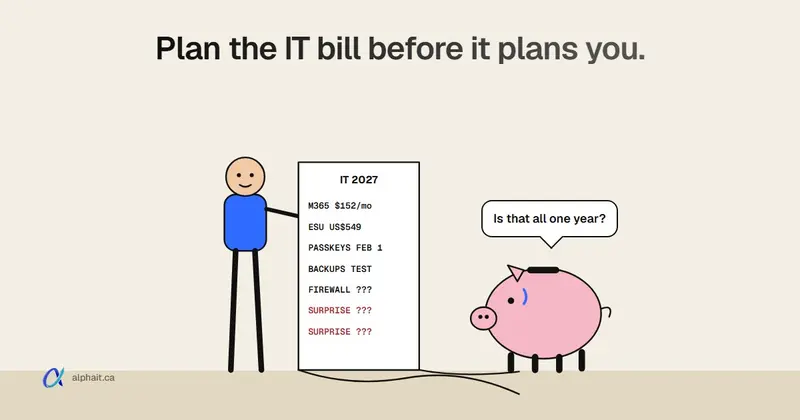
In our example 10-person office, Microsoft 365 alone runs $152 to $298 a month at Canadian list prices. That’s about $1,824 to $3,576 a year, depending on whether you mix plans or put everyone on Business Premium. On top of that sit a few one-time costs. In the example, three old Windows 10 PCs would cost US$549 in Extended Security Updates just to stay patched through Year 2. And Microsoft stops sending text-message sign-in codes on February 1, 2027, so that fix belongs in January, not “someday”.
Everything else on the list depends on your own quotes and your own equipment. This post walks through each line so you know what to ask for. If you’d rather fill it in as you read, grab our free 2027 IT budget planner workbook. It’s 14 pages with the same example, a quick 10-question check, and a worksheet you can copy your numbers into.
One note before we start. Every number below is an example for a made-up 10-person office, using list prices from November 2026. It isn’t a quote, and prices change often.
Meet the example office
Our example office has 10 people. Four only use email and Teams. Six work in Word and Excel all day. They have 11 computers, including one sitting in a cupboard. Three of those can’t run Windows 11. The firewall was bought in 2018. There’s a small file server, and nobody has ever tested a restore from its backup.
This office has at least four budget items hiding in plain sight.
The first job isn’t spending. It’s counting. The workbook’s example office found 12 Microsoft 365 licences for 10 people, plus two design-software subscriptions still billing for someone who left last spring. Cancelling those pays for part of everything else.
The budget, line by line
Here’s how we’d lay out the year. The priority column uses the workbook’s three colours:
- Do now: a deadline has passed, or one mistake could stop the business.
- This year: plan it and spread it over the four quarters.
- Can wait: worth doing, but only after the first two.
| Line | Example figure | Monthly or one-time | Priority |
|---|---|---|---|
| Microsoft 365 licences | $152 (mixed plans) to $298 (all Premium) per month | Monthly | This year |
| Security software and email filtering | Included if you pick Business Premium. Otherwise a separate subscription | Monthly | Do now |
| Computer replacements | 3 PCs that can’t run Windows 11, one per quarter | One-time, by quarter | Do now |
| Windows 10 ESU (bridge only) | US$549 for 3 PCs through Year 2 | One-time | Do now |
| Backups (PCs, server, Microsoft 365) | Your quote, plus a monthly test restore | Monthly | Do now |
| Firewall, switches, Wi-Fi | Replace the 2018 firewall in Q1 | One-time | This year |
| Server or cloud storage | Move files to SharePoint in Q3 instead of buying a new server | One-time | This year |
| IT support | Pay per job, or a monthly plan | Monthly | This year |
| Staff security training | Twice a year | Low cost | This year |
| Cyber insurance | Your renewal | Yearly | This year |
| Buffer for surprises | Hold back a set amount you don’t assign to any line | Monthly | This year |
The workbook’s formula is simple. Monthly total × 12, plus your one-time total, equals your 2027 IT budget.
We don’t put dollar figures on hardware, backups or support here. Those vary too much by brand, office and contract. A guess from us would be worse than a quote from your supplier.
On the buffer: that line is our suggestion, not the workbook’s. Pick a figure you’re comfortable with. Renewals are where most surprise bills come from, so the workbook also has a page for writing down every renewal date.
Microsoft 365: the biggest line most offices can trim
Microsoft 365 is usually the largest per-person software cost. You can mix plans in one company, so each person only pays for what they use.
Microsoft Canada’s list prices on an annual commitment, before tax:
| Plan | CAD per user per month | What it adds |
|---|---|---|
| Business Basic | $9.50 | Email, Teams, OneDrive, SharePoint, Office in the browser and on phones |
| Business Standard | $19.00 | Everything in Basic, plus desktop Word, Excel, Outlook and PowerPoint |
| Business Premium | $29.80 | Everything in Standard, plus Intune, Defender for Business, Defender for Office 365 Plan 1 and Conditional Access |
Microsoft raised Basic and Standard from July 1, 2026. Premium’s price didn’t change. Existing customers keep their old price until renewal, so your 2027 renewal may be the first time you see it.
The example, worked out:
- 4 people on Basic: 4 × $9.50 = $38.00
- 6 people on Standard: 6 × $19.00 = $114.00
- Total: $152.00 a month, about $1,824 a year
If the office holds sensitive client data and wants every laptop managed, Premium for all 10 is 10 × $29.80 = $298.00 a month.
Here’s how I’d think about that $146 gap. Premium includes endpoint protection, email link and attachment scanning, and device management. Without it, you’d likely buy some of that separately. So compare Premium against Standard plus the security products you’d add, not against Standard alone. For an office with laptops leaving the building, Premium usually wins. Our free Microsoft 365 plan picker does this person by person.
Copilot: check before you buy
Microsoft has said new Copilot Business seats bought through a reseller will come with pay-as-you-go usage billing switched on by default. That starts sometime in January to March 2027. The default spending limit is 4,000 Copilot Credits per user per month, and admins can lower it. If Copilot is in your 2027 plans, set that limit on day one. Our post on Copilot licensing changes covers what to ask your reseller.
Computers: replace, update or pay for ESU
Windows 10 support ended on October 14, 2025. Business PCs that stayed on it need paid Extended Security Updates (ESU) to keep getting fixes.
| ESU year | USD per PC |
|---|---|
| Year 1 | $61 |
| Year 2 | $122 |
| Year 3 | $244 |
ESU is cumulative. A PC joining now, in Year 2, pays for Year 1 as well. So in our example, the three PCs that can’t run Windows 11 cost ($61 + $122) × 3 = US$549 to cover. Next year the price doubles again.
That’s why the example office does something different. They replace one old PC per quarter. They buy ESU only for the two that wait longest. ESU buys time. It isn’t a plan. Our Windows 10 ESU year 2 guide explains how to buy it and check each PC is actually licensed.
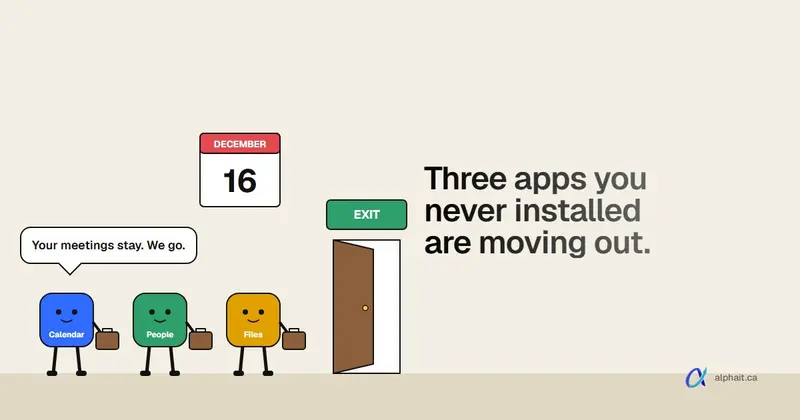
Windows 11 PCs need a look too, but they don’t usually cost money. Version 24H2 on Home and Pro stopped getting security updates on October 13, 2026. 25H2 is supported until October 12, 2027, and 26H2 until October 10, 2028. Some unmanaged PCs are moving to 26H2 on their own right now. If that worries you, read what the automatic 26H2 upgrade means before you budget any time for it.
For the replacement cycle, don’t put a fixed age on it. Ask one question of each PC: can it run a supported version of Windows 11? If not, it goes on the replacement list, oldest first.
Network, server and backups
Firewall. Find the brand and model on the label. Look it up on the maker’s end-of-life page. If it’s past end of support, it’s a Do now item. If it’s within a year, budget the replacement for this year. The example office’s 2018 firewall is already past it, so it goes in Q1. We wrote a fuller guide on when to replace a firewall.
Server. If yours only holds shared files, many offices can move those to SharePoint and Teams, which you already pay for in Microsoft 365. That takes a future server replacement off the budget for good. Keep the server if every PC connects to business software on it, like accounting or imaging.
Backups. Follow the 3-2-1 rule:
- 3 copies of your data
- on 2 different kinds of storage
- with 1 copy away from the office or offline, where ransomware can’t reach it
Then test it. In the workbook’s example, the first test restore failed because the backup job had stopped four months earlier. That’s the kind of thing you want to find on a quiet Tuesday, not during an incident. Microsoft 365 isn’t a full backup on its own either, so budget for that separately.
What you can cut, and what you can’t
If the total comes out higher than you’d like, here’s how we’d trim it. Keep every Do now line. Then keep the This year lines in order. Can wait lines move to 2028.
Don’t cut these:
- Multi-factor sign-in on every account, owner included. It’s included in Microsoft 365.
- Getting staff off text-message codes before February 1.
- A backup that’s been test-restored in the last three months.
- Security updates on every computer, which means no unsupported Windows.
- Shutting off a leaver’s accounts the same day.
Trim or delay these:
- Licences for people who left. Cut them today.
- Standard licences for people who only use the browser. Move them to Basic.
- Duplicate subscriptions that two people bought separately.
- A server replacement, if your files can move to SharePoint.
- Separate admin accounts. Still worth doing, but it can wait until the red items are done.
Notice that most of the “don’t cut” items cost little or nothing. The money in a small office IT budget usually goes to hardware and support. The risk sits in settings nobody checked.
2027 dates that move money
| When | What happens | Budget effect |
|---|---|---|
| Feb 1, 2027 | Microsoft-provided SMS and voice sign-in codes retired for most work accounts | Staff time to move everyone to passkeys |
| Jan to Mar 2027 | Copilot Business usage billing on by default for new reseller purchases | Set spending limits if you buy Copilot |
| Jul 1, 2027 | SMS and voice codes retired for Global Admins and external users | Check your admin accounts too |
| Oct 12, 2027 | Windows 11 25H2 Home and Pro support ends | Move those PCs to 26H2 |
| Oct 2027 | Windows 10 ESU Year 2 ends; Year 3 is US$244 per PC | Replace remaining Windows 10 PCs before then |
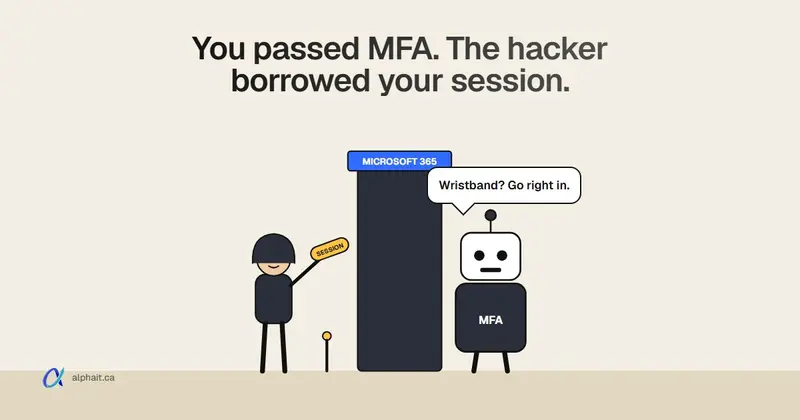
The February date is the one that sneaks up. After it, anyone whose only sign-in method is a text code gets a blocking prompt to register a passkey. Microsoft says there’s no opt-out. Our guide to moving off SMS sign-in codes has the step-by-step.
Closing for the holidays? Some of this fits nicely into the quiet week. Our holiday office closure IT checklist covers what to do before you lock the door.
Support: pay per job or a monthly plan?
This line depends on how much your office relies on its systems. Pay per job suits a small office with few problems and simple setups. You pay when something breaks. Watch for the same problem being fixed, and paid for, twice. A monthly plan suits a team that needs its systems all day. Check exactly what’s included and what costs extra, like backups or projects.
Whichever you pick, get it in writing. Our IT services page shows what both options cover. Our list of questions to ask an IT company helps you compare quotes line by line. And if cyber insurance renews this year, check its questions against your plan. Insurers often ask about MFA, tested backups and endpoint protection, which are lines already in this budget.
How to fill in your own numbers
If you only have 30 minutes, do this:
- Pull three months of IT, software, internet and phone invoices.
- In the Microsoft 365 admin center, open Billing › Your products to see how many licences you pay for. Then open Users › Active users to see who has them.
- Walk the office and count computers, printers and network boxes. Note any model names.
- On each PC, press Windows key + R, type
winverand press Enter. Write down the version. - Answer the 10-question quick check on page 3 of the free IT budget workbook, and fix the red items first.
Then work through the seven steps, one page each, and copy the totals into the worksheet on page 13. Most owners can do it in an afternoon.
Sources
- Microsoft Canada: Microsoft 365 business plans and pricing (CAD list prices)
- Microsoft Licensing: 2026 Microsoft 365 packaging and pricing updates (July 1, 2026 price changes, renewal rule)
- Microsoft Partner Center: November 2026 announcements (Copilot Business usage billing moved to January to March 2027, 4,000-credit default)
- Microsoft Learn: Extended Security Updates program for Windows 10 (US$61 Year 1, doubling, cumulative)
- Microsoft Lifecycle: Windows 11 Home and Pro (24H2, 25H2, 26H2 end dates)
- Microsoft Learn: Passkeys by default and retirement of Microsoft-provided SMS and voice authentication (February 1 and July 1, 2027 dates, blocking prompt)
Frequently asked questions
How much should a 10-person office budget for IT in 2027?
There’s no single number. In our example, Microsoft 365 alone is $152 to $298 a month at list prices, about $1,824 to $3,576 a year. Add one-time costs like computer replacements, a firewall and any Windows 10 ESU, plus support and backups from your own quotes.
Is Microsoft 365 Business Premium worth it over Standard?
Often, yes, for offices with laptops or sensitive client data. Premium adds device management, endpoint protection and email attachment scanning. Compare it against Standard plus the security products you’d otherwise buy, not against Standard alone.
Should I pay for Windows 10 ESU or replace the PC?
If the PC can run Windows 11, upgrade it. If it can’t, ESU is a short bridge. Joining in Year 2 costs US$183 per PC, and Year 3 is US$244 more. Spreading replacements over the year usually costs less than paying ESU for every old PC.
What IT costs can a small business safely delay to 2028?
Items marked “can wait” in the workbook, like separate admin accounts or a written AI policy, can move once the urgent items are done. Don’t delay multi-factor sign-in, tested backups, supported Windows or leaver offboarding.
Is the IT budget workbook really free?
Yes. It’s a 14-page PDF. You sign up with your email on the planner page and the download appears straight away.
Want a second pair of eyes on your numbers? Download the free 2027 IT budget planner, or book a free IT assessment and we’ll fill in the worksheet with you. Contact us.